오답노트
1회차
RDP: Remote Desktop Protocol
Q) A mid-sized company recently deployed Amazon GuardDuty to monitor their AWS environment for potential security threats. The security team noticed a high number of RDP brute force attacks originating from an Amazon EC2 instance and decided to take action to prevent any issues. The company’s security engineer was tasked with implementing an automated solution that could block the suspicious instance until the issue could be investigated and remediated.
Which of the following should the security engineer implement?
-
Have Security Hub ingest GuardDuty findings and send events to EventBridge that triggers a Lambda function to block traffic to/from the suspicious instance by updating the network ACL rules
-
Have Security Hub ingest GuardDuty findings and send events to Kinesis Data Streams via EventBridge. Configure a Lambda function to process the data stream and block traffic to/from the suspicious instance by updating the security group so that it has no inbound and outbound rules
-
Have Security Hub ingest GuardDuty findings and send events to Kinesis Data Streams via EventBridge. Configure Kinesis Data Analytics to process the data stream and block traffic to/from the suspicious instance by updating the security group so that it has no inbound and outbound rules
-
Have Security Hub ingest GuardDuty findings and send events to EventBridge that triggers a Lambda function to block traffic to/from the suspicious instance by updating the WAF web ACL
답: 2번
공격의 ACTOR가 EC2 instance이므로 해당 ec2 instance만 inbound/outbound 규칙이 없는 security group에 넣는게 가장 좋은 방법이다.
Security Hub와 Kinesis Data Streams는 없어도 되는 구성이다. 그냥 GuardDuty → EventBridge → Lambda로 하면 됩니다. 보기 2의 Kinesis는 필수 요소가 아니라, 문제 선택지에 섞여 있는 불필요한 구성입니다.
정답은 2번입니다.
이유는, GuardDuty finding을 기반으로 자동 대응할 때 문제가 된 EC2 인스턴스를 격리(isolate) 하는 가장 적절한 방법이 보안 그룹(Security Group)을 격리용으로 바꾸거나, 인바운드/아웃바운드 규칙이 없는 보안 그룹으로 만들어 사실상 통신을 차단하는 것이기 때문입니다. AWS GuardDuty의 EC2 대응 가이드도 격리용 security group을 만들어 인스턴스에 연결하는 방식을 권장합니다. 또 GuardDuty/ Security Hub finding은 EventBridge로 흘려보내 자동화할 수 있습니다.
1번(NACL 수정): NACL은 서브넷 단위라서 해당 인스턴스만 정밀하게 격리하기 어렵고, 같은 서브넷의 다른 리소스에도 영향이 갈 수 있습니다. 인스턴스 격리에는 SG가 더 적합합니다. AWS 보안 포렌식 가이드도 SG 격리를 기본으로 보고, 필요 시 NACL은 기존 연결을 끊는 보조 수단처럼 언급합니다.
Correct option:
Have Security Hub ingest GuardDuty findings and send events to Kinesis Data Streams via EventBridge. Configure a Lambda function to process the data stream and block traffic to/from the suspicious instance by updating the security group so that it has no inbound and outbound rules
AWS Security Hub provides you with a comprehensive view of your security state in AWS and helps you check your environment against security industry standards and best practices.
Security Hub collects security data from across AWS accounts, services (such as GuardDuty), and supported third-party partner products and helps you analyze your security trends and identify the highest priority security issues.
How Security Hub works: Leveraging Amazon EventBridge’s integration with Security Hub, you can automate your AWS services to respond automatically to system events such as application availability issues or resource changes. Events from AWS services are delivered to EventBridge in near-real time and on a guaranteed basis. You can write simple rules to indicate which events you are interested in and what automated actions to take when an event matches a rule. The actions that can be automatically triggered include the following:
Invoking an AWS Lambda function
Invoking the Amazon EC2 run command
Relaying the event to Amazon Kinesis Data Streams
Activating an AWS Step Functions state machine
Notifying an Amazon SNS topic or an Amazon SQS queue
Sending a finding to a third-party ticketing, chat, SIEM, or incident response and management tool
For the given use case, you can process the Security Hub events in Kinesis Data Streams by using a Lambda function that monitors any UnauthorizedAccess:EC2/RDPBruteForce finding from GuardDuty that is relayed via Security Hub. This finding informs you that an EC2 instance in your AWS environment was involved in a brute force attack aimed at obtaining passwords to RDP services on Windows-based systems. This can indicate unauthorized access to your AWS resources. When the Lambda function sees a matching finding, it can block traffic to/from the suspicious instance by updating the security group so that it has no inbound and outbound rules.
Incorrect options:
Have Security Hub ingest GuardDuty findings and send events to EventBridge that triggers a Lambda function to block traffic to/from the suspicious instance by updating the WAF web ACL - WAF web ACL can only be applied to the following resource types: CloudFront distribution, Amazon API Gateway REST API, Application Load Balancer, AWS AppSync GraphQL API and Amazon Cognito user pool. You can use AWS WAF to control how your protected resources respond to HTTP(S) web requests. The given use case is about RDP brute force attacks originating from an EC2 instance, so using WAF web ACL is not relevant, as it cannot monitor traffic originating from an EC2 instance.
Have Security Hub ingest GuardDuty findings and send events to EventBridge that triggers a Lambda function to block traffic to/from the suspicious instance by updating the network ACL rules - Using Network ACL rules would impact all instances in a subnet. It will not isolate the traffic only for the suspicious instance. Hence this option is incorrect.
Have Security Hub ingest GuardDuty findings and send events to Kinesis Data Streams via EventBridge. Configure Kinesis Data Analytics to process the data stream and block traffic to/from the suspicious instance by updating the security group so that it has no inbound and outbound rules - Amazon Kinesis Data Analytics can be used to transform and analyze streaming data in real-time with Apache Flink. Apache Flink is an open-source framework and engine for processing data streams. Kinesis Data Analytics reduces the complexity of building, managing, and integrating Apache Flink applications with other AWS services. This option has been added as a distractor as Kinesis Data Analytics cannot be used to update the security groups for an instance.
vis-a-vis: in relation to, face-to-face
Q) A company maintains a robust security posture by use of AWS services like AWS Config, AWS Firewall Manager, Amazon GuardDuty, Amazon Inspector, Amazon Detective, and AWS Trusted Advisor. Earlier, the company was using a custom dashboard to aggregate information about its security footprint, the company has now decided to use AWS Security Hub to help assess its AWS environment vis-a-vis the security best practices.
Which of the following statements are correct about Security Hub integration with other AWS services? (Select two)
-
AWS Security Hub doesn’t retroactively detect and consolidate security findings that were generated before you enabled AWS Security Hub. However, as a global service, AWS Security Hub can consolidate findings from all AWS regions to a single S3 bucket of your choice
-
AWS Security Hub sends the Amazon GuardDuty findings to Amazon Detective to visualize and investigate the findings
-
AWS Firewall Manager sends findings to Security Hub when AWS Shield Advanced is not protecting the resources
-
Amazon Detective automatically collects log data from the integrated AWS resources and uses machine learning and graph theory to conduct faster and more efficient security investigations. These investigations are sent to AWS Security Hub as findings in JSON format
-
AWS Trusted Advisor inspects your AWS environment and sends recommendations as findings to AWS Security Hub
답: 2,3
기본적인 AWS Trusted Advisor 자체는 점검하고 권장사항을 보여주는 서비스이고, 보통 스스로 리소스 설정을 직접 바꾸지는 않아.
다만 예외가 있어:
AWS Managed Services(AMS)의 Trusted Remediator 를 쓰면, Trusted Advisor 결과를 바탕으로 SSM Automation 문서를 실행해서 자동/수동 remediation을 할 수 있어. 이건 Trusted Advisor 단독 기능이라기보다는, AMS가 Trusted Advisor findings를 탐지 신호로 써서 후속 자동조치를 붙이는 구조야. 기본값도 바로 자동 실행이 아니라 inactive로 시작해.
Trusted Advisor는 Security Hub에게 정보를 받는다. Trusted Advisor가 Security Hub에게 정보를 주지는 않는다.
Amazon Detective도 Security Hub에게 정보를 받는다. Amazon Detective가 Security Hub에게 정보를 주지는 않는다.
Security Hub는 Firewall Manager에게는 정보를 받는다.
Security Hub는 regional service다, global service가 아니므로 모든 region의 findings를 하나의 s3 버킷에 모으는 기능 같은 건 없다.
AWS Security Hub는 기본적으로 리전 서비스이지만, cross-Region aggregation을 통해 여러 리전의 findings를 하나의 home Region으로 중앙 집계할 수 있다. 다만 모든 리전의 findings를 자동으로 하나의 S3 버킷에 저장하는 단일 내장 기능은 없고, S3 적재가 필요하면 EventBridge 등을 이용해 별도로 구성해야 한다.
Correct options:
AWS Firewall Manager sends findings to AWS Security Hub when AWS Shield Advanced is not protecting the resources
This statement is true. AWS Firewall Manager sends findings to AWS Security Hub when AWS Shield Advanced is not protecting resources, or when an attack is identified. AWS Firewall Manager also sends findings when a web application firewall (WAF) policy for resources or a web access control list (web ACL) rule is not in compliance.
After you enable Amazon Security Hub, this integration is automatically activated. AWS Firewall Manager immediately begins to send findings to AWS Security Hub.
AWS Security Hub sends the Amazon GuardDuty findings to Amazon Detective to visualize and investigate the findings
Amazon Detective automatically collects log data from your AWS resources and uses machine learning, statistical analysis, and graph theory to help you visualize and conduct faster and more efficient security investigations.
AWS Security Hub integration with Amazon Detective allows you to pivot from Amazon GuardDuty findings in Security Hub into Amazon Detective. You can then use the Detective tools and visualizations to investigate them. The integration does not require any additional configuration in AWS Security Hub or Amazon Detective.
Incorrect options:
AWS Trusted Advisor inspects your AWS environment and sends recommendations as findings to AWS Security Hub - Trusted Advisor draws upon best practices learned from serving hundreds of thousands of AWS customers. Trusted Advisor inspects your AWS environment and then makes recommendations when opportunities exist to save money, improve system availability and performance, or help close security gaps. Security Hub sends the results of its AWS Foundational Security Best Practices checks to Trusted Advisor. In short, Trusted Advisor receives findings from Security Hub.
Amazon Detective automatically collects log data from the integrated AWS resources and uses machine learning and graph theory to conduct faster and more efficient security investigations. These investigations are sent to AWS Security Hub as findings in JSON format - Amazon Detective automatically collects log data from your AWS resources and uses machine learning, statistical analysis, and graph theory to help you visualize and conduct faster and more efficient security investigations. Amazon Detective receives findings from AWS Security Hub, rather than sending the findings to Security Hub.
AWS Security Hub doesn’t retroactively detect and consolidate security findings that were generated before you enabled Security Hub. However, as a global service, Security Hub can consolidate findings from all AWS regions to a single S3 bucket of your choice - Indeed, Security Hub doesn’t retroactively detect and consolidate security findings that were generated before you enabled Security Hub. However, Security Hub is a regional service and not a global service.
Q) A data analytics company wants to move all its clients belonging to the regulated and security-sensitive industries such as financial services and healthcare to the AWS Cloud as it wants to leverage the out-of-box security-specific capabilities offered by AWS. The Security team at the company is developing a framework to validate the adoption of AWS best practices and industry-recognized compliance standards. The AWS Management Console is the preferred method for the in-house teams wanting to provision resources. You have been hired as an AWS Certified Security Specialist to spearhead this strategic initiative.
Which of the following strategies would you adopt to address these business requirements for continuously assessing, auditing, and monitoring the configurations of AWS resources? (Select two)
-
Leverage CloudTrail integration with SNS to automatically notify unauthorized API activities. Ensure that CloudTrail is enabled for all accounts as well as all available AWS services. Use Lambda functions to automatically revert non-authorized changes in AWS resources
-
Enable trails and set up CloudTrail events to review and monitor management activities of all AWS accounts by logging these activities into CloudWatch Logs using a KMS key. Ensure that CloudTrail is enabled for all accounts as well as all available AWS services
-
Leverage CloudWatch Logs agent to collect all the AWS SDK logs. Search the log data using a pre-defined set of filter patterns that match mutating API calls. Use CloudWatch alarms to send notifications via SNS when unintended changes are performed. Archive log data by using a batch export to Amazon S3 and analyze via Athena
-
Leverage Config rules to audit changes to AWS resources and monitor the compliance of the configuration by running the evaluations for the rule at a frequency that you choose. Develop AWS Config custom rules to establish a test-driven development approach by triggering the evaluation when any resource that matches the rule’s scope changes in configuration
-
Leverage EventBridge events near-real-time capabilities to monitor system event patterns to trigger Lambda functions to automatically revert non-authorized changes in AWS resources. Send notifications via SNS topics to improve the incidence response time
답: 2,4
Correct options:
Leverage Config rules to audit changes to AWS resources and monitor the compliance of the configuration by running the evaluations for the rule at a frequency that you choose. Develop AWS Config custom rules to establish a test-driven development approach by triggering the evaluation when any resource that matches the rule’s scope changes in configuration
AWS Config is a service that enables you to assess, audit, and evaluate the configurations of your AWS resources. With Config, you can review changes in configurations and relationships between AWS resources, dive into detailed resource configuration histories, and determine your overall compliance against the configurations specified in your internal guidelines. You can use Config to answer questions such as - “What did my AWS resource look like at xyz point in time?”
For the given use case, you can use AWS Config to evaluate the configuration settings of your AWS resources. You do this by creating AWS Config rules, which represent your ideal configuration settings. AWS Config provides customizable, predefined rules called managed rules to help you get started. You can also create your own custom rules. While AWS Config continuously tracks the configuration changes that occur among your resources, it checks whether these changes violate any of the conditions in your rules. If a resource violates a rule, AWS Config flags the resource and marks the rule as non-compliant.
There are two types of evaluation trigger types for Config rules:
Configuration changes – AWS Config triggers the evaluation when any resource that matches the rule’s scope changes in configuration. The evaluation runs after AWS Config sends a configuration item change notification.
Periodic – AWS Config runs evaluations for the rule at a frequency that you choose (for example, every 24 hours).
Enable trails and set up CloudTrail events to review and monitor management activities of all AWS accounts by logging these activities into CloudWatch Logs using a KMS key. Ensure that CloudTrail is enabled for all accounts as well as all available AWS services
(KMS로 CloudTrail이 CloudWatch Logs로 보낸 감사 로그를 암호화해서 저장할 수 있다.)
CloudTrail is an AWS service that helps you enable governance, compliance, and operational and risk auditing of your AWS account. Actions taken by a user, role, or AWS service are recorded as events in CloudTrail. An event in CloudTrail is the record of activity in an AWS account. This activity can be an action taken by a user, role, or service that is monitorable by CloudTrail. CloudTrail events provide a history of both API and non-API account activity made through the AWS Management Console, AWS SDKs, command line tools, and other AWS services.
CloudTrail data events are disabled by default. You can enable logging at an additional cost. Data events are also known as data plane operations and are often high-volume activities. Data events aren’t viewable in CloudTrail event history and are charged for all copies at a reduced rate compared to management events.
CloudTrail records management events for the last 90 days free of charge, and are viewable in the Event History with the CloudTrail console. For Amazon S3 delivery of CloudTrail events, the first copy delivered is free. Additional copies of management events are charged.
Incorrect options:
Leverage CloudWatch Logs agent to collect all the AWS SDK logs. Search the log data using a pre-defined set of filter patterns that match mutating API calls. Use CloudWatch alarms to send notifications via SNS when unintended changes are performed. Archive log data by using a batch export to Amazon S3 and analyze via Athena - One of the key constraints for the given scenario is that the AWS Management Console is the preferred method for the in-house teams wanting to provision resources. Although this option is technically feasible, it focuses on using CloudWatch Logs agent to collect all the AWS SDK logs. The given use case has no specific requirements for AWS SDKs or AWS APIs because AWS Management Console is the preferred method to provision resources. So this option is not the best-fit solution.
Leverage CloudTrail integration with SNS to automatically notify unauthorized API activities. Ensure that CloudTrail is enabled for all accounts as well as all available AWS services. Use Lambda functions to automatically revert non-authorized changes in AWS resources - One of the key constraints for the given scenario is that the AWS Management Console is the preferred method for the in-house teams wanting to provision resources. Although this option is technically feasible, it focuses on capturing unauthorized API activities. The given use case has no specific requirements for AWS SDKs or AWS APIs because AWS Management Console is the preferred method to provision resources. In addition, the use case just talks about assessing, auditing, and monitoring the configurations of AWS resources. Reverting non-authorized changes in AWS resources is not part of the mandate. So this option is not correct.
Leverage EventBridge events near-real-time capabilities to monitor system event patterns to trigger Lambda functions to automatically revert non-authorized changes in AWS resources. Send notifications via SNS topics to improve the incidence response time - The use-case just talks about assessing, auditing, and monitoring the configurations of AWS resources. Reverting non-authorized changes in AWS resources is not part of the mandate. So this option is not correct.
Q) A company has created trails in CloudTrail for all its AWS accounts as a security best practice. Recently, the company’s security team has highlighted increased user login failures for a particular AWS account and asked for an immediate fix. The solution should send notifications to the concerned manager if a user login fails for three consecutive attempts within a span of five minutes.
As an AWS Certified Security Specialist, how will you implement a solution for this requirement? (Select two)
-
Configure AWS CloudTrail to send trail events to Amazon CloudWatch Alarm. Create a metric filter for the relevant log group with a filter pattern having eventName as
ConsoleSigninand errorMessage asFailed authentication -
Create an Amazon Athena table by specifying the location of log files for querying CloudTrail logs stored on Amazon S3. Run a query via a Lambda function for eventName matching
ConsoleLoginand for errorMessage matchingFailed authentication -
Configure AWS CloudTrail to send trail events to Amazon CloudWatch Logs. Create a metric filter for the relevant log group with a filter pattern having eventName as
ConsoleLoginand errorMessage asFailed authentication -
Create a notification action from the Lambda function to send an Amazon Simple Notification Service (Amazon SNS) notification when the query result shows up with a count of 3 or more within a span of 5 minutes
-
Create a CloudWatch alarm with the
thresholdparameter set to 3 and theperiodparameter set to 5 minutes. The alarm action is a notification sent to an Amazon Simple Notification Service (Amazon SNS) topic subscribed by the concerned manager(s)
답: 3,5
2,4도 기능하긴 하지만 불필요하게 복잡하고, 문제에서는 자동으로 notification이 발송되어야 하는데 자동으로 실행되는 부분이 없다.
Correct options:
Configure AWS CloudTrail to send trail events to Amazon CloudWatch Logs. Create a metric filter for the relevant log group with a filter pattern with having eventName as ConsoleLogin and errorMessage as Failed authentication
CloudTrail logs any attempts to sign in to the AWS Management Console, the AWS Discussion Forums, and the AWS Support Center. All IAM user and root user sign-in events, as well as all federated user sign-in events, generate records in CloudTrail log files. You can check the AWS Management Console sign-in events from the example link below.
Example record that shows an unsuccessful sign-in attempt:
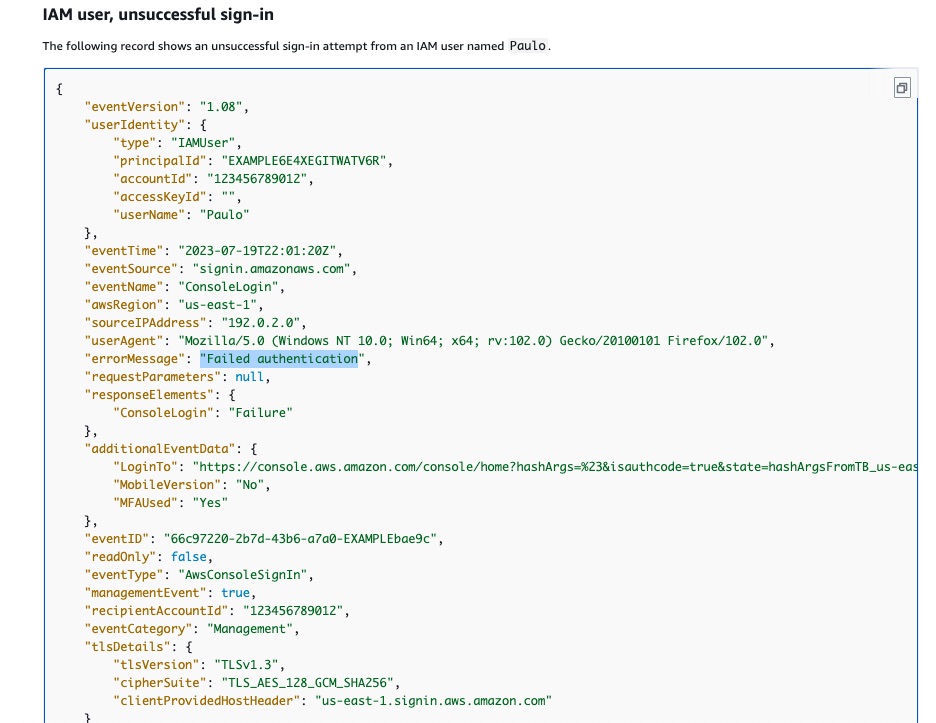
Check the example below that showcases how a metric value can be incremented using values from log events.
Using values in log events to increment a metric’s value:
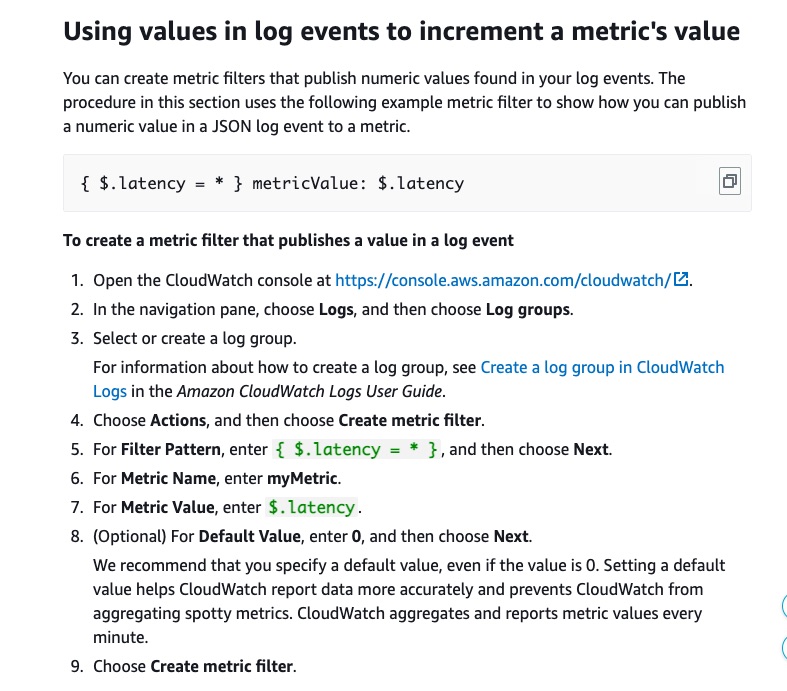
via - https://docs.aws.amazon.com/AmazonCloudWatch/latest/logs/FilterAndPatternSyntaxForMetricFilters.html
Create a CloudWatch alarm with the threshold parameter set to 3 and the period parameter set to 5 minutes. The alarm action is a notification sent to an Amazon Simple Notification Service (Amazon SNS) topic subscribed by the concerned manager(s)
You can use an alarm to automatically initiate actions on your behalf. An alarm watches a single metric over a specified time period and performs one or more specified actions, based on the value of the metric relative to a threshold over time. The action is a notification sent to an Amazon SNS topic or an Auto Scaling policy.
Since three failed attempts have to be monitored, set the threshold value to 3 and time period of 5 minutes.
Incorrect options:
Configure AWS CloudTrail to send trail events to an Amazon CloudWatch Alarm. Create a metric filter for the relevant log group with a filter pattern having eventName as ConsoleSignin and errorMessage as Failed authentication - You need to send the trail events to CloudWatch Logs and not to CloudWatch Alarm. In addition, the trail log eventName that you need to track is ConsoleLogin and not ConsoleSignin.
Create an Amazon Athena table by specifying the location of log files for querying CloudTrail logs stored on Amazon S3. Run a query via a Lambda function for eventName matching ConsoleLogin and for errorMessage matching Failed authentication
Create a notification action from the Lambda function to send an Amazon Simple Notification Service (Amazon SNS) notification when the query result shows up with a count of 3 or more within a span of 5 minutes
AWS CloudTrail and Amazon Athena help make it easier by combining the detailed CloudTrail log files with the power of the Athena SQL engine to easily find, analyze, and respond to changes and activities in an AWS account. AWS CloudTrail records API calls and account activities and publishes the log files to Amazon S3. Account activity is tracked as an event in the CloudTrail log file. Each event carries information such as who performed the action, when the action was done, which resources were impacted, and many more details. You can use an AWS Lambda function to initiate the query and then analyze the query results to send the notification if required.
While these two options offer a solution for the use case, it’s not an optimal solution, as it adds unnecessary complexity.
References:
https://docs.aws.amazon.com/AmazonCloudWatch/latest/monitoring/cloudwatch_concepts.html
Q) A Security Engineer has been tasked to evaluate the outcome of different policies, including but not limited to identity-based policies, resource-based policies, IAM permissions boundaries, session policies, and AWS Organizations service control policies (SCPs) of an AWS account.
Which of the following are valid statements regarding the aforementioned policy evaluations? (Select three)
-
If a resource-based policy grants permission directly to the IAM user or the session principal that is making the request, then an implicit deny in an identity-based policy, a permissions boundary, or a session policy results in a final
Deny -
If no applicable
Allowstatement is found in the SCPs, the request is explicitly denied, even if the denial is implicit -
If a resource-based policy grants permission directly to the IAM user or the session principal that is making the request, then an implicit deny in an identity-based policy, a permissions boundary, or a session policy does not impact the final decision
-
Resource-based policies that grant permissions to an IAM role ARN are limited by an implicit deny in a permissions boundary or session policy
-
If a resource-based policy grants permission to the ARN of the federated IAM user, then requests made by the federated user during the session are not limited by an implicit deny in a permission boundary or session policy
-
If there is no explicit
Allowin the SCP, the request is implicitly given anAllowafter the SCP is evaluated
답: 2,3,4
SCP에 명시적으로 허용하지 않으면 나머지는 죄다 deny 되는구나
나머지는.. 이런거 나오면 틀리자. 어케 외움
Resource-based policy에서 IAM user나 session principal에 권한 할당하면 permission boundary나 session policy의 암시적인 거부는 무효화되고 resourced based policy 적용됨.
하지만 Resource-based policy에서 IAM role ARN에 권한 할당하면 permission boundary나 session policy의 암시적인 거부가 적용되어서 권한 거부당함. 이걸 어케 외움.
Correct options:
If a resource-based policy grants permission directly to the IAM user or the session principal that is making the request, then an implicit deny in an identity-based policy, a permissions boundary, or a session policy does not impact the final decision
Resource-based policy logic differs from other policy types if the specified principal is an IAM user, an IAM role, or a session principal. If a resource-based policy grants permission directly to the IAM user or the session principal that is making the request, then an implicit deny in an identity-based policy, a permissions boundary or a session policy does not impact the final decision.
Resource-based policies that grant permissions to an IAM role ARN are limited by an implicit deny in a permissions boundary or session policy
This statement is correct. Resource-based policies that grant permissions to an IAM role ARN are limited by an implicit deny in a permissions boundary or session policy.
Impact of resource-based policies for different principal types:
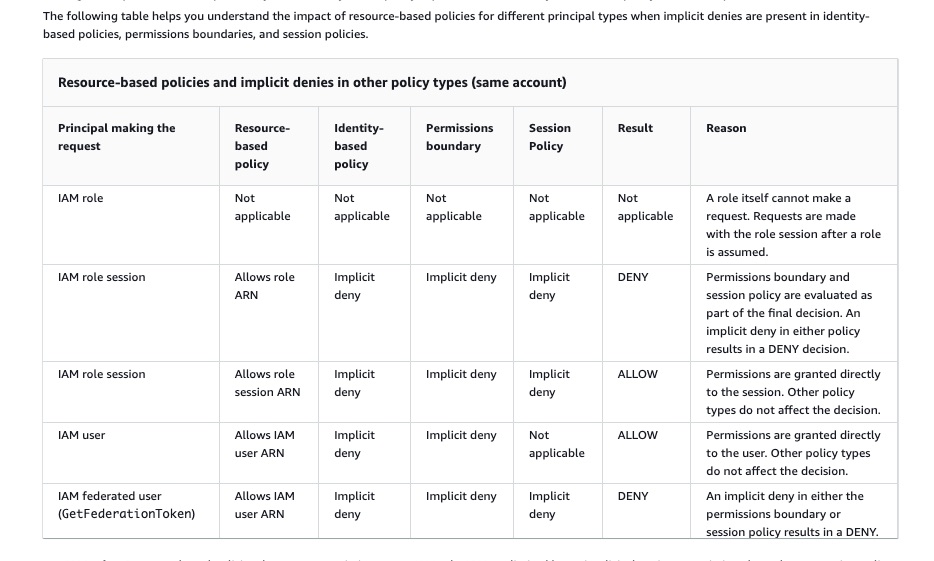
via - https://docs.aws.amazon.com/IAM/latest/UserGuide/reference_policies_evaluation-logic.html
If no applicable Allow statement is found in the SCPs, the request is explicitly denied, even if the denial is implicit
SCPs apply to principals of the account where the SCPs are attached. If the enforcement code does not find any applicable Allow statements in the SCPs, the request is explicitly denied, even if the denial is implicit. The enforcement code returns a final decision of Deny. If there is no SCP, or if the SCP allows the requested action, the enforcement code evaluation continues.
Determining whether a request is allowed or denied within an account:
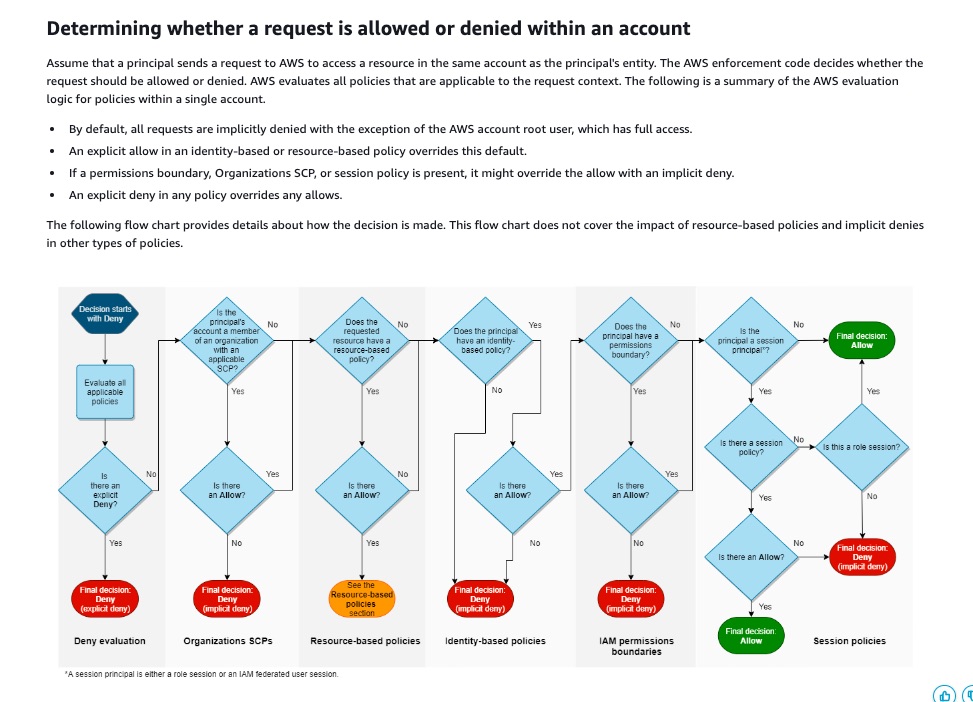
via - https://docs.aws.amazon.com/IAM/latest/UserGuide/reference_policies_evaluation-logic.html
Incorrect options:
If a resource-based policy grants permission directly to the IAM user or the session principal that is making the request, then an implicit deny in an identity-based policy, a permissions boundary, or a session policy results in a final Deny - As discussed above, this statement is incorrect.
If there is no explicit Allow in the SCP, the request is implicitly given an Allow after the SCP is evaluated - As discussed above, this statement is incorrect.
If a resource-based policy grants permission to the ARN of the federated IAM user, then requests made by the federated user during the session are not limited by an implicit deny in a permission boundary or session policy - This statement is incorrect. If a resource-based policy grants permission to the ARN of the federated IAM user, then requests made by the federated user during the session are limited by an implicit deny in a permission boundary or session policy.
Reference:
https://docs.aws.amazon.com/IAM/latest/UserGuide/reference_policies_evaluation-logic.html
Q) A company wants to secure the objects in S3 using server-side encryption, subject to the constraint that the key material must be generated and stored in a certified FIPS 140-2 Level 3 hardware service modules (HSM) that the company manages itself. In addition, the key material must be available in multiple Regions. The size of objects in S3 ranges from 15 KB to 5 MB.
As an AWS Certified Security Specialist, which of the following would you recommend?
-
Leverage an AWS KMS custom key store backed by AWS CloudHSM clusters. Copy backups across Regions
-
Leverage an AWS KMS customer managed key backed by AWS CloudHSM clusters. Store the key material securely in Amazon S3 with cross-Region replication enabled
-
Leverage AWS CloudHSM to generate the key material. Copy backups across Regions. Use AWS Encryption SDK to encrypt and decrypt the data
-
Leverage an AWS KMS customer managed key and store the key material in AWS with key replication enabled across Regions
답: 1
KMS customer managed key는 CloudHSM cluster에 사용 불가능하다. key material을 CloudHSM에 넣어서 사용할 수는 있음 KMS key material도 S3에 넣을 수 없음.
Overall explanation
Correct option:
Leverage an AWS KMS custom key store backed by AWS CloudHSM clusters. Copy backups across Regions
You can use AWS Key Management Service (KMS) to create and control the cryptographic keys that are used to protect your data on AWS. An AWS KMS key is a logical representation of a cryptographic key. A KMS key contains metadata, such as the key ID, key spec, key usage, creation date, description, and key state. Most importantly, it contains a reference to the key material that is used when you perform cryptographic operations with the KMS key.
By default, AWS KMS creates the key material for a KMS key. However, you can import your own key material into a KMS key, or use a custom key store to create KMS keys that use key material in your AWS CloudHSM cluster or key material in an external key manager that you own and manage outside of AWS.
A key store is a secure location for storing cryptographic keys. The default key store in AWS KMS also supports methods for generating and managing the keys that its stores. By default, the cryptographic key material for the AWS KMS keys that you create in AWS KMS is generated in and protected by hardware security modules (HSMs) that are FIPS 140-2 validated cryptographic modules. A custom key store is a logical key store within AWS KMS that is backed by a key manager outside of AWS KMS that you own and manage.
The AWS CloudHSM service helps you meet corporate, contractual, and regulatory compliance requirements for data security by using dedicated Hardware Security Module (HSM) instances within the AWS cloud. A Hardware Security Module (HSM) provides secure key storage and cryptographic operations within a tamper-resistant hardware device. HSMs are designed to securely store cryptographic key material and use the key material without exposing it outside the cryptographic boundary of the hardware.
AWS KMS supports two types of custom key stores:
An AWS CloudHSM key store is an AWS KMS custom key store backed by an AWS CloudHSM cluster. AWS CloudHSM allows you to copy backups of your CloudHSM Cluster from one region to another for cross-region resilience, global workloads, and disaster recovery purposes. You can use the copied backup to create a clone of the original cluster in the new region. This simplifies the development of globally distributed or cross-region redundant workloads.
An external key store is an AWS KMS custom key store backed by an external key manager outside of AWS that you own and control.
AWS CloudHSM key stores:
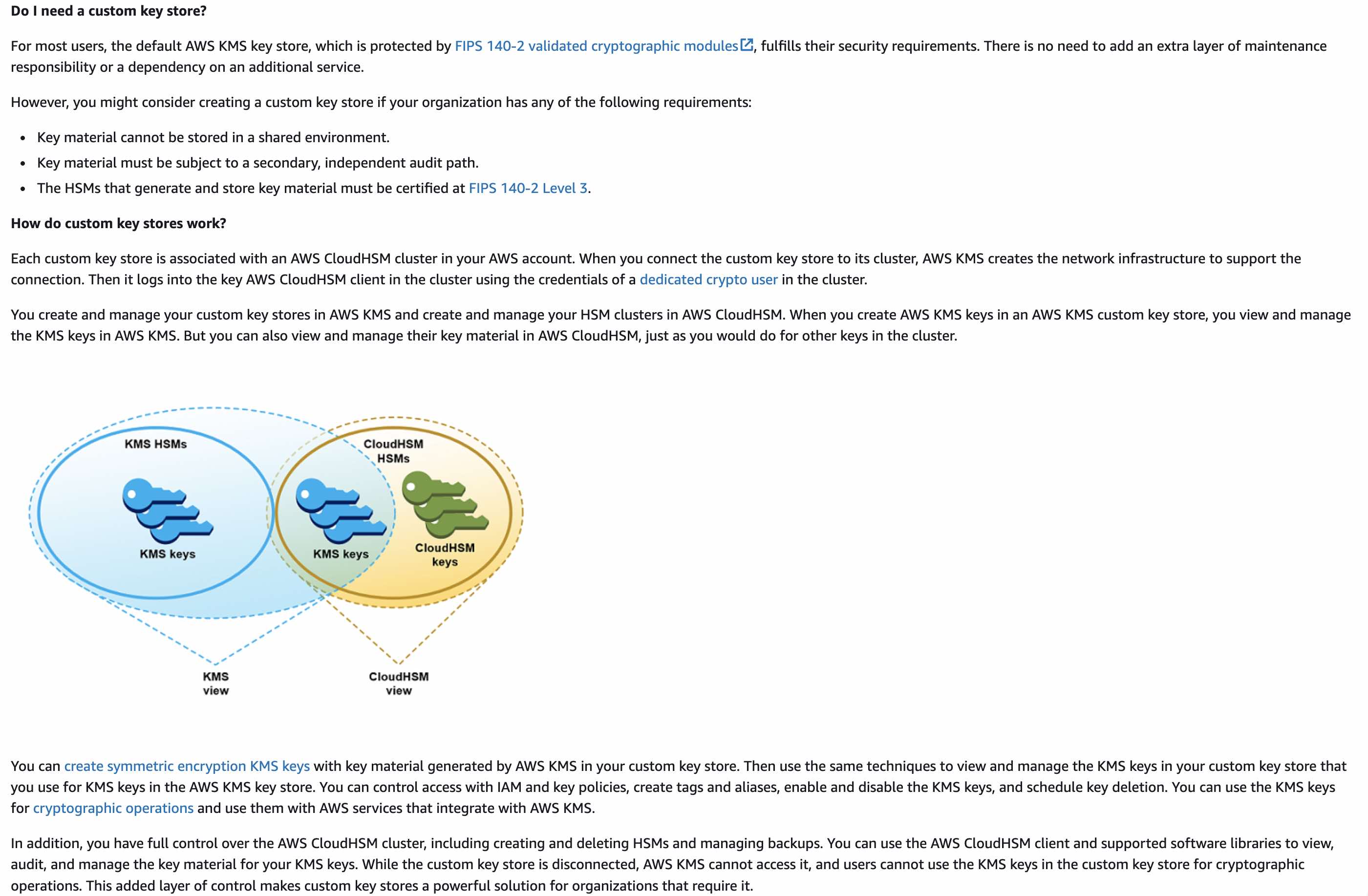
via - https://docs.aws.amazon.com/kms/latest/developerguide/keystore-cloudhsm.html
Incorrect options:
Leverage an AWS KMS customer managed key and store the key material in AWS with key replication enabled across Regions - Customer managed keys are KMS keys in your AWS account that you create, own, and manage. AWS KMS supports multi-Region keys, which let you encrypt data in one AWS Region and decrypt it in a different AWS Region. The cryptographic key material for the AWS KMS keys that you create in AWS KMS is generated in and protected by hardware security modules (HSMs) that are FIPS 140 - Level 3 compliant. However, these HSMs are managed by AWS. Therefore, this option is incorrect.
Leverage an AWS KMS customer managed key backed by AWS CloudHSM clusters. Store the key material securely in Amazon S3 with cross-Region replication enabled - Customer managed keys are KMS keys in your AWS account that you create, own, and manage. You cannot store KMS key material in Amazon S3. In addition, AWS KMS customer managed key cannot be backed by an AWS CloudHSM cluster. This option has been added as a distractor.
Leverage AWS CloudHSM to generate the key material. Copy backups across Regions. Use AWS Encryption SDK to encrypt and decrypt the data - The use case states that the objects in S3 must be secured using server-side encryption. However, AWS Encryption SDK can only be used for client-side encryption, so this option is incorrect.
References:
https://docs.aws.amazon.com/kms/latest/developerguide/custom-key-store-overview.html
https://docs.aws.amazon.com/kms/latest/developerguide/keystore-cloudhsm.html
https://docs.aws.amazon.com/kms/latest/developerguide/keystore-external.html
https://docs.aws.amazon.com/encryption-sdk/latest/developer-guide/introduction.html
https://docs.aws.amazon.com/cloudhsm/latest/userguide/copy-backup-to-region.html
Q) As per the latest security guidelines of a company, root user login access should be intimated to the security team every time it is used.
How will you create a solution for this requirement in the most efficient way?
-
Save the AWS CloudTrail logs to an Amazon S3 bucket in the AWS account used by the security team. Analyze the logs using AWS Athena. Create an Amazon Simple Notification Service (Amazon SNS) topic and configure the users of the security team as subscribers to the topic. Configure a Lambda function to run an Athena query and trigger notifications to this SNS topic when root user login is detected
-
Create an Amazon Simple Notification Service (Amazon SNS) topic and configure the users of the security team as subscribers to the topic. Create an Amazon EventBridge event rule to monitor
userIdentityroot logins from the AWS Management Console and trigger notifications to the SNS topic when root user login activity is detected -
Create an Amazon Simple Notification Service (Amazon SNS) topic and configure the users of the security team as subscribers to the topic. Create an Amazon CloudWatch Events rule that detects any AWS account root user API events. This rule triggers an AWS Lambda function which publishes the message to the created SNS topic
-
Send the data of VPC Flow logs to Amazon Simple Queue Service (SQS). Use AWS Lambda function to process these messages and send notifications to SNS topic in case root user login activity is detected
답: 2
EventBridge가 특정 이벤트가 발생했을 때 실행되도록 설정 가능하다.
Overall explanation
Correct option:
Create an Amazon Simple Notification Service (Amazon SNS) topic and configure the users of the security team as subscribers to the topic. Create an Amazon EventBridge event rule to monitor userIdentity root logins from the AWS Management Console and trigger notifications to the SNS topic when root user login activity is detected
This option is the most efficient way of configuring the given requirement. You can even launch an AWS CloudFormation stack to create an Amazon Simple Notification Service (Amazon SNS) topic. Then, create an Amazon EventBridge event rule to monitor userIdentity root logins from the AWS Management Console.
Before you begin, confirm that the AWS CloudTrail Management read/write events are set to All or Write-only for EventBridge events to trigger the log-in event notification.
Incorrect options:
Create an Amazon Simple Notification Service (Amazon SNS) topic and configure the users of the security team as subscribers to the topic. Create an Amazon CloudWatch Events rule that detects any AWS account root user API events. This rule triggers an AWS Lambda function which publishes the message to the created SNS topic - This option will be the right choice if all root user activities have to be notified. Since the use case only asks for root user login access notifications, this option is not the most efficient way of configuring the requirement.
AWS suggests using Amazon EventBridge to manage your events. CloudWatch Events and EventBridge are the same underlying service and API, but EventBridge provides more features.
Save the AWS CloudTrail logs to an Amazon S3 bucket in the AWS account used by the security team. Analyze the logs using AWS Athena. Create an Amazon Simple Notification Service (Amazon SNS) topic and configure the users of the security team as subscribers to the topic. Configure a Lambda function to run an Athena query and trigger notifications to this SNS topic when root user login is detected - This option is an unnecessarily complicated solution since Amazon CloudWatch Events or Amazon EventBridge events offer better features to easily implement the asked requirement.
Send the data of VPC Flow logs to Amazon Simple Queue Service (SQS). Use the AWS Lambda function to process these messages and send notifications to the SNS topic in case root user login activity is detected - VPC Flow Logs is a feature that enables you to capture information about the IP traffic going to and from network interfaces in your VPC. It does not deal with user access information and hence is an incorrect choice for the given requirement.
References:
https://aws.amazon.com/premiumsupport/knowledge-center/root-user-account-eventbridge-rule/
https://aws.amazon.com/blogs/mt/monitor-and-notify-on-aws-account-root-user-activity/
https://docs.aws.amazon.com/AmazonCloudWatch/latest/events/WhatIsCloudWatchEvents.html
Q) A user is trying to upload a large file to an Amazon S3 bucket present in a given AWS account. In the upload request, the user is passing the encryption information using an AWS Key Management Service (AWS KMS) key, also present in the same account. However, the user is getting an Access Denied error. Meanwhile, when the user uploads a smaller file with encryption information, the upload succeeds.
As a Security Engineer, how will you fix this issue?
-
Verify that
kms:Decryptpermissions are specified in the key policy, otherwise, they need to be added to the policy -
Verify that the requester has
kms:GenerateDataKeypermissions. This permission is needed for multipart upload to work successfully -
Verify that
kms:Decryptpermissions are specified in both the key policy as well as the IAM policy of the user -
Verify that
kms:Encryptpermissions are specified in the key policy, otherwise, they need to be added to the policy
정답: 1
멀티파트 업로드하면 업로드 완료되고 다 decrypt해서 파일 하나로 합친다음 다시 encrypt해야 하기 때문에 kms:Decrypt 권한이 필요하다.
작은 파일 업로드에 성공했으므로 kms:GenerateDataKey 권한은 이미 가지고있음.
같은 계정에 있으므로 key policy에만 kms:Decrypt가 있으면 사용 가능. 다른 계정이라면 IAM policy of the user에도 kms:Decrypt가 있어야 한다.
Overall explanation
Correct option:
Verify that kms:Decrypt permissions are specified in the key policy, otherwise they need to be added to the policy
The AWS CLI (aws s3 commands), AWS SDKs, and many third-party programs automatically perform a multipart upload when the file is large. To perform a multipart upload with encryption using an AWS KMS key, the requester must have kms:GenerateDataKey and kms:Decrypt permissions. The kms:GenerateDataKey permissions allow the requester to initiate the upload. With kms:Decrypt permissions, newly uploaded parts can be encrypted with the same key used for previous parts of the same object.
After all the parts are uploaded successfully, the uploaded parts must be assembled to complete the multipart upload operation. Because the uploaded parts are server-side encrypted using a KMS key, object parts must be decrypted before they can be assembled. For this reason, the requester must have kms:Decrypt permissions for multipart upload requests using server-side encryption with KMS CMKs (SSE-KMS).
Since the user can successfully upload smaller files, it is clear that the user already has kms:GenerateDataKey permissions. Hence, only the kms:Decrypt permission needs to be added to the policy.
Incorrect options:
Verify that the requester has kms:GenerateDataKey permissions. This permission is needed for multipart upload to work successfully - kms:GenerateDataKey is needed to upload encrypted objects to the S3 bucket. Since the user can upload smaller files, the user already has this permission.
Verify that kms:Decrypt permissions are specified in both the key policy as well as the IAM policy of the user - If your AWS Identity and Access Management (IAM) role and key are in the same account, then kms:Decrypt permissions must be specified in the key policy. If your IAM role belongs to a different account than the key, kms:Decrypt permissions must be specified in both the key and IAM policy. Since the question clearly states that the role and key are from the same account, this option stands incorrect.
Verify that kms:Encrypt permissions are specified in the key policy, otherwise, they need to be added to the policy - As mentioned in the explanation above, the requester must have kms:GenerateDataKey and kms:Decrypt permissions. kms:Encrypt can only be used to encrypt plaintext of up to 4,096 bytes using a KMS key. So, this option acts as a distractor.
Q) An AWS service present in AWS Account 1 is exposed to AWS Account 2 using VPC private link. The Network Load Balancer (NLB) in Account 1 is configured and has accepted the connection. While data is seen leaving from the NLB, the client side is not getting the transmitted data.
What steps should be undertaken to troubleshoot this issue?
-
Ensure that the Security Groups and Network Access Control Lists (NACLs) in both VPCs allow traffic
-
Use AWS CloudTrail to capture detailed information about the calls made to the Amazon VPC API. You can use the generated CloudTrail logs to determine which calls were made and the source IP address where the call came from
-
Configure Gateway VPC Endpoint instead of VPC private link to access the AWS service across AWS accounts
-
Enable VPC Flow Logs to capture detailed information about the traffic going to and from network interfaces to the NLB
Correct option:
Ensure that the Security Groups and Network Access Control Lists (NACLs) in both VPCs allow traffic
You can create an interface VPC endpoint to connect to services powered by AWS PrivateLink, including many AWS services. For each subnet that you specify from your VPC, AWS creates an endpoint network interface in the subnet and assigns it a private IP address from the subnet address range. An endpoint network interface is a requester-managed network interface; you can view it in your AWS account, but you can’t manage it yourself.
An improper configuration of the involved security groups or the Network Access Control Lists (NACLs) can result in communication not getting established as expected. This is the right point to start the troubleshooting process. VPC flow logs are not available for this configuration because traffic between an endpoint network interface and a Network Load Balancer network interface isn’t logged.
Incorrect options:
Enable VPC Flow Logs to capture detailed information about the traffic going to and from network interfaces to the NLB - Flow logs do not capture all IP traffic. One such exception is - Traffic between an endpoint network interface and a Network Load Balancer network interface.
Configure Gateway Endpoint instead of VPC private link to access the AWS service across AWS accounts - Gateway VPC endpoints provide reliable connectivity to Amazon S3 and DynamoDB without requiring an internet gateway or a NAT device for your VPC. This is irrelevant to the given use case.
Use AWS CloudTrail to capture detailed information about the calls made to the Amazon VPC API. You can use the generated CloudTrail logs to determine which calls were made and the source IP address where the call came from - AWS CloudTrail will log all data about calls made to the Amazon VPC API, and not about the network traffic data.
Q) A financial services company recently faced a security event resulting in an S3 bucket with sensitive data containing Personally Identifiable Information (PII) for customers being made public. The company policy mandates never to have public S3 objects so the Governance and Compliance team must be notified immediately as soon as any public objects are identified. The company has hired you as an AWS Certified Security Specialist to help build a solution that detects the presence of a public S3 object, which in turn sets off an alarm to trigger notifications and then automatically remediate the said object.
Which of the following solutions would you combine to address the requirements of the given use case? (Select two)
-
Configure a Lambda function as one of the SNS topic subscribers, which is invoked to secure the objects in the S3 bucket
-
Leverage AWS Access Analyzer to check for S3 bucket public-read permissions and invoke a Lambda function to send a notification via SNS as soon as a public object is uploaded
-
Leverage AWS Trusted Advisor to check for S3 bucket public-read permissions and invoke a Lambda function to send a notification via SNS as soon as a public object is uploaded
-
Enable object-level logging for S3. Set up an EventBridge event pattern when a PutObject API call with public-read permission is detected in the AWS CloudTrail logs and set the target as an SNS topic for downstream notifications
-
Enable object-level logging for S3. When a PutObject API call is made with public-read permission, use S3 event notifications to trigger a Lambda that sends a notification via SNS
정답: 1,4
5번의 S3 Event Notifications는 ObjectCreated 같은 이벤트는 줄 수 있지만, “PutObject가 public-read ACL로 들어왔는지”를 기준으로 네이티브하게 필터링하는 구조가 아닙니다. 그 ACL 정보는 CloudTrail request detail 쪽에서 보는 것이 자연스럽습니다.
객체 수준 API 호출이 어떤 권한을 가지고 호출되었는지는 CloudTrail 통해야만 알 수 있음.
Overall explanation
Correct options:
Configure a Lambda function as one of the SNS topic subscribers, which is invoked to secure the objects in the S3 bucket
Enable object-level logging for S3. Set up an EventBridge event pattern when a PutObject API call with public-read permission is detected in the AWS CloudTrail logs and set the target as an SNS topic for downstream notifications
You can enable object-level logging for an S3 bucket to send logs to CloudTrail for object-level API operations such as GetObject, DeleteObject, and PutObject. These events are called data events. By default, CloudTrail trails don’t log data events, but you can configure trails to log data events for S3 buckets that you specify, or to log data events for all the Amazon S3 buckets in your AWS account.
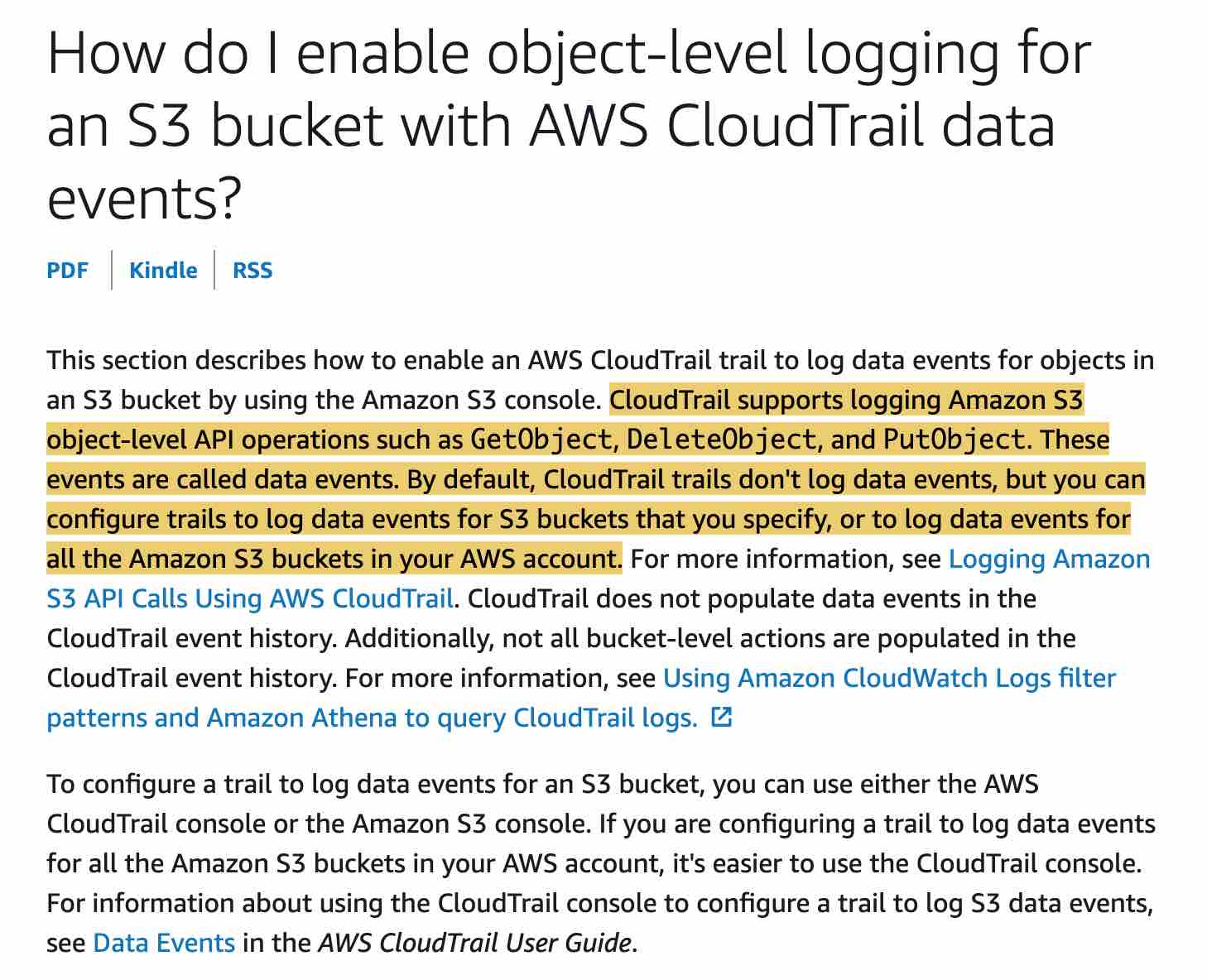
via - https://docs.aws.amazon.com/AmazonS3/latest/user-guide/enable-cloudtrail-events.html
You need to further configure an EventBridge event-pattern based rule to analyze the CloudTrail logs for S3 PutObject API call with public-read permissions. The target for this rule can be set as an SNS topic. The SNS would send the notification via an email or SMS as soon as a public object is detected. Moreover, the SNS topic is also subscribed by a Lambda function which runs custom code to secure the objects in the S3 bucket.
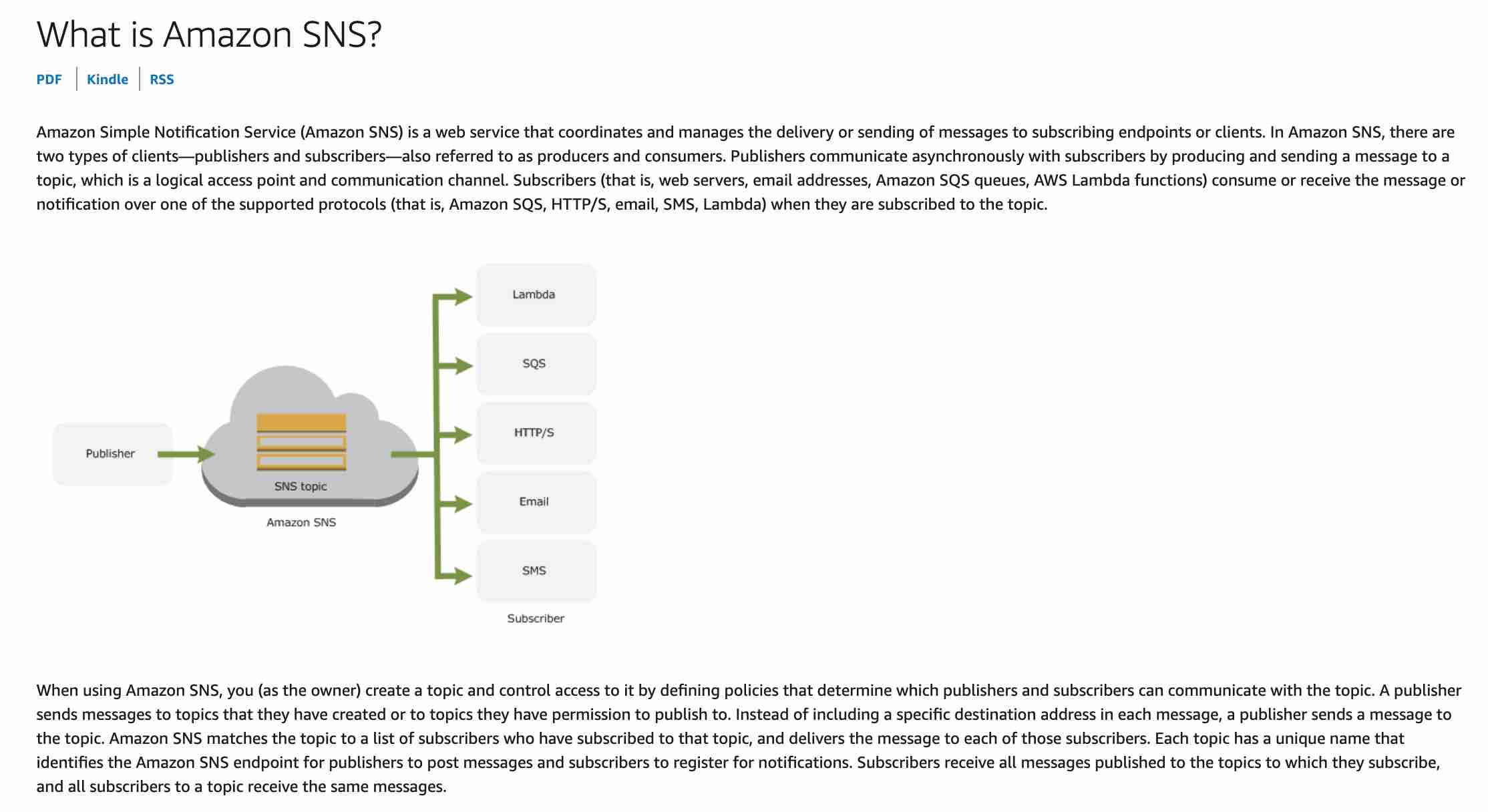
via - https://docs.aws.amazon.com/sns/latest/dg/welcome.html
Incorrect options:
Enable object-level logging for S3. When a PutObject API call is made with public-read permission, use S3 event notifications to trigger a Lambda that sends a notification via SNS - S3 event notification allows you to receive notifications when certain events happen in your bucket. To enable notifications, you must first add a notification configuration that identifies the events you want Amazon S3 to publish and the destinations where you want Amazon S3 to send the notifications. S3 can publish notifications for the new create object events.
You can request notification when only a specific API is used (for example, s3:ObjectCreated:Put), or you can use a wildcard (for example, s3:ObjectCreated:*), however, you cannot check if the API call was made with public-read permission. So, this option is incorrect.
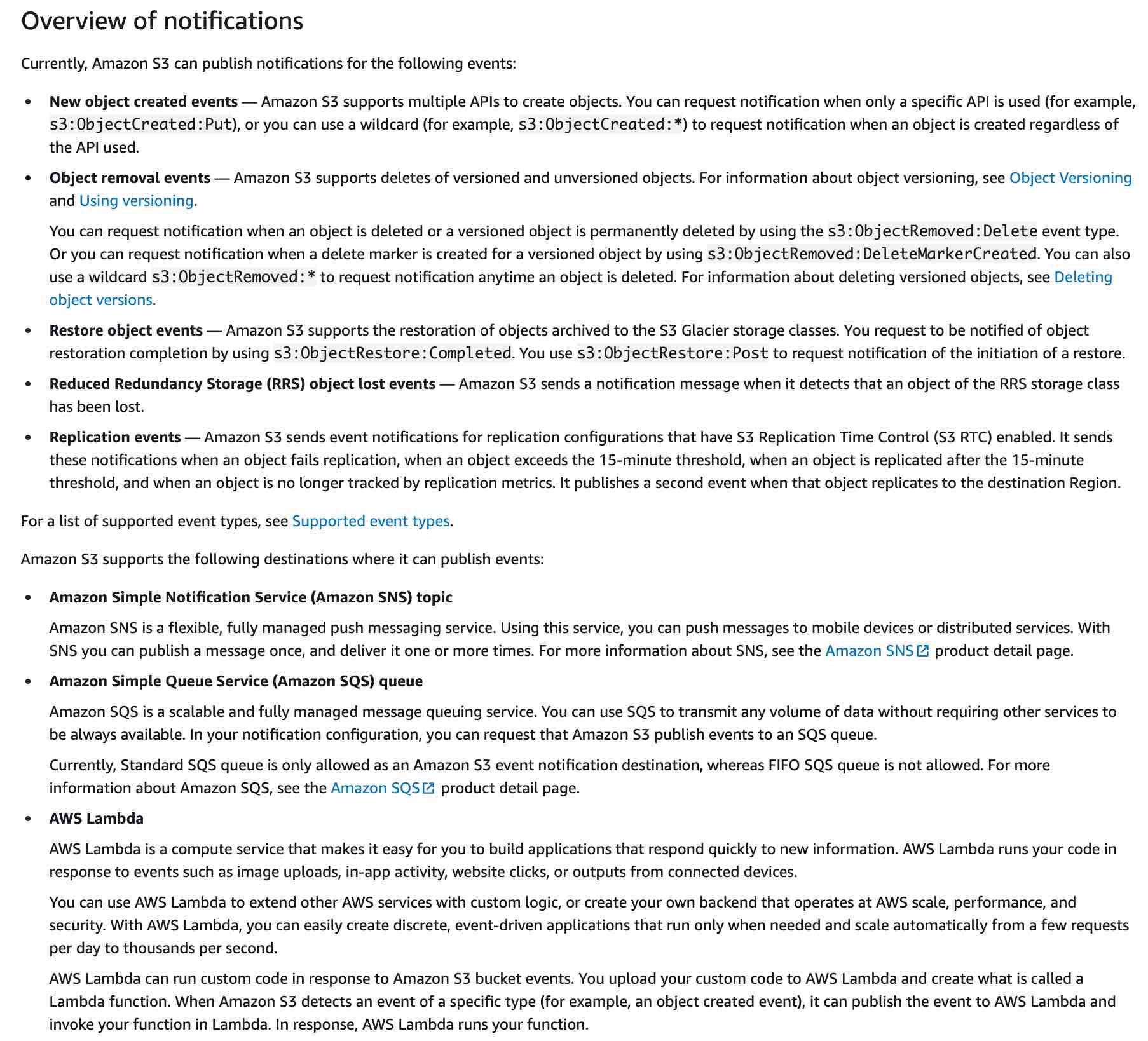
via - https://docs.aws.amazon.com/AmazonS3/latest/dev/NotificationHowTo.html
Leverage AWS Trusted Advisor to check for S3 bucket public-read permissions and invoke a Lambda function to send a notification via SNS as soon as a public object is uploaded - Trusted Advisor is an application that inspects your AWS environment and makes recommendations for saving money, improving system performance, or closing security gaps. The Trusted Advisor notification feature helps you stay up-to-date with your AWS resource deployment. However, you will only be notified by weekly email when you opt-in for this service, so this does not meet the key requirement for the use case wherein the notification should be sent as soon as a public object is uploaded. Also, Trusted Advisor just checks buckets in Amazon Simple Storage Service (Amazon S3) that have open access permissions. It cannot be used for near real-time detection of a new public object uploaded on S3.
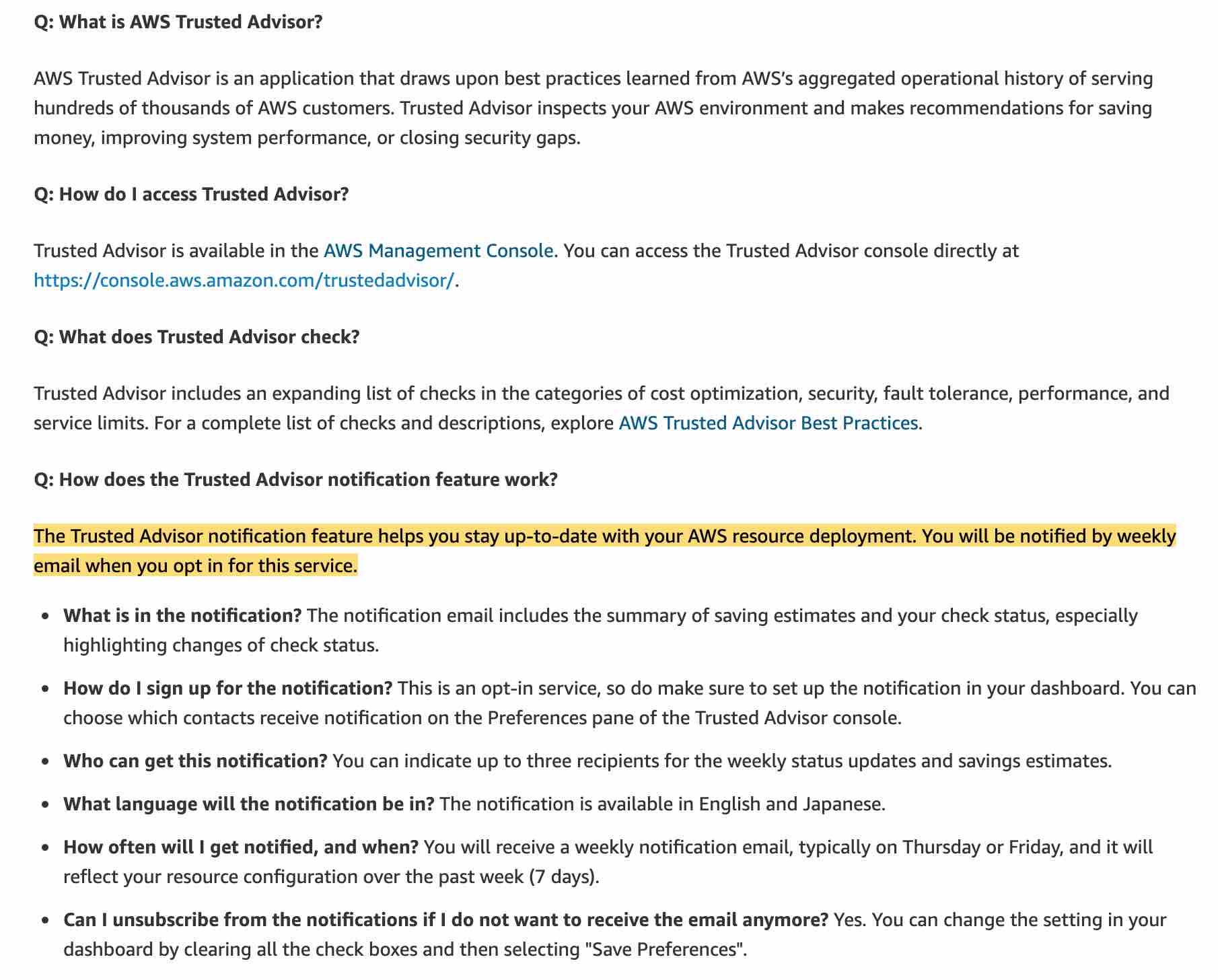
via - https://aws.amazon.com/premiumsupport/faqs/
Leverage AWS Access Analyzer to check for S3 bucket public-read permissions and invoke a Lambda function to send a notification via SNS as soon as a public object is uploaded - You can use AWS Access Analyzer to receive findings into the source and level of public or shared access for each public or shared bucket. For example, Access Analyzer for S3 might show that a bucket has read or write access provided through a bucket access control list (ACL), a bucket policy, or an access point policy. It cannot be used for near real-time detection of a new public object uploaded on S3. Additionally, you cannot invoke a Lambda function from Access Analyzer. The findings for Access Analyzer are available within the AWS Console or they can be downloaded in a CSV report.
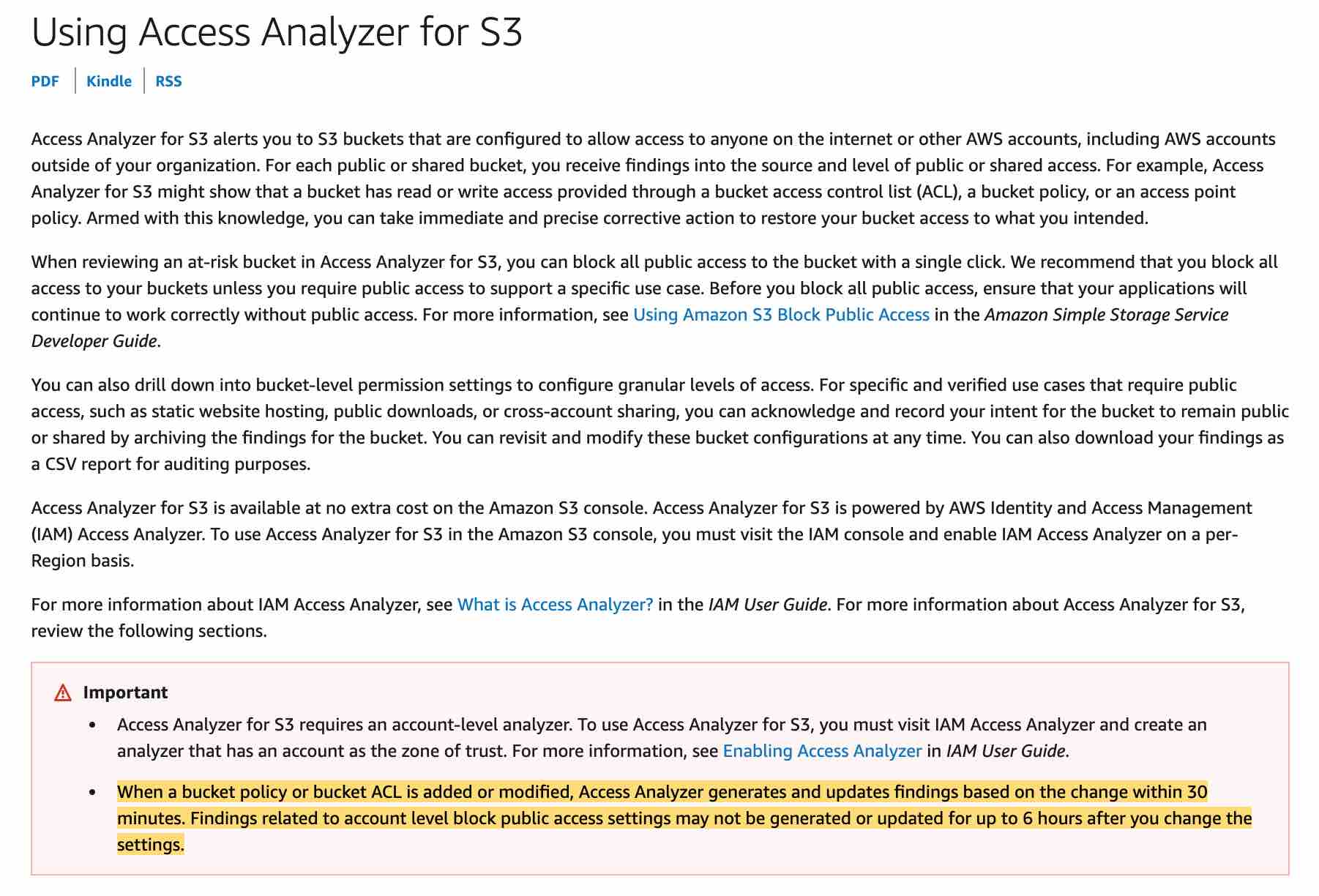
via - https://docs.aws.amazon.com/AmazonS3/latest/user-guide/access-analyzer.html
References:
https://docs.aws.amazon.com/AmazonS3/latest/user-guide/enable-cloudtrail-events.html
https://docs.aws.amazon.com/sns/latest/dg/welcome.html
https://docs.aws.amazon.com/AmazonS3/latest/dev/NotificationHowTo.html
https://aws.amazon.com/premiumsupport/faqs/
https://docs.aws.amazon.com/AmazonS3/latest/user-guide/access-analyzer.html
Q) A business maintains its business-critical customer data on an on-premises system in an encrypted format. Over the years, the business has moved from using a single encryption key to multiple encryption keys by dividing the data into logical chunks. With the decision to move all data to the Amazon S3 bucket, the business is looking for a technique to encrypt each file with a different encryption key to provide maximum security to the migrated on-premises data.
How will you implement this requirement without adding the overhead of splitting the data into logical groups?
-
Configure a single Amazon S3 bucket to hold all data. Use server-side encryption with AWS KMS (SSE-KMS) and use encryption context to generate a different key for each file/object that you store in the S3 bucket
-
Store the logically divided data into different Amazon S3 buckets. Use server-side encryption with Amazon S3 managed keys (SSE-S3) to encrypt the data
-
Configure a single Amazon S3 bucket to hold all data. Use server-side encryption with Amazon S3 managed keys (SSE-S3) to encrypt the data
-
Use Multi-Region keys for client-side encryption in the AWS S3 Encryption Client to generate unique keys for each file of data
Amazon S3 managed keys (SSE-S3) 로 암호화 하면 object마다 unique한 key로 암호화 하는구나.
객체마다 고유한 데이터 키로 암호화하더라도, 그 데이터 키도 함께 안전하게 보관되기 때문에 복호화가 가능하다
Overall explanation
Correct option:
Configure a single Amazon S3 bucket to hold all data. Use server-side encryption with Amazon S3 managed keys (SSE-S3) to encrypt the data
Server-side encryption is the encryption of data at its destination by the application or service that receives it. Amazon S3 encrypts your data at the object level as it writes it to disks in its data centers and decrypts it for you when you access it. When you use server-side encryption with Amazon S3 managed keys (SSE-S3), each object is encrypted with a unique key. As an additional safeguard, it encrypts the key itself with a root key that it regularly rotates.
Note: Amazon S3 now applies server-side encryption with Amazon S3 managed keys (SSE-S3) as the base level of encryption for every bucket in Amazon S3. Starting January 5, 2023, all new object uploads to Amazon S3 will be automatically encrypted at no additional cost and with no impact on performance.
Incorrect options:
Store the logically divided data into different Amazon S3 buckets. Use server-side encryption with Amazon S3 managed keys (SSE-S3) to encrypt the data - Server-side encryption with Amazon S3 managed keys (SSE-S3) is the easiest way to implement the given requirement, as there is no additional overhead of splitting data. Multiple S3 buckets are redundant for this requirement.
Use Multi-Region keys for client-side encryption in the AWS S3 Encryption Client to generate unique keys for each file of data - Server-side encryption is the encryption of data at its destination by the application or service that receives it. The requirement is about server-side encryption and not about client-side encryption, hence this choice is incorrect.
Configure a single Amazon S3 bucket to hold all data. Use server-side encryption with AWS KMS (SSE-KMS) and use encryption context to generate a different key for each file/object that you store in the S3 bucket - An encryption context is a set of key-value pairs that contain additional contextual information about the data. When an encryption context is specified for an encryption operation, Amazon S3 must specify the same encryption context for the decryption operation. The encryption context offers another level of security for the encryption key. However, it is not useful for generating unique keys.
References:
https://docs.aws.amazon.com/AmazonS3/latest/userguide/serv-side-encryption.html
https://docs.aws.amazon.com/AmazonS3/latest/userguide/UsingKMSEncryption.html
Q) A company operates a global data analytics website hosted on AWS. The website relies on Amazon CloudFront to deliver content to its customers. Recently, the company is facing new data regulation policies and is required to block inbound traffic from a specific set of countries. The company needs to find a solution to comply with the new data regulation policies while maintaining the cost-effectiveness of its infrastructure.
What do you recommend?
-
Leverage an AWS WAF web ACL with an IP match condition to deny traffic from a specific set of countries. Configure the CloudFront distribution to use the web ACL
-
Leverage geographic restrictions in CloudFront to deny traffic from a specific set of countries
-
Leverage geolocation routing policies in CloudFront to deny traffic from a specific set of countries
-
Leverage an AWS WAF web ACL with a geo match condition to deny traffic from a specific set of countries. Configure the CloudFront distribution to use the web ACL
비용 효율적이라고 문제에서 나오면 답에서 비용 효율적인걸 찾아야 한다 꼭.
Overall explanation
Correct option:
Leverage geographic restrictions in CloudFront to deny traffic from a specific set of countries
You can use geographic restrictions in CloudFront, sometimes known as geo-blocking, to prevent users in specific geographic locations from accessing content that you’re distributing through a CloudFront distribution.
When a user requests your content, CloudFront typically serves the requested content regardless of where the user is located. If you need to prevent users in specific countries from accessing your content, you can use the CloudFront geographic restrictions feature to do one of the following:
Allow your users to access your content only if they’re in one of the approved countries on your allow list.
Prevent your users from accessing your content if they’re in one of the banned countries on your block list.
For example, if a request comes from a country where you are not authorized to distribute your content, you can use CloudFront geographic restrictions to block the request.
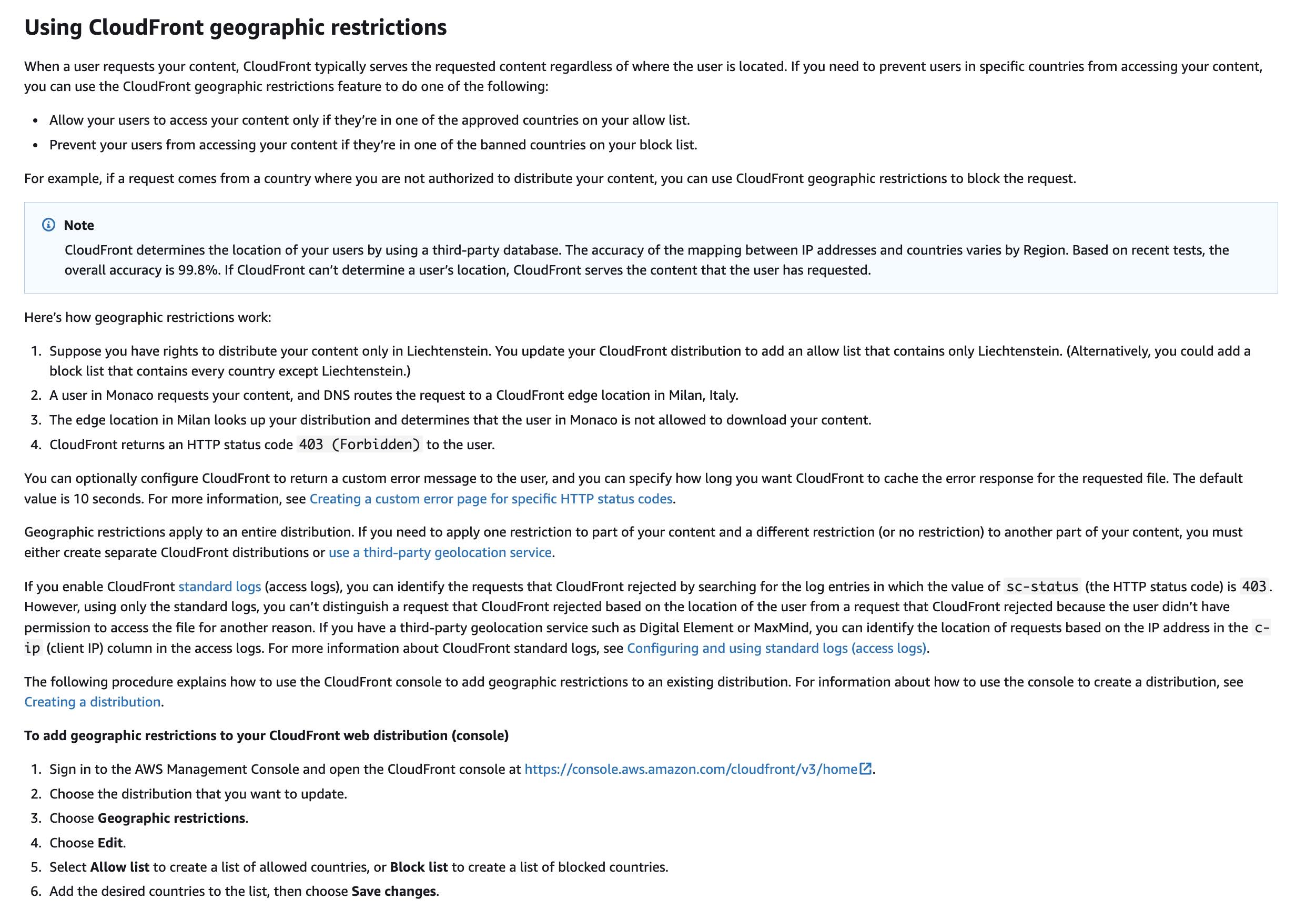
via - https://docs.aws.amazon.com/AmazonCloudFront/latest/DeveloperGuide/georestrictions.html
Incorrect options:
AWS WAF is a web application firewall that lets you monitor the HTTP(S) requests that are forwarded to your protected web application resources. You can protect the following resource types:
Amazon CloudFront distribution
Amazon API Gateway REST API
Application Load Balancer
AWS AppSync GraphQL API
Amazon Cognito user pool
AWS WAF also lets you control access to your content. Based on criteria that you specify, such as the IP addresses that requests originate from or the values of query strings, the service associated with your protected resource responds to requests either with the requested content, with an HTTP 403 status code (Forbidden), or with a custom response.
Leverage an AWS WAF web ACL with an IP match condition to deny traffic from a specific set of countries. Configure the CloudFront distribution to use the web ACL - This option is a distractor. If you want to allow or block web requests based on the IP addresses that the requests originate from, you need to create one or more IP match conditions. You cannot use an IP match condition to deny traffic from a specific set of countries.
Leverage an AWS WAF web ACL with a geo match condition to deny traffic from a specific set of countries. Configure the CloudFront distribution to use the web ACL - You can use the geo match statement to manage requests from specific countries or regions. Although you can use the geo match condition in a WAF to deny traffic from a specific set of countries, this option is costlier than using the built-in geographic restriction feature of CloudFront. Therefore, this option is incorrect for the given use case.
Leverage geolocation routing policies in CloudFront to deny traffic from a specific set of countries - This option has been added as a distractor. There is no such thing as geolocation routing policies in CloudFront. You use the geolocation routing policies in Route 53 to localize your content and present some or all of your website in the language of your users. You can also use the geolocation routing policies of Route 53 to restrict the distribution of content to only certain locations.
References:
https://docs.aws.amazon.com/AmazonCloudFront/latest/DeveloperGuide/georestrictions.html
https://aws.amazon.com/premiumsupport/knowledge-center/cloudfront-geo-restriction/
https://docs.aws.amazon.com/waf/latest/developerguide/waf-rule-statement-type-geo-match.html
https://docs.aws.amazon.com/Route53/latest/DeveloperGuide/routing-policy-geo.html
exfiltrate: 몰래 탈출하다. 유출된?
Q) A hybrid AWS network is configured to route internet traffic such that it egresses from an on-premises gateway rather than from a VPC Internet Gateway (IGW). Since enabling Amazon GuardDuty, an error has been repeatedly seen in the GuardDuty findings: UnauthorizedAccess:IAMUser/InstanceCredentialExfiltration.OutsideAWS. This finding informs you that a host outside of AWS has attempted to run AWS API operations using temporary AWS credentials that were created on an EC2 instance in your AWS environment. The listed EC2 instance might be compromised, and the temporary credentials from this instance might have been exfiltrated to a remote host outside of AWS.
As a Security engineer, what steps would you take to address this issue, so that the VPC’s internet traffic that egresses from an on-premises gateway does not trigger the given error? (Select two)
-
Create a finding filter from the GuardDuty console for two different criteria. The first criterion is finding type, which should be
UnauthorizedAccess:IAMUser/InstanceCredentialExfiltration -
Use suppression rules and create a rule that consists of two filter criteria. The first criterion is finding type, which should be
UnauthorizedAccess:EC2/SSHBruteForce -
The second filter criterion is
Trusted IP listto which you add the IP address or CIDR range of the on-premises internet gateway -
The second filter criterion is
API caller IPv4 addresswith the IP address or CIDR range of the on-premises internet gateway -
Use suppression rules and create a rule that consists of two filter criteria. The first criterion is finding type, which should be
UnauthorizedAccess:IAMUser/InstanceCredentialExfiltration.OutsideAWS
GuardDuty의 suppression rule관련 문제 나오면 Trusted IP list가 아니라 API caller IPv4 address 골라야 한다.
Trusted IP list는 “미리 신뢰한다고 등록해 두는 allowlist 성격의 GuardDuty 설정” 이고, API caller IPv4 address는 “개별 finding 안에 들어 있는 실제 API 호출 원발신지 IP 필드” 입니다. 그래서 둘은 비슷해 보여도 쓰임이 완전히 다릅니다.
Trusted IP list
- GuardDuty에서
IPSet이라고 부르는 기능이고, 콘솔에서는 trusted IP list라고 표시됩니다. AWS 문서상 이 목록에 포함된 IP에 대해서는 GuardDuty가 finding을 생성하지 않습니다. 즉, 탐지 결과를 나중에 걸러내는 필터라기보다, 애초에 해당 IP 관련 finding이 나오지 않게 하는 쪽에 가깝습니다.
API caller IPv4 address
- 이건 finding의 속성 중 하나로, 문서상 필드 경로는
service.action.awsApiCallAction.remoteIpDetails.ipAddressV4입니다. 말 그대로 AWS API 호출을 시작한 원격 IPv4 주소를 뜻합니다. 따라서 이미 생성된 finding들 중에서, “이 API 호출이 어느 IP에서 왔는가”를 기준으로 조회/필터링/억제(suppression) 할 때 쓰는 값입니다.
실무적으로 보면 차이는 이렇게 이해하면 됩니다.
- Trusted IP list:
“이 IP들은 우리 회사의 정상/신뢰된 소스니까, GuardDuty가 이것 때문에 경보를 만들지 마.” - API caller IPv4 address:
“이미 생성된 finding 중에서, AWS API를 호출한 출발지 IP가 이 값(또는 CIDR)인 것만 보자 / 억제하자.” AWS는 예시로UnauthorizedAccess:IAMUser/InstanceCredentialExfiltration.OutsideAWS유형에서 온프레미스 인터넷 게이트웨이의 IP 또는 CIDR을 API caller IPv4 address 조건으로 suppression rule에 넣는 방식을 안내합니다.
즉, Trusted IP list는 탐지 전에 적용되는 전역적 신뢰 목록, API caller IPv4 address는 finding이 가진 개별 이벤트 속성이라고 보면 거의 맞습니다. 그래서 둘을 같은 “필터 값”처럼 생각하면 헷갈립니다. 전자는 “이 소스는 원천적으로 신뢰”, 후자는 “이 finding의 호출 IP가 무엇인지로 분류”입니다.
Overall explanation
Correct options:
Use suppression rules and create a rule that consists of two filter criteria. The first criterion is finding type, which should be UnauthorizedAccess:IAMUser/InstanceCredentialExfiltration
The second filter criterion is API caller IPv4 address with the IP address or CIDR range of the on-premises internet gateway
A suppression rule is a set of criteria, consisting of a filter attribute paired with a value, used to filter findings by automatically archiving new findings that match the specified criteria. Suppression rules can be used to filter low-value findings, false positive findings, or threats you do not intend to act on, to make it easier to recognize the security threats with the most impact on your environment.
After you create a suppression rule, new findings that match the criteria defined in the rule are automatically archived as long as the suppression rule is in place. You can use an existing filter to create a suppression rule or create a suppression rule from a new filter you define. You can configure suppression rules to suppress entire finding types or define more granular filter criteria to suppress only specific instances of a particular finding type. Your suppression rules can be edited at any time.
GuardDuty continues to generate findings even when they match your suppression rules, however, those findings are automatically marked as archived. The archived finding is stored in GuardDuty for 90 days and can be viewed at any time during that period. You can view suppressed findings in the GuardDuty console by selecting Archived from the findings table, or through the GuardDuty API using the ListFindings API with a findingCriteria criterion of service.archived equal to true.
UnauthorizedAccess:IAMUser/InstanceCredentialExfiltration.OutsideAWS finding informs you that a host outside of AWS has attempted to run AWS API operations using temporary AWS credentials that were created on an EC2 instance in your AWS environment. The listed EC2 instance might be compromised, and the temporary credentials from this instance might have been exfiltrated to a remote host outside of AWS.
However, authorized users can export credentials from their EC2 instances to make legitimate API calls. To rule out a potential attack and verify the legitimacy of the activity, validate if the use of instance credentials from the remote IP in the finding is expected.
Suppression rule for UnauthorizedAccess:IAMUser/InstanceCredentialExfiltration.OutsideAWS:
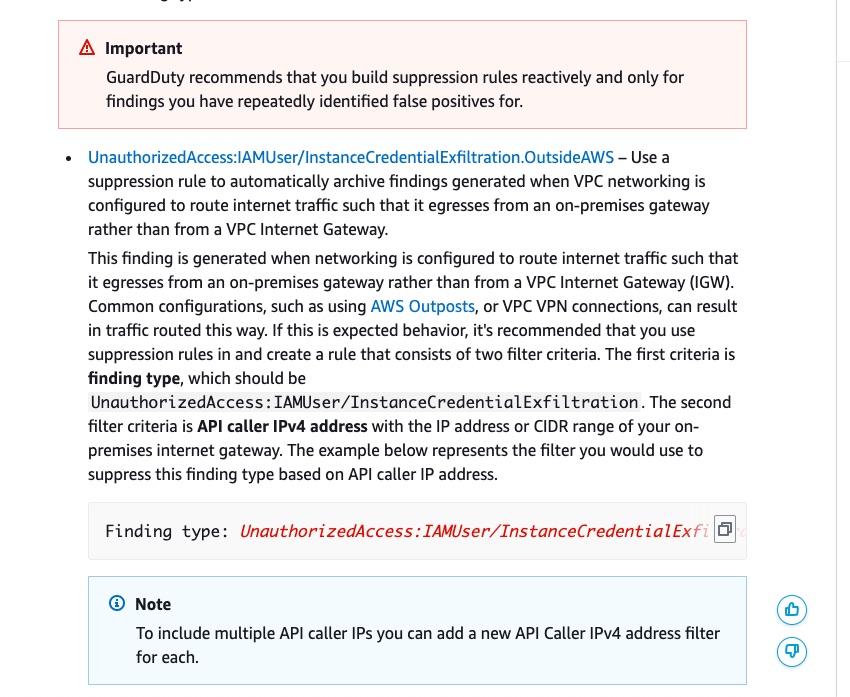
via - https://docs.aws.amazon.com/guardduty/latest/ug/findings_suppression-rule.html
Incorrect options:
Use suppression rules and create a rule that consists of two filter criteria. The first criterion is finding type, which should be UnauthorizedAccess:EC2/SSHBruteForce - UnauthorizedAccess:EC2/SSHBruteForce is incorrect as it is not relevant to the given use case.
Create a finding filter from the GuardDuty console for two different criteria. The first criterion is finding type, which should be UnauthorizedAccess:IAMUser/InstanceCredentialExfiltration - Creating a finding filter only narrows down the search from the findings created by GuardDuty. A suppression rule is required for this use case, so the GuardDuty findings are immediately archived and not sent for further analysis.
The second filter criterion is Trusted IP list to which you add the IP address or CIDR range of the on-premises internet gateway - Trusted IP lists prevent non-DNS findings from being generated from IPs you consider trusted. This is another important feature (like suppression rules) of GuardDuty to help sort, store, and manage GuardDuty findings. However, this option is not relevant to the given use case.
References:
https://docs.aws.amazon.com/guardduty/latest/ug/findings_suppression-rule.html
Question 31
An AWS root user has logged in to the AWS account and realized that there is no access to an Amazon S3 bucket under the given AWS account.
What is the reason for this behavior and how will you fix the issue? (Select two)
-
Modify the bucket policy to allow root user access from the Amazon S3 console or the AWS CLI
-
If there is a bucket policy on the Amazon S3 bucket that doesn’t specify the AWS account root user as a principal, the root user is denied access to that bucket
-
The access key of the root user account could be expired and hence needs to be recreated before accessing the S3 bucket
-
Only An IAM user with full access to IAM and the S3 bucket will be able to add the root user as principal to the bucket policy
-
A root user has full access permissions on all the AWS resources in his user account. Contact the AWS support team to sort out the access issue
root user라도 bucket에 접근 못 할 수 있다. 하지만 bucket policy는 변경할 수 있으므로 principal에 root user를 추가하면 된다.
Overall explanation
Correct options:
If there is a bucket policy on the Amazon S3 bucket that doesn’t specify the AWS account root user as a principal, the root user is denied access to that bucket
Modify the bucket policy to allow root user access from the Amazon S3 console or the AWS CLI
In some cases, you might have an IAM user with full access to IAM and Amazon S3. If the IAM user assigns a bucket policy to an Amazon S3 bucket and doesn’t specify the AWS account root user as a principal, the root user is denied access to that bucket. However, as the root user, you can still access the bucket. To do that, modify the bucket policy to allow root user access from the Amazon S3 console or the AWS CLI. Use the following principal and replace 123456789012 with the ID of the AWS account.
"Principal": { "AWS": "arn:aws:iam::123456789012:root" }
Incorrect options:
Only An IAM user with full access to IAM and the S3 bucket will be able to add the root user as principal to the bucket policy - As discussed above, the root user can make the changes to the bucket policy to grant the necessary permissions.
The access key of the root user account could be expired and hence needs to be recreated before accessing the S3 bucket - You use an access key (an access key ID and secret access key) to make programmatic requests to AWS. This is irrelevant to the given use case.
A root user has full access permissions on all the AWS resources in his user account. Contact the AWS support team to sort the access issue - This statement is incorrect and given only as a distractor.
Reference:
https://docs.aws.amazon.com/IAM/latest/UserGuide/troubleshoot_iam-s3.html
Domain
Domain 4: Identity and Access Management
Question 34
A company is planning to launch a mobile application for its business critical functions. Mobile users should have access to AWS resources without having to define an AWS identity for each of them. Guest user access is a necessity for the application.
As a Security Engineer, which of the following would you suggest as the most optimal way of configuring the security credentials for mobile users?
-
Use Access Control Lists (ACLs) with AWS SDKs for mobile development to create unique identities for the users
-
Use the AWS Security Token Service (AWS STS) to create and provide trusted users with temporary security credentials that can control access to your AWS resources
-
Create access keys for any IAM user belonging to the AWS account that holds the resources needed for the mobile application. Use these access keys to sign programmatic requests with AWS SDKs for mobile development
-
Use Amazon Cognito with AWS SDKs for mobile development to create unique identities for the users
Cognito가 guest user (unauthenticated) 기능도 있다.
Overall explanation
Correct option:
Use Amazon Cognito with AWS SDKs for mobile development to create unique identities for the users
For mobile applications, AWS recommends using Amazon Cognito. You can use this service with AWS SDKs for mobile development to create unique identities for users and authenticate them for secure access to your AWS resources. Amazon Cognito supports the same identity providers as AWS STS and also supports unauthenticated (guest) access and lets you migrate user data when a user signs in. Amazon Cognito also provides API operations for synchronizing user data so that it is preserved as users move between devices.
With Amazon Cognito, you can add user sign-up and sign-in features and control access to your web and mobile applications. Amazon Cognito provides an identity store that scales to millions of users, supports social and enterprise identity federation, and offers advanced security features to protect your consumers and business. Built on open identity standards, Amazon Cognito supports various compliance regulations and integrates with frontend and backend development resources.
Amazon Cognito:
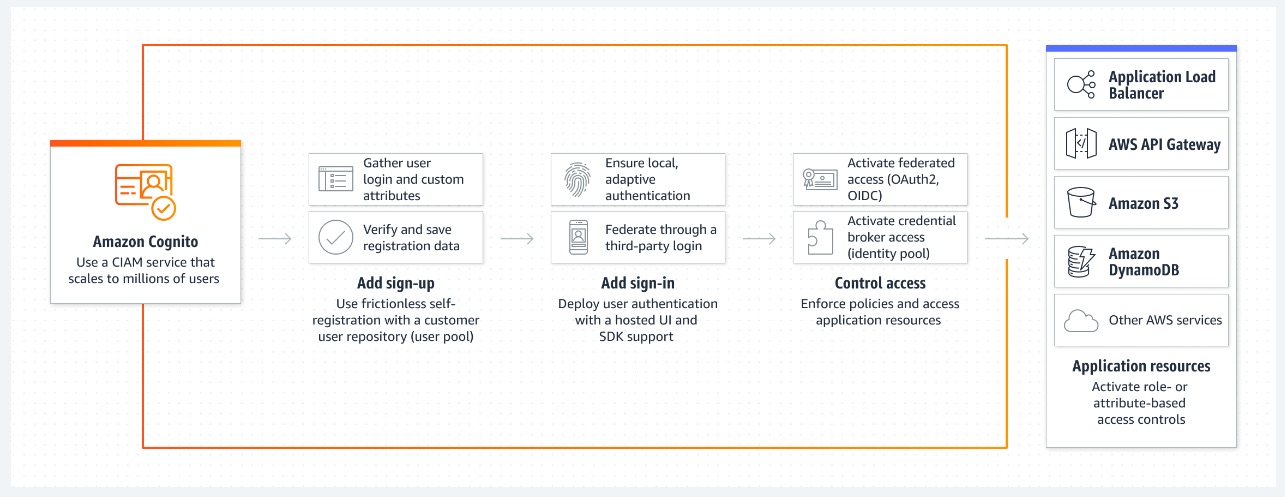
via - https://aws.amazon.com/cognito/
Incorrect options:
Create access keys for any IAM user belonging to the AWS account that holds the resources needed for the mobile application. Use these access keys to sign programmatic requests with AWS SDKs for mobile development - Access keys are long-term credentials for an IAM user or the AWS account root user. As a security best practice, AWS recommends the use of temporary security credentials instead of creating long-term credentials like access keys. Temporary credentials are possible for mobile application scenarios and hence long-term credentials that pose security and managing risks are not preferred.
Use the AWS Security Token Service (AWS STS) to create and provide trusted users with temporary security credentials that can control access to your AWS resources - Amazon Cognito supports the same identity providers as AWS STS and also supports unauthenticated (guest) access and lets you migrate user data when a user signs in. Amazon Cognito has a better feature set for mobile application scenarios and hence is the right choice here.
Use Access Control Lists (ACLs) with AWS SDKs for mobile development to create unique identities for the users - This option has been added as a distractor. You use Access Control Lists (ACLs) in Amazon S3 to manage access to buckets and objects. Each bucket and object has an ACL attached to it as a subresource. It defines which AWS accounts or groups are granted access and the type of access.
Reference:
https://docs.aws.amazon.com/IAM/latest/UserGuide/id_credentials_temp.html#sts-introduction
Domain
Domain 4: Identity and Access Management
Question 38
A security engineer must ensure that all certificates imported into AWS Certificate Manager (ACM) in all AWS Regions, must be notified of expiry, 30 days before their actual expiry via a single notification to the security administrator. The notification along with the certificate information should be sent to the security administrator and the Security Hub for centralized management.
Which steps must be taken to perform these tasks optimally?
-
ACM built-in Certificate Expiration event raised through Amazon EventBridge, can be used to invoke a Lambda function. This event-based function raised from a specific certificate, can be configured to publish the result as a finding to Security Hub, and further to an SNS topic used for email subscriptions. An IT service management system can be configured to automatically open a case or incident through SNS and remediate the issue
-
Security Hub has a built-in feature to monitor certificate expirations of ACM certificates. Configure the security Hub to trigger SNS notifications 30 days before the actual expiry date of the certificate
-
Configure the
DaysToExpiryCloudWatch metric to schedule a batch search of expiring ACM certificates and trigger an AWS Lambda function to send the certificates-to-be-expired notification to an SNS topic. This Lambda function can also be configured to log all the expiring certificates as findings in Security Hub -
Leverage the ACM_CERTIFICATE_EXPIRATION_CHECK managed rule provided by AWS Config to automatically renew the certificates imported into ACM. Forward the rule invocation to trigger SNS notifications to the security administrator
아.. imported certificate 이라서 자동 알림이 안 되는구나. ACM에서 생성한 certificate은 자동으로 renew까지 된다.
Security Hub는 Regional Service다. 전체 region을 훑어야 할 때는 적합하지 않음.
문제에서 ‘a single notification’을 원했으므로 certificate마다 만료일을 체크해서 알림을 주는 방식은 안 됨.. 문제 잘 읽자.
Overall explanation
Correct option:
Configure the DaysToExpiry CloudWatch metric to schedule a batch search of expiring ACM certificates and trigger an AWS Lambda function to send the certificates-to-be-expired notification to an SNS topic. This Lambda function can also be configured to log all the expiring certificates as findings in Security Hub
ACM provides managed renewals that automatically renew certificates in most cases, there are exceptions, such as imported certs, where an automatic renewal isn’t possible.
This option provides a scheduled solution to examine all expiring certificates in ACM, log all the findings in Security Hub, and generate a single notification through SNS for all certificates that are found. The option workflow is as follows: 1. CloudWatch runs the rule on a timer and invokes a Lambda function. 2. The function finds all certificates that have a DaysToExpiry metric in CloudWatch. 3. The function logs all the expiring certificates as findings in Security Hub. 4. The function publishes a notification to an SNS topic with the expiration details. 5. SNS creates a notification (most commonly, through email) to any subscribers of the topic.
Monitor expirations of imported certificates in AWS ACM using the scheduled solution:
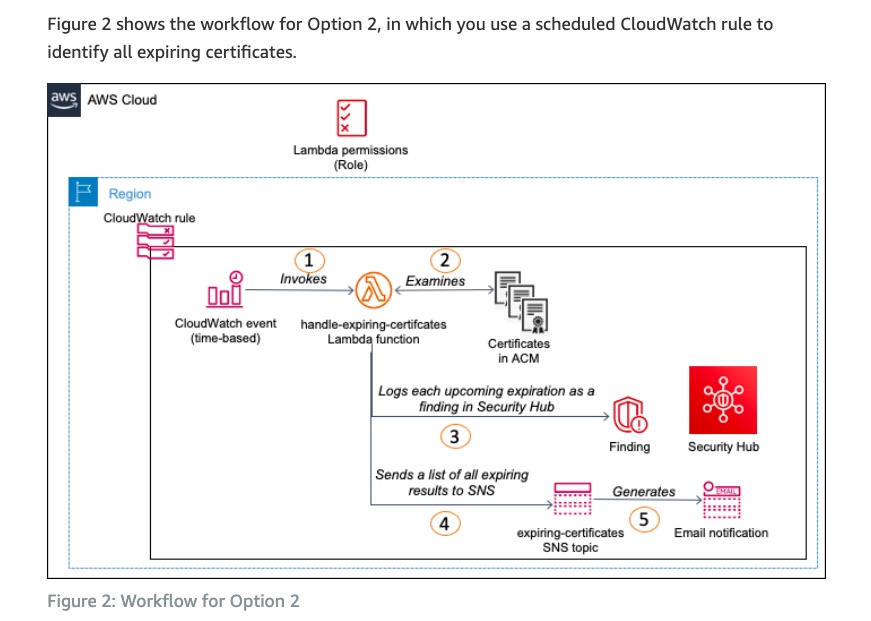
Incorrect options:
Security Hub has a built-in feature to monitor certificate expirations of ACM certificates. Configure the security Hub to trigger SNS notifications 30 days before the actual expiry date of the certificate - Although Security Hub can be used to monitor certificate expirations without the solution described above, Security Hub is a Regional service, therefore the monitoring of certificate expirations across Regions can be time-consuming for the initial configuration and difficult to maintain. So this option is not the best fit. The correct solution described above consolidates all certificate notifications from all Regions in which the solution is deployed into the findings of a single Region.
ACM built-in Certificate Expiration event raised through Amazon EventBridge, can be used to invoke a Lambda function. This event-based function raised from a specific certificate, can be configured to publish the result as a finding to Security Hub, and further to an SNS topic used for email subscriptions. An IT service management system can be configured to automatically open a case or incident through SNS and remediate the issue - This option uses the ACM built-in Certificate Expiration event, which is raised through Amazon EventBridge, to invoke a Lambda function. In this option, the function is configured to publish the result as a finding in Security Hub, and also as an SNS topic used for email subscriptions. As a result, an administrator can be notified of a specific expiring certificate, or an IT service management (ITSM) system can automatically open a case or incident through email or SNS.
This solution provides a Lambda function that makes use of CloudWatch rules to report back those certificates that are due to expire within a pre-defined amount of time. Since the event is based on an event that is raised from a specific certificate, the function examines the single certificate and then generates a separate notification for each certificate that is marked for expiry. This option is not optimal for the given use case since the ask is to receive alerts via a single notification for all certificates marked for expiry.
Monitor expirations of imported certificates in AWS ACM using an event-based solution:
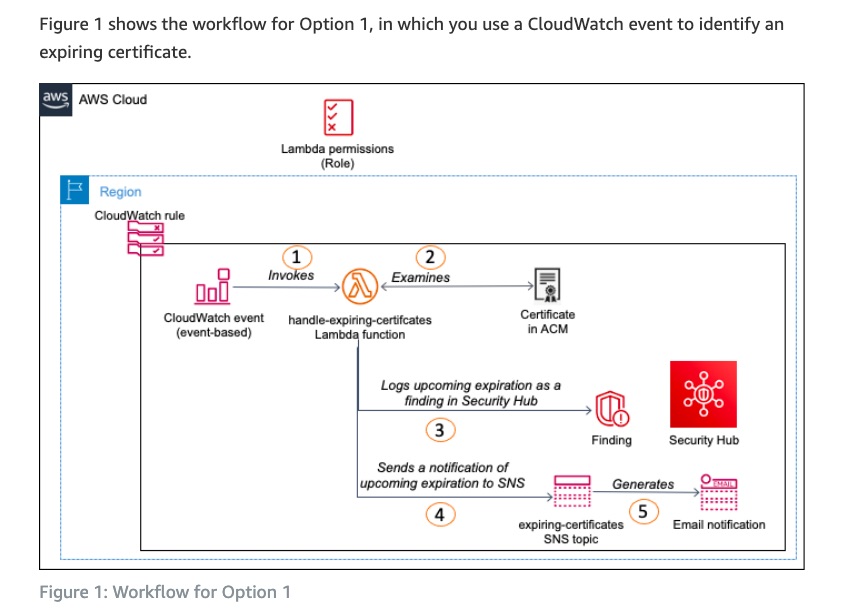
Leverage the ACM_CERTIFICATE_EXPIRATION_CHECK managed rule provided by AWS Config to automatically renew the certificates imported into ACM. Forward the rule invocation to trigger SNS notifications to the security administrator - You can use the ACM_CERTIFICATE_EXPIRATION_CHECK managed rule to check if AWS Certificate Manager certificates in your account are marked for expiration within the specified number of days. Certificates provided by ACM are automatically renewed. ACM does not automatically renew the certificates that you import. You cannot use this managed rule to automatically renew the certificates imported into ACM, so this option is incorrect.
References:
https://docs.aws.amazon.com/acm/latest/userguide/cloudwatch-metrics.html
Domain
Domain 5: Data Protection
Question 41
A Security Engineer has been asked to configure an interface VPC endpoint to access an Amazon API Gateway private REST API that is in another AWS account.
What are the key points of consideration while creating an interface endpoint in the Amazon VPC account for the given requirement? (Select two)
-
To connect to public APIs using a VPC endpoint, enable private DNS on your VPC
-
For better resilience, it is mandatory to select multiple subnets across multiple Availability Zones when creating an interface endpoint
-
When you activate private DNS for an interface VPC endpoint, you can no longer access API Gateway public APIs from your Amazon VPC
-
You cannot access your private API endpoint from an on-premises network using public DNS names
-
The security groups that you choose must have a rule that allows TCP Port 443 inbound HTTPS traffic from an IP address range in your Amazon VPC
이걸 어떻게 알아.. 그냥 외워야한다.
아 이거 해봤던거네 서버리스 API 만든다고 API Gateway 써서..
선택지에서 ‘mandatory’같은 강제하는 단어가 나왔을 때 진짜로 강제인지 아닌지도 중요하다.
Overall explanation
Correct options:
When you activate private DNS for an interface VPC endpoint, you can no longer access API Gateway public APIs from your Amazon VPC - When you activate private DNS for an interface VPC endpoint, you can no longer access API Gateway public APIs from your Amazon VPC.
When a private DNS is enabled on a VPC endpoint, the API’s invoke URL is covered by the private DNS name *.execute-api.us-east-1.amazonaws.com where * is a placeholder for the API ID. When a DNS query is resolved for a public API from inside a VPC, the resolved DNS points to the private IP of the associated VPC endpoint instead of the public IP of the public API. The API call is then routed to the public API through the VPC endpoint instead of routing it through the internet. Because VPC endpoints can route traffic only to private APIs, the result is an HTTP 403 error.
The security groups that you choose must have a rule that allows TCP Port 443 inbound HTTPS traffic from an IP address range in your Amazon VPC - The security groups that you choose must have a rule that allows TCP Port 443 inbound HTTPS traffic from either of the following: An IP address range in your Amazon VPC or another security group in your Amazon VPC.
Key points to remember when creating an interface endpoint:
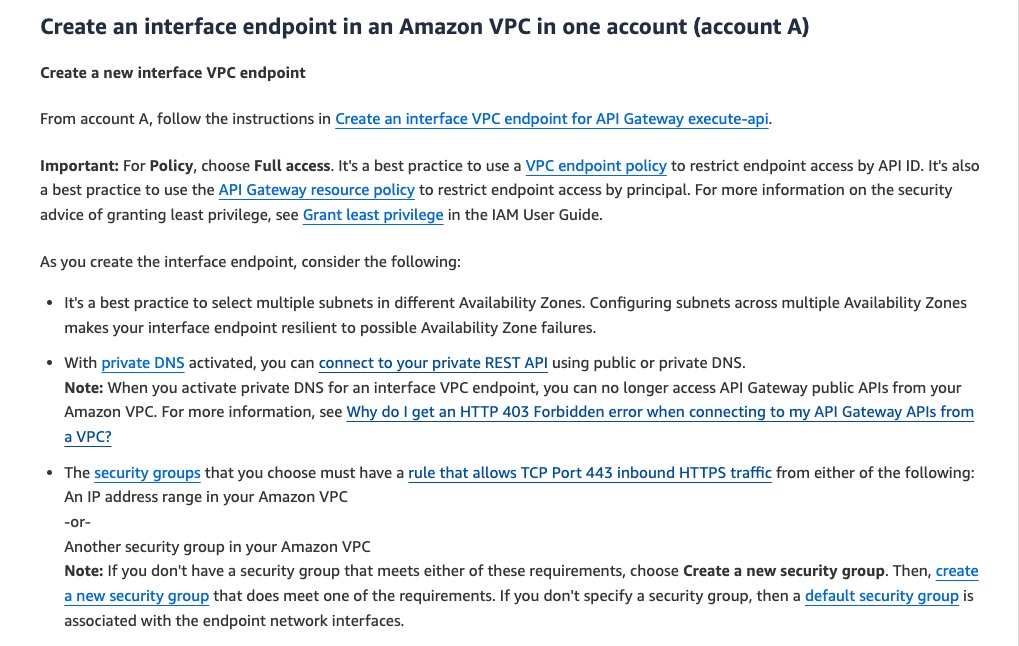
via - https://aws.amazon.com/premiumsupport/knowledge-center/api-gateway-private-cross-account-vpce/
Incorrect options:
For better resilience, it is mandatory to select multiple subnets across multiple Availability Zones when creating an interface endpoint - This statement is incorrect. As best practice AWS suggests configuring subnets across multiple Availability Zones to make your interface endpoint resilient to possible Availability Zone failures. However, it is not mandatory. Another best practice is to use a VPC endpoint policy to restrict endpoint access by API ID. It’s also a best practice to use the API Gateway resource policy to restrict endpoint access by the principal.
To connect to public APIs using a VPC endpoint, enable private DNS on your VPC - This statement is incorrect. It is not possible to connect to public APIs using a VPC endpoint.
You cannot access your private API endpoint from an on-premises network using public DNS names - This is incorrect. You can use AWS Direct Connect to establish a dedicated private connection from an on-premises network to Amazon VPC and access your private API endpoint over that connection by using public DNS names.
References:
https://aws.amazon.com/premiumsupport/knowledge-center/api-gateway-vpc-connections/
Domain
Domain 5: Data Protection
Question 43
A company uses Amazon EC2 instances (fronted by an Application Load Balancer) with Amazon RDS MySQL as the database. Now, the company wants to store sensitive client data and needs to follow strict security and compliance guidelines. Data must be end-to-end secured while in-transit, as well as, at-rest. The company needs a solution that can implement strict security guidelines while keeping the cost and operational overhead to a minimum.
Which combination of steps will meet all the requirements? (Select three)
-
Enable encryption on the Amazon Elastic Block Store (Amazon EBS) volumes that support the Amazon EC2 instances
-
Use TLS certificates from a third-party vendor with an Application Load Balancer. Configure the same certificates on the Amazon EC2 instances
-
Use Amazon CloudFront with AWS Web Application Firewall (AWS WAF). Send HTTP connections to the origin Amazon EC2 instances
-
Use AWS CloudHSM to generate TLS certificates for the Amazon EC2 instances. Install the TLS certificates on the Amazon EC2 instances
-
Use TLS certificates from AWS Certificate Manager (ACM) with an Application Load Balancer. Deploy self-signed certificates on the EC2 instances
-
Ensure that the database client software uses a TLS connection to Amazon RDS. Enable encryption of the Amazon RDS DB instance
cost and operational overhead to a minimum 이므로 2번 대신 5번을 고르는게 정답이다.
2번 5번 모두 end-to-end encryption을 달성하기 위한 방법임. 그러나 5번이 조금 더 간단하고 비용도 적게 든다.
‘cost and operational overhead to a minimum’ 문장이 있을 때는 동일한 목적을 달성할 수 있는 방법이 선택지에 여러개 존재할 수 있음을 고려해야 한다.
Overall explanation
Correct options:
Use TLS certificates from AWS Certificate Manager (ACM) with an Application Load Balancer. Deploy self-signed certificates on the EC2 instances
Public ACM certificates can be installed on Amazon EC2 instances that are connected to a Nitro Enclave, but not to other Amazon EC2 instances. In general, to serve secure content over SSL/TLS, load balancers require that SSL/TLS certificates be installed on either the load balancer or the back-end Amazon EC2 instance. ACM is integrated with Elastic Load Balancing to deploy ACM certificates on the load balancer.
Ensure that the database client software uses a TLS connection to Amazon RDS. Enable encryption of the Amazon RDS DB instance
You can use Secure Socket Layer (SSL) or Transport Layer Security (TLS) from your application to encrypt a connection to a DB instance running MariaDB, Microsoft SQL Server, MySQL, Oracle, or PostgreSQL.
SSL/TLS connections provide a layer of security by encrypting data that moves between your client and DB instance.
Enable encryption on the Amazon Elastic Block Store (Amazon EBS) volumes that support the Amazon EC2 instances
Use Amazon EBS encryption as a straightforward encryption solution for your EBS resources associated with your EC2 instances. With Amazon EBS encryption, you aren’t required to build, maintain, and secure your own key management infrastructure. Amazon EBS encryption uses AWS KMS keys when creating encrypted volumes and snapshots.
Encryption operations occur on the servers that host EC2 instances, ensuring the security of both data-at-rest and data-in-transit between an instance and its attached EBS storage.
Incorrect options:
Use AWS CloudHSM to generate TLS certificates for the Amazon EC2 instances. Install the TLS certificates on the Amazon EC2 instances - Use AWS CloudHSM when you need to manage the HSMs that generate and store your encryption keys. In AWS CloudHSM, you create and manage HSMs, including creating users and setting their permissions. You also create the symmetric keys and asymmetric key pairs that the HSM stores. CloudHSM is neither cost-efficient nor operationally efficient for this use case.
Use Amazon CloudFront with AWS Web Application Firewall (AWS WAF). Send HTTP connections to the origin Amazon EC2 instances - You need to configure Amazon CloudFront to use HTTPS with your origin so that connections are encrypted when CloudFront communicates with your origin. HTTP option is incorrect since data has to be encrypted end-to-end while in-transit.
Use TLS certificates from a third-party vendor with an Application Load Balancer. Configure the same certificates on the Amazon EC2 instances - Application Load Balancers do not support mutual TLS authentication (mTLS). Using a third-party vendor adds to the operational overhead as opposed to using AWS ACM. TLS certificate from ACM should be configured on the ALB and a self-signed certificate should be set up on the Amazon EC2 instances.
References:
https://docs.aws.amazon.com/acm/latest/userguide/acm-services.html
https://docs.aws.amazon.com/AmazonRDS/latest/UserGuide/UsingWithRDS.SSL.html
https://docs.aws.amazon.com/AWSEC2/latest/UserGuide/EBSEncryption.html
Domain
Domain 6: Security Foundations and Governance
Question 46
A large company that uses AWS recently received an email from the AWS Abuse team. The email informed them that an IAM user associated with the company’s AWS account had their access key and secret access key pair published in public code repositories, although there are no signs yet of any compromise within the company’s AWS account. The IAM user in question is designated as a service account and is used in a critical customer-facing production application with hard-coded credentials. To address this situation and minimize application downtime, you have been tasked as an AWS Certified Security Specialist for implementing a solution that protects the AWS account from any unauthorized access.
Which of the following steps would you suggest?
a.
- Inactivate the publicly exposed IAM access key
- Create a new access key and secret access key pair for the IAM user
- Update the application to use the new credentials
- Revoke any temporary AWS Security Token Service (AWS STS) credentials associated with the IAM user
- Delete AWS Management Console credentials associated with the IAM user
b.
- Revoke temporary AWS Security Token Service (AWS STS) credentials associated with the IAM user
- Inactivate the publicly exposed IAM access key
- Create a new access key and secret access key pair for the IAM user
- Update the application to use the new credentials
- Delete AWS Management Console credentials associated with the IAM user
c.
- Delete AWS Management Console credentials associated with the IAM user
- Create a new access key and secret access key pair for the IAM user
- Inactivate the publicly exposed IAM access key
- Revoke any temporary AWS Security Token Service (AWS STS) credentials associated with the IAM user
- Update the application to use the new credentials
d.
- Delete AWS Management Console credentials associated with the IAM user
- Create a new access key and secret access key pair for the IAM user
- Update the application to use the new credentials
- Inactivate the publicly exposed IAM access key
- Revoke any temporary AWS Security Token Service (AWS STS) credentials associated with the IAM user
‘Delete AWS Management Console credentials’라는 것은 계정 자체를 지우는게 아니라 콘솔 로그인 비밀번호를 삭제한다는 뜻이다.
ChatGPT는 d가 답이라는데? 다운타임 최소화 해야하고 ‘a critical customer-facing production application’ 이니까. 보안사고의 징후에 대한 내용도 없으니까 d가 맞는 것 같은데.. 시험에서는 d로 하자.
Overall explanation
Correct option:
* 1. Inactivate the publicly exposed IAM access key 2. Create a new access key and secret access key pair for the IAM user 3. Update the application to use the new credentials 4. Revoke any temporary AWS Security Token Service (AWS STS) credentials associated with the IAM user 5. Delete AWS Management Console credentials associated with the IAM user *
This option is correct because it prioritizes securing the AWS account by first inactivating the publicly exposed IAM access key, which would prevent any unauthorized access to the AWS resources. Then, it creates a new access key and secret access key pair for the IAM user and updates the application to use the new credentials to minimize application downtime. Finally, it revokes any temporary AWS STS credentials associated with the IAM user and deletes any AWS Management Console credentials, further reducing the risk of unauthorized access. This sequence of actions would ensure that the AWS account is secure and minimize the risk of any disruption to the customer-facing production application.
Incorrect options:
* 1. Delete AWS Management Console credentials associated with the IAM user 2. Create a new access key and secret access key pair for the IAM user 3. Update the application to use the new credentials 4. Inactivate the publicly exposed IAM access key 5. Revoke any temporary AWS Security Token Service (AWS STS) credentials associated with the IAM user *
* 1. Delete AWS Management Console credentials associated with the IAM user 2. Create a new access key and secret access key pair for the IAM user 3. Inactivate the publicly exposed IAM access key 4. Revoke any temporary AWS Security Token Service (AWS STS) credentials associated with the IAM user 5. Update the application to use the new credentials *
These two options entail a lower priority for inactivating the publicly exposed IAM access key, which should be the first step to be accomplished for preventing any unauthorized access to the AWS resources. So, both these options are incorrect.
* 1. Revoke temporary AWS Security Token Service (AWS STS) credentials associated with the IAM user 2. Inactivate the publicly exposed IAM access key 3. Create a new access key and secret access key pair for the IAM user 4. Update the application to use the new credentials 5. Delete AWS Management Console credentials associated with the IAM user *
Revoking the temporary AWS Security Token Service (AWS STS) credentials upfront would cause immediate application downtime. Therefore, this option is incorrect.
Reference:
https://aws.amazon.com/blogs/security/what-to-do-if-you-inadvertently-expose-an-aws-access-key/
Domain
Domain 2: Incident Response
Question 51
At XYZ Corporation, the IT team had recently discovered a security loophole that could potentially allow unauthorized access to sensitive data. To fix the issue and ensure the protection of their company’s information, the team wants to establish the ability to delete an AWS KMS Customer Master Key (CMK) within a 24-hour timeframe. This would prevent the key from being used for encrypt or decrypt operations and keep their data secure.
Which of the following solutions will address the given use case?
-
Use the manual key rotation feature within KMS to instantly create a new CMK
-
Implement the KMS import key function to perform an immediate delete operation
-
Utilize the scheduled key deletion feature in KMS to set the minimum wait time for deletion
-
Alter the KMS CMK alias to immediately stop any services from utilizing the CMK
scheduled key deletion은 7일~30일 사이에 선택할 수 있다. 24시간 단위로 하려면 key를 import하면서 expiration 기간을 정하는 식으로 해야 함.
CMK = 지금의 KMS key를 가리키는 옛 용어 Customer Master Key가 그냥 일반적인 KMS Key라고 생각하면 된다.
Overall explanation
Correct option:
Implement the KMS import key function to perform an immediate delete operation
An AWS KMS key is a logical representation of a cryptographic key. A KMS key contains metadata, such as the key ID, key spec, key usage, creation date, description, and key state. Most importantly, it contains a reference to the key material that is used when you perform cryptographic operations with the KMS key.
You can use the KMS import key function to set an expiration time for the key material in AWS and to manually delete it, but to also make it available again in the future. You can delete the imported key material from a KMS key at any time. Also, when imported key material with an expiration date expires, AWS KMS deletes the key material. In either case, AWS KMS deletes the key material immediately, the key state of the KMS key changes to pending import, and the KMS key can’t be used in any cryptographic operations. In contrast, scheduling key deletion requires a waiting period of 7 to 30 days, after which you cannot recover the deleted KMS key. So, this function can be used to delete a key within a 24-hour window, as per the requirement.
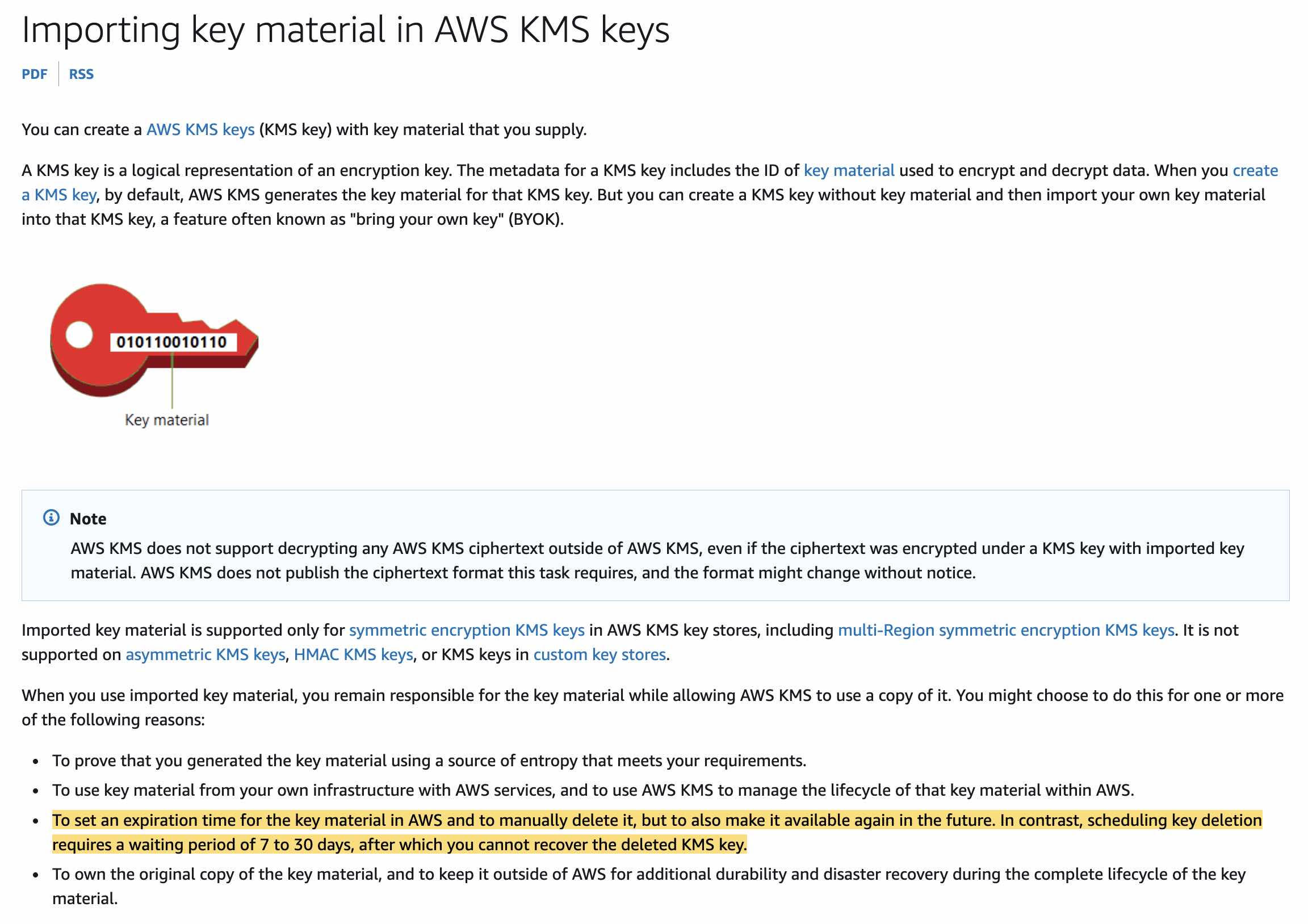
via - https://docs.aws.amazon.com/kms/latest/developerguide/importing-keys.html
Incorrect options:
Use the manual key rotation feature within KMS to instantly create a new CMK - The manual key rotation feature within KMS is used to regularly rotate the key material associated with a CMK, but it does not delete the key immediately. It is a best practice to rotate keys periodically, but it would not address the requirement of being able to delete the CMK within a 24-hour window. So, this option is incorrect.
Utilize the scheduled key deletion feature in KMS to set the minimum wait time for deletion - The scheduled key deletion feature allows you to schedule the deletion of a CMK with a waiting period of 7 to 30 days, but it does not provide a way to delete the key immediately. So it does not allow the key to be deleted within a 24-hour window. Therefore, this option is incorrect.
Alter the KMS CMK alias to immediately stop any services from utilizing the CMK - An alias is a friendly name for a AWS KMS key. For example, an alias lets you refer to a KMS key as test-key instead of 1234abcd-12ab-34cd-56ef-1234567890ab. Because an alias is an independent resource, you can change the KMS key associated with an alias. For example, if the test-key alias is associated with one KMS key, you can use the UpdateAlias operation to associate it with a different KMS key. This is one of several ways to manually rotate a KMS key without changing its key material. You cannot update an alias in the AWS KMS console. Also, you cannot use UpdateAlias (or any other operation) to change an alias name. To alter an alias name, delete the current alias and then create a new alias for the KMS key. Even if you alter an alias, the underlying key still remains operational, so it does not address the requirement of preventing the key from being used for encrypt or decrypt operations.
References:
https://docs.aws.amazon.com/kms/latest/developerguide/importing-keys.html
https://docs.aws.amazon.com/kms/latest/developerguide/alias-manage.html#alias-update
Domain
Domain 3: Infrastructure Security
Question 53
Q) A company has decided to enable AWS Security Hub to help assess its growing AWS environment against security industry standards and best practices.
Which of the following represents true statements for the AWS Security Hub service? (Select two)
-
Security Hub uses resource-linked roles to perform security checks for most controls from AWS Config
-
When you enable both GuardDuty and Security Hub, the mutual integration is enabled automatically. GuardDuty immediately begins to send findings to Security Hub
-
Amazon GuardDuty must be enabled as a pre-requisite for using Security Hub. GuardDuty immediately begins to send findings to Security Hub
-
AWS Config must be enabled as a pre-requisite for using Security Hub
-
Tracking an underutilized Amazon Redshift instance or an over-utilized Amazon EC2 instance is a classic example of AWS Security Hub use cases
AWS Config가 AWS Security Hub의 기반이 된다. GuardDuty는 findings를 Security Hub에 자동으로 보내지만 GuardDuty가 꺼져있어도 Security Hub를 사용할 수는 있음.
Security Hub는 service-linked roles를 security checks를 수행하기 위해 사용한다.
Overall explanation
Correct options:
AWS Config must be enabled as a pre-requisite for using Security Hub
Security Hub is a security and compliance service that provides security and compliance posture management, as a service. It uses AWS Config and AWS Config rules as its primary mechanism to evaluate the configuration of AWS resources. Hence, AWS Config is mandatory while configuring Security Hub.
When you enable both GuardDuty and Security Hub, the mutual integration is enabled automatically. GuardDuty immediately begins to send findings to Security Hub
This statement is true - when you enable both GuardDuty and Security Hub, the integration is enabled automatically. GuardDuty immediately begins to send findings to AWS Security Hub. The Amazon GuardDuty integration with Security Hub enables you to send findings from GuardDuty to Security Hub. Security Hub can then include those findings in its analysis of your security posture.
Once the integration is enabled, GuardDuty sends all of the findings it generates to AWS Security Hub. The findings are sent to AWS Security Hub using the AWS Security Finding Format (ASFF).
Incorrect options:
Amazon GuardDuty must be enabled as a pre-requisite for using Security Hub. GuardDuty immediately begins to send findings to Security Hub - This statement is incorrect. GuardDuty is not a mandatory service for AWS Security Hub.
Tracking an underutilized Amazon Redshift instance or an over-utilized Amazon EC2 instance is a classic example of AWS Security Hub use cases - Security issues (e.g., Amazon S3 buckets that are publicly accessible or detecting crypto-mining on Amazon EC2 instances) and operational issues (e.g., underutilized Amazon Redshift instances or over-utilized Amazon EC2 instances) differ from each other because security issues are sensitive and typically have different response requirements. As a result, use Security Hub to understand, manage, and remediate the security issues, and use Systems Manager to understand, manage, and remediate operational issues.
Security Hub uses resource-linked roles to perform security checks for most controls from AWS Config - This statement is incorrect and given as a distractor. AWS Security Hub uses service-linked AWS Config rules to perform security checks for most controls.
References:
https://docs.aws.amazon.com/securityhub/latest/userguide/securityhub-setup-prereqs.html
https://docs.aws.amazon.com/guardduty/latest/ug/securityhub-integration.html
https://docs.aws.amazon.com/securityhub/latest/userguide/securityhub-standards-enable-disable.html
https://aws.amazon.com/security-hub/faqs
Domain
Domain 6: Security Foundations and Governance
Question 57
For a threat alert raised by the security team, a company needs content inspection of the traffic passing through an Amazon Route 53 resolver outbound endpoint.
As A Security Specialist, how will you implement a solution for this requirement?
-
Enable VPC Flow Logs to capture all network traffic information passing through Route 53 resolver endpoints. Use the Athena integration feature in the Amazon VPC Console to create Athena tables for direct querying
-
Create a trail in AWS CloudTrail for continuous tracking of all Route 53 events. Deliver the log files to an Amazon S3 bucket and use Athena to query the log data for user patterns and troubleshooting
-
Turn on Route 53 public query logging in each public-hosted zone. Amazon Route 53 publishes the logs to Amazon CloudWatch Logs for further analysis and troubleshooting
-
To view traffic passing through Route 53 resolver endpoints, configure Amazon Virtual Private Cloud (Amazon VPC) Traffic Mirroring
traffic 내용을 보려면 VPC Traffic Mirroring 기능을 사용해야 한다. VPC Flow Logs는 메타데이터는 볼 수 있지만 트래픽 자체를 볼 수는 없음. Route 53 public query logging은 DNS Query의 로그를 남기는 것이다. 실제 트래픽이랑은 상관없음. 문제가 괜히 함정을 넣었네…
Overall explanation
Correct option:
Traffic Mirroring is an Amazon VPC feature that you can use to copy network traffic from an elastic network interface of type interface. You can then send the traffic to out-of-band security and monitoring appliances for content inspection, threat monitoring and troubleshooting.
The security and monitoring appliances can be deployed as individual instances, or as a fleet of instances behind either a Network Load Balancer or a Gateway Load Balancer with a UDP listener. Traffic Mirroring supports filters and packet truncation so that you can extract only the traffic of interest, using the monitoring tools of your choice.
How Traffic Mirroring works:
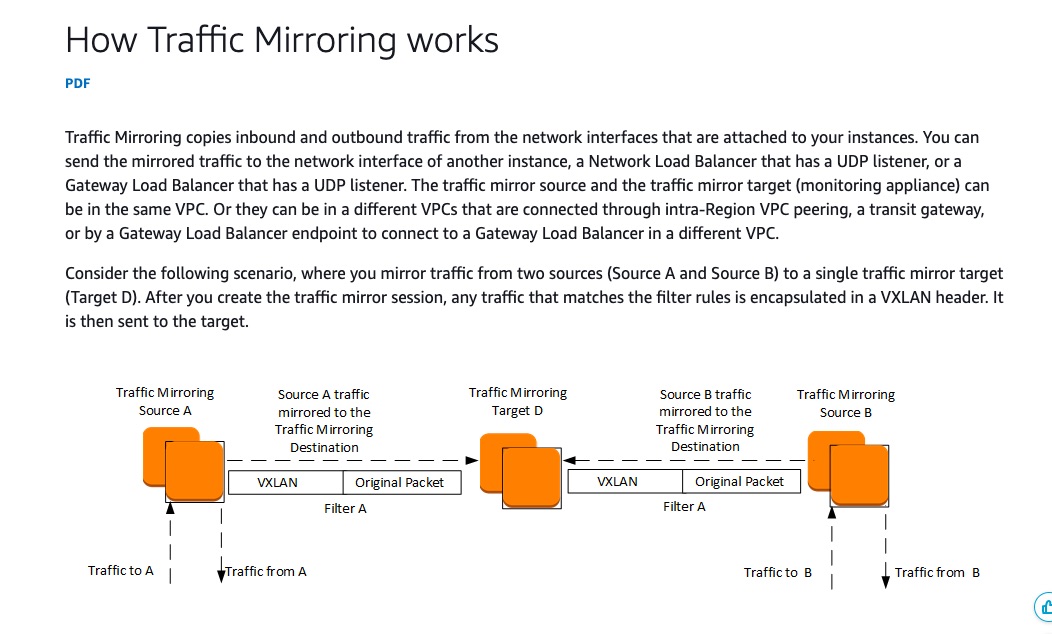
via - https://docs.aws.amazon.com/vpc/latest/mirroring/traffic-mirroring-how-it-works.html
Incorrect options:
Enable VPC Flow Logs to capture all network traffic information passing through Route 53 resolver endpoints. Use the Athena integration feature in the Amazon VPC Console to create Athena tables for direct querying - VPC Flow Logs capture metadata about the traffic, not the actual traffic itself. VPC Flow Logs is a feature that enables you to capture information about the IP traffic going to and from network interfaces in your VPC, whereas, traffic mirroring streams a copy of the network traffic say to an EC2 or Appliance for packet inspection.
Turn on Route 53 public query logging in each public-hosted zone. Amazon Route 53 publishes the logs to Amazon CloudWatch Logs for further analysis and troubleshooting - Once you configure Amazon Route 53 to log information about the public DNS queries that Route 53 receives, the following information is captured: Domain or subdomain that was requested, Date and time of the request, DNS record type, Route 53 edge location that responded to the DNS query, DNS response code. This option is irrelevant to the given use case.
Create a trail in AWS CloudTrail for continuous tracking of all Route 53 events. Deliver the log files to an Amazon S3 bucket and use Athena to query the log data for user patterns and troubleshooting - Route 53 is integrated with AWS CloudTrail that captures all API calls for Route 53 as events, including calls from the Route 53 console and code calls to the Route 53 APIs. If you create a trail, you can enable continuous delivery of CloudTrail events to an Amazon S3 bucket, including events for Route 53.
While the logs above are extremely useful in troubleshooting and monitoring the security infrastructure of AWS architecture, content inspection of a packet can only be done through Traffic Mirroring.
References:
https://docs.aws.amazon.com/vpc/latest/mirroring/traffic-mirroring-how-it-works.html
https://repost.aws/knowledge-center/route53-view-endpoint-traffic
Domain
Domain 2: Incident Response
Question 59
A Security Engineer has been tasked with the job of configuring access control and authentication for the AWS KMS keys of a particular AWS account.
Which of the following would you identify as valid points of consideration for configuring the requirement correctly? (Select two)
-
Authorization to use KMS keys is given through federated identity or user sign-in access. Resource-based policies and Access control lists (ACLs) are other forms of authorization that KMS accepts
-
AWS identities that have the kms:CreateKey permission can set the initial key policy and give themselves permission to use or manage the key
-
Permissions to resources are given through Resource-based policies that are JSON policy documents which contain details about the resource, the principal, and the conditions under which the policy can be used
-
KMS keys belong to the AWS account in which they were created. The AWS account root user alone has full permission on the keys until other identities are given permission through a key policy, IAM policy, or grant
-
The IAM identity that creates a KMS key is not considered to be the key owner. Like any other identity, the key creator needs to get permission through a key policy, IAM policy, or grant
root user라도 권한 없으면 KMS Key를 사용할 수 없다. Authentication과 Authorization을 구분해서 생각하자. Auth로 시작한다고 그냥 퉁쳐서 생각하면 안 된다. Resourced-based Policy는 resource에 붙이는 것이다. Resource-based Policy 안에 resource가 명시되어 있지는 않다.
Overall explanation
Correct options:
The IAM identity that creates a KMS key is not considered to be the key owner. Like any other identity, the key creator needs to get permission through a key policy, IAM policy, or grant
KMS keys belong to the AWS account in which they were created. However, no identity or principal, including the AWS account root user, has permission to use or manage a KMS key unless that permission is explicitly provided in a key policy, IAM policy, or grant. The IAM identity that creates a KMS key is not considered to be the key owner and they don’t automatically have permission to use or manage the KMS key that they created. Like any other identity, the key creator needs to get permission through a key policy, IAM policy, or grant.
AWS identities that have the kms:CreateKey permission can set the initial key policy and give themselves permission to use or manage the key
The AWS identities that have the kms:CreateKey permission can set the initial key policy and give themselves permission to use or manage the key.
Incorrect options:
KMS keys belong to the AWS account in which they were created. The AWS account root user alone has full permission on the keys until other identities are given permission through a key policy, IAM policy, or grant - As discussed above, this statement is incorrect.
Authorization to use KMS keys is given through federated identity or user sign-in access. Resource-based policies and Access control lists (ACLs) are other forms of authorization that KMS accepts - While resource-based policies and Access control lists (ACLs) are forms of authorization that KMS accepts, federated identity or user sign-in access are modes of authentication and not authorization.
Authentication is the process of verifying your identity. To send a request to AWS KMS, you must or sign into AWS using your AWS credentials. Authorization provides permission to send requests to create, manage, or use AWS KMS resources. For example, you must be authorized to use a KMS key in a cryptographic operation.
Permissions to resources are given through Resource-based policies that are JSON policy documents that contain details about the resource, the principal, and the conditions under which the policy can be used - Resource-based policies are JSON policy documents that you attach to a resource, such as a KMS key, to control access to the specific resource. The resource-based policy defines the actions that a specified principal can perform on that resource and under what conditions. You don’t specify the resource in a resource-based policy, but you must specify a principal, such as accounts, users, roles, federated users, or AWS services. Resource-based policies are inline policies that are located in the service that manages the resource.
Reference:
https://docs.aws.amazon.com/kms/latest/developerguide/control-access.html
Domain
Domain 4: Identity and Access Management
Question 61
A media company uses S3 to store artifacts that may only be accessible to EC2 instances running in a private VPC. The security team at the company is apprehensive about an attack vector wherein any team member with access to this instance could also set up an EC2 instance in another VPC to access these artifacts.
As an AWS Certified Security Specialist, which of the following solutions will you recommend to prevent such unauthorized access to the artifacts in S3?
-
Attach an Elastic IP to the EC2 instance and create an S3 bucket policy to allow access only from this Elastic IP
-
Set up a highly restricted Security Group for the EC2 instance and create an S3 bucket policy to allow access only from this Security Group
-
Set up an IAM role that allows access to the artifacts in S3 and then create an S3 bucket policy to allow access only from this role attached to the instance profile
-
Configure an S3 VPC endpoint and create an S3 bucket policy to allow access only from this VPC endpoint
문제에서 특정 VPC에서만 S3를 접근할 수 있게 해야 한다는 걸 파악하지 못함.. 끝부분 문제쪽이라 집중이 잘 안 된 것 같다.
Overall explanation
Correct option:
Configure an S3 VPC endpoint and create an S3 bucket policy to allow access only from this VPC endpoint
A VPC endpoint enables you to privately connect your VPC to supported AWS services and VPC endpoint services powered by AWS PrivateLink without requiring an internet gateway, NAT device, VPN connection, or AWS Direct Connect connection. Instances in your VPC do not require public IP addresses to communicate with resources in the service. Traffic between your VPC and the other service does not leave the Amazon network.
A gateway endpoint is a gateway that you specify as a target for a route in your route table for traffic destined to a supported AWS service. One of the ways of letting EC2 instances running in private subnets of a VPC access S3-based resources is by setting up NAT instances in a public subnet and then access those S3-based resources. However, there is a more efficient and secure way. The EC2 instances running in private subnets of a VPC can control access to S3 buckets, objects, and API functions that are in the same Region as the VPC by using the S3 gateway endpoints.
Here are the steps to set up a gateway endpoint:
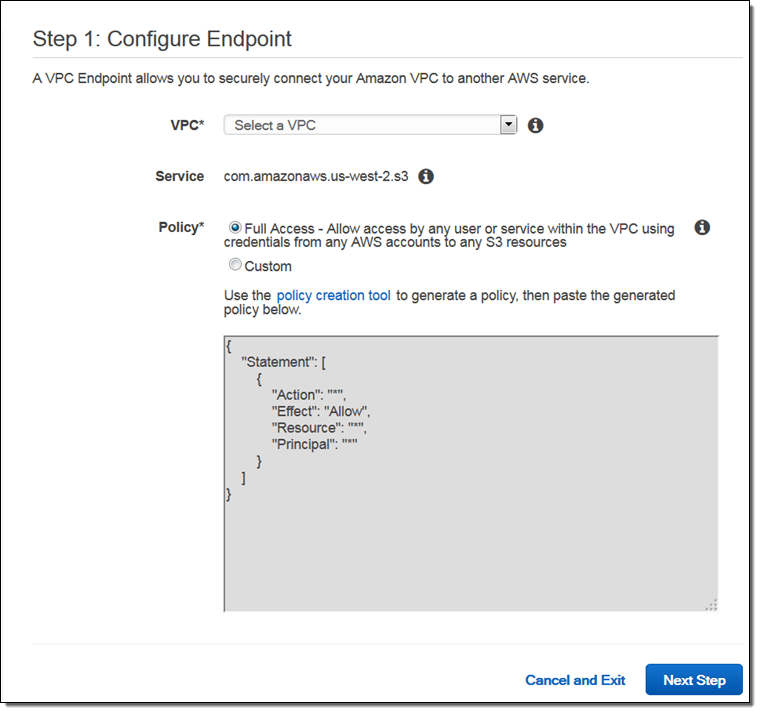
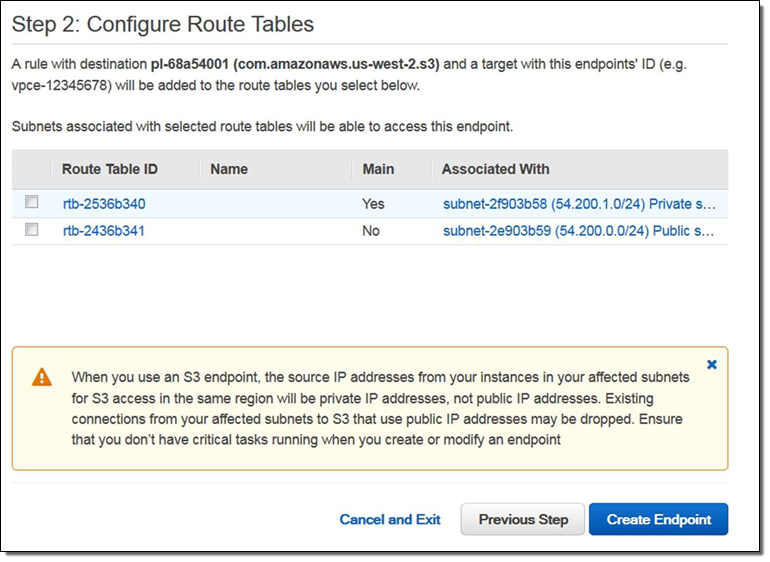
via - https://aws.amazon.com/blogs/aws/new-vpc-endpoint-for-amazon-s3/
Important Characteristics for S3 Gateway Endpoints:
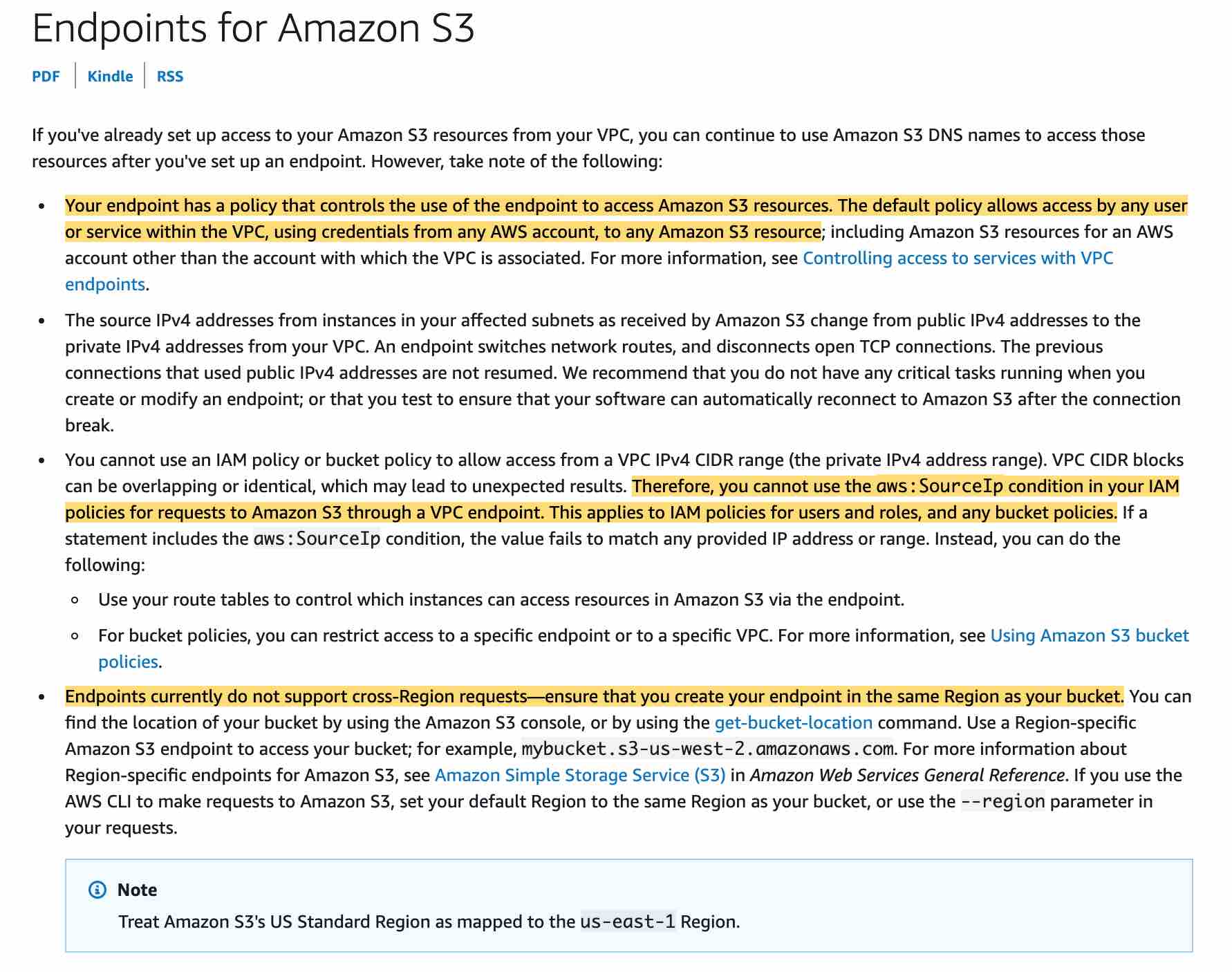
via - https://docs.aws.amazon.com/vpc/latest/userguide/vpc-endpoints-s3.html
You can further use an S3 bucket policy to indicate which VPCs and VPC Endpoints have access to your S3 buckets.
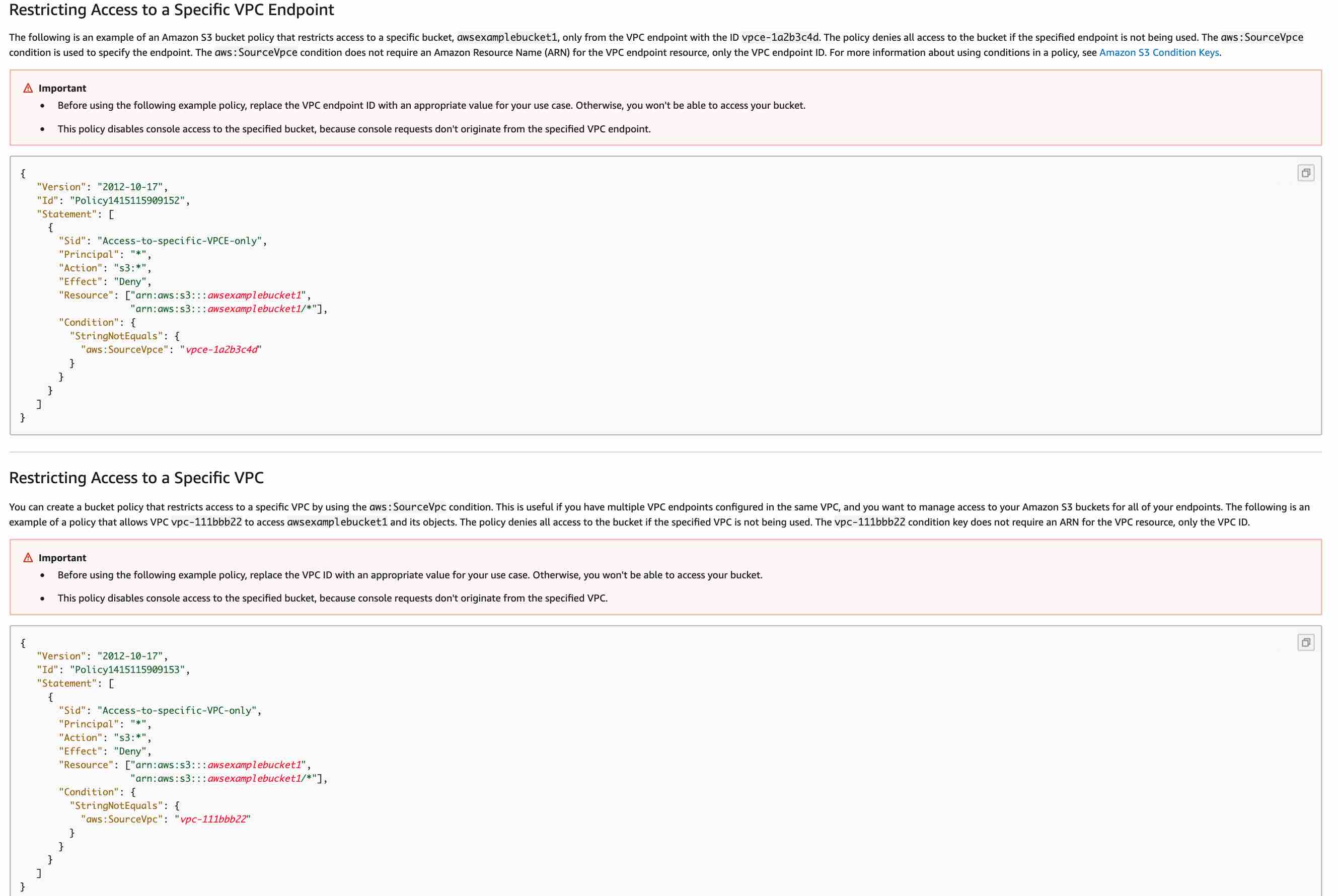
via - https://docs.aws.amazon.com/vpc/latest/userguide/vpc-endpoints-s3.html
Incorrect options:
Set up an IAM role that allows access to the artifacts in S3 and then create an S3 bucket policy to allow access only from this role attached to the instance profile - This allows the possibility to attach the given role to multiple EC2 instance profiles and therefore opens up doors for unauthorized access from different EC2 instances. Hence this option is incorrect.
Attach an Elastic IP to the EC2 instance and create an S3 bucket policy to allow access only from this Elastic IP - As described in the explanation above, you cannot use the aws:SourceIp condition in your IAM policies for requests to Amazon S3 through a VPC endpoint. This applies to IAM policies for users and roles, and any bucket policies. Hence this option is incorrect.
AWS는 VPC endpoint를 사용하는 요청에 대해서는 aws:SourceIp가 기대대로 동작하지 않는다고 설명하고, 이런 경우에는 aws:SourceVpc 또는 aws:SourceVpce 같은 VPC/VPCE 식별자를 써야 한다고 안내합니다. 게다가 IP 기반 제한은 구조적으로 더 약합니다.
Set up a highly restricted Security Group for the EC2 instance and create an S3 bucket policy to allow access only from this Security Group - This option has been added as a distractor as a Security Group is not a valid Principal to be used in an S3 bucket policy. Security Group also cannot be used in a valid Condition statement in the bucket policy.
References:
https://aws.amazon.com/blogs/aws/new-vpc-endpoint-for-amazon-s3/
https://docs.aws.amazon.com/vpc/latest/userguide/vpc-endpoints-s3.html
https://docs.aws.amazon.com/vpc/latest/userguide/vpce-gateway.html
Domain
Domain 4: Identity and Access Management
Question 64
The development team at a company deploys to their AWS production environment through a continuous integration/continuous deployment (CI/CD) pipeline. The pipeline itself has broad access to create AWS resources needed to run the application. The company’s security team wants to allow the development team to deploy their own IAM principals and policies for their application. However, the security team also needs a control mechanism that requires all resources created by the pipeline to have minimum privileges that comply with the security guidelines. All teams at the company are only allowed to modify the AWS production environment through their CI/CD pipeline.
Which options will you combine to address this use case? (Select two)
-
Create an IAM role for the CI/CD pipeline to be used for deploying application resources. Also, create resource-based policies for all the AWS resources created by the CI/CD pipeline
-
Create a Service Control Policy (SCP) and attach it to all the member accounts to monitor and control the access privileges given to the IAM roles in the AWS accounts
-
The security team should create a permissions boundary policy and attach it to the IAM role used by the CI/CD pipeline
-
Create an IAM role for the CI/CD pipeline to be used for deploying application resources
-
The development team should create a permissions boundary policy and attach it to the IAM role used by the CI/CD pipeline
문제에 resources 라는 단어가 나오긴 했지만 resource-based policy가 필요한 경우가 아니다.
참고) AWS에서 resource-based policy는 “사용자/역할에 붙이는 권한 정책”이 아니라, 리소스 자체에 붙여서 누가 그 리소스에 접근할 수 있는지 정하는 정책입니다. 대표 예시는 S3 bucket policy, KMS key policy, Lambda function policy, SQS queue policy, SNS topic policy, 그리고 IAM role trust policy입니다. resource-based policy에는 보통 Principal이 들어가고, 그 리소스를 누가 쓸 수 있는지를 리소스 소유자 입장에서 직접 통제합니다.
Overall explanation
Correct options:
Create an IAM role for the CI/CD pipeline to be used for deploying application resources
The CI/CD pipeline role has broad access to the account to create resources. Access for deployment through the CI/CD pipeline should be tightly controlled and monitored. The CI/CD pipeline is allowed to create new IAM roles for use with the application, but those roles are limited to only the actions allowed by the permissions boundary.
The security team should create a permissions boundary policy and attach it to the IAM role used by the CI/CD pipeline
A permissions boundary is a type of identity-based policy that doesn’t directly grant access. Instead, like an SCP, a permissions boundary acts as a guardrail for your IAM principals that allows you to set coarse-grained access controls. A permissions boundary is typically used to delegate the creation of IAM principals. Delegation enables other individuals in your accounts to create new IAM principals but limits the permissions that can be granted to the new IAM principals.
An example of the permissions boundary policy that the security team should attach to IAM roles created by the CI/CD pipeline is shown below. This same permissions boundary policy can be centrally managed and attached to IAM roles created by other pipelines at Financial Corp. The policy describes the maximum possible permissions that additional roles created by the development team are allowed to have, and it limits those permissions to some Amazon S3 and Amazon SQS data access actions. It’s common for a permissions boundary policy to include data access actions when used to delegate role creation. This is because most applications only need permission to read and write data and only sometimes need permission to modify infrastructure.
The roles, policies, and EC2 instance profiles that the pipeline creates should also be restricted to specific role paths. This enables you to enforce that the pipeline can only modify roles and policies or pass roles that it has created. This helps prevent the pipeline, and roles created by the pipeline, from elevating privileges by modifying or passing a more privileged role.
Example permissions boundary policy attached to IAM roles created by the CI/CD pipeline:
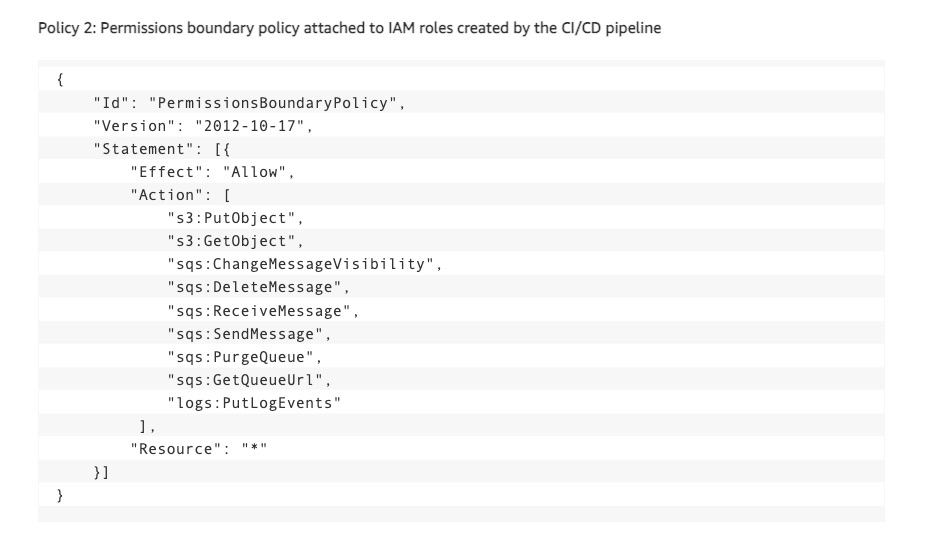
via - https://aws.amazon.com/blogs/security/iam-policy-types-how-and-when-to-use-them/
Incorrect options:
Create an IAM role for the CI/CD pipeline to be used for deploying application resources Also, create resource-based policies for all the AWS resources created by the CI/CD pipeline - Access can be granted by either an identity-based policy or a resource-based policy when access is within the same AWS account. Therefore, using resource-based policies for the given use case is unnecessary. You should also note that all AWS resources do not support resource-based policies. This option acts as a distractor.
The development team should create a permissions boundary policy and attach it to all the IAM roles created by the CI/CD pipeline - Permission boundary policy should be created by the security team for central access and exercising control over the permissions configured by other teams.
Create a Service Control Policy (SCP) and attach it to all the member accounts to monitor and control the access privileges given to the IAM roles in the AWS accounts - Service control policies (SCPs) are a feature of AWS Organizations. AWS Organizations is a service for grouping and centrally managing the AWS accounts that your business owns. SCPs are policies that specify the maximum permissions for an organization, organizational unit (OU), or individual account. An SCP can limit permissions for principals in member accounts, including the AWS account root user. This option has been added as a distractor since the use case does not mention anything about using AWS Organizations.
Reference:
https://aws.amazon.com/blogs/security/iam-policy-types-how-and-when-to-use-them/
Domain
Domain 6: Security Foundations and Governance
Question 65
A company has two VPCs (VPC1 and VPC2) configured in two different AWS Regions that are part of the same AWS account. There is an active VPC peering connection between the VPCs that has been configured in the route tables for both VPCs.
The database is present in VPC1 and the access to the database instance is controlled through a security group defined in VPC1. VPC2 consists of an Auto Scaling group that scales in/out any Amazon EC2 instances based on the CPU usage. Each instance launched as part of the Auto Scaling group belongs to a security group defined specifically for the Auto Scaling group. The launched instances need seamless access to the database instance present in VPC1.
Which additional step is needed for the solution to work if the route tables are already configured for VPC peering?
-
Add an inbound rule to the security group of the database instance in VPC1, with the source as the ID of the security group of the instances launched in the Auto Scaling Group in VPC2
-
Configure an outbound rule on the security group of the instances launched in the Auto Scaling Group in VPC2, with the destination as the ID of the security group of the database instance
-
Configure an outbound rule on the security group of the instances launched in the Auto Scaling Group in VPC2, with the destination as the CIDR block of VPC1 (VPC for the database instance)
-
Add an inbound rule to the security group of the database instance in VPC1, with the source as the CIDR block of VPC2 (VPC for the instances launched by the Auto Scaling Group)
Security Group 생성하면 기본으로 Outbound는 모두 열려있다.. 문제에 다른 이야기가 나오지 않으면 Outbound는 모두 열려있다고 간주해야 함.
security group의 inbound rule에 security group ID를 지정할 수 있는건 같은 리전 안에 있을 때 뿐이다. 다른 VPC의 security group ID를 지정할 수 없고, ip cidr로 ip범위를 지정해서 inbound rule을 설정해야 한다.
- 같은 계정 + 같은 리전:
sg-xxxxxxxx형태로 peer VPC의 security group ID를 바로 참조할 수 있습니다. - 다른 계정 + 같은 리전:
123456789012/sg-xxxxxxxx처럼 계정 ID + security group ID 형태로 참조할 수 있습니다. - 다른 리전: security group ID 참조는 안 되고, peer VPC의 CIDR block을 써야 합니다.
전제 조건도 있습니다. VPC peering connection이 active 상태여야 합니다.
Overall explanation
Correct option:
Add an inbound rule to the security group of the database instance in VPC1, with the source as the CIDR block of VPC2 (VPC for the instances launched by the Auto Scaling Group)
You cannot reference the security group of a peer VPC that’s in a different AWS Region. Instead, use the CIDR block of the peer VPC.
Rules to update your security groups to reference peer security groups:
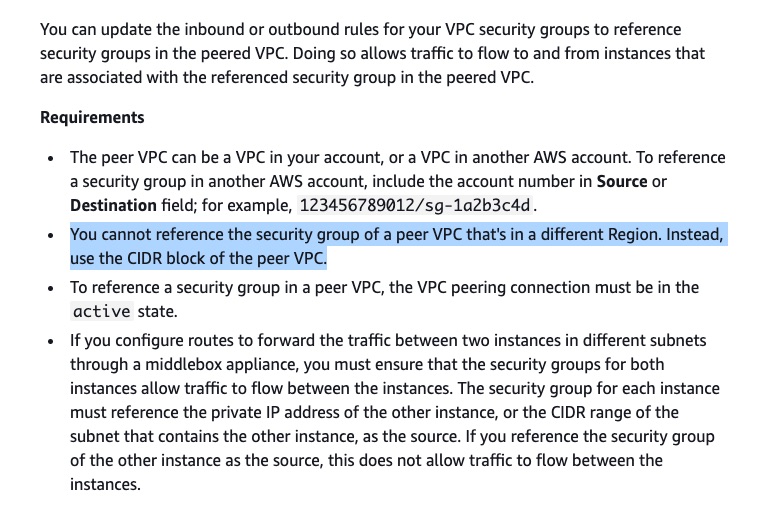
via - https://docs.aws.amazon.com/vpc/latest/peering/vpc-peering-security-groups.html
Incorrect options:
Configure an outbound rule on the security group of the instances launched in the Auto Scaling Group in VPC2, with the destination as the ID of the security group of the database instance
Configure an outbound rule on the security group of the instances launched in the Auto Scaling Group in VPC2, with the destination as the CIDR block of VPC1 (VPC for the database instance)
By default, security groups contain outbound rules that allow all outbound traffic. So, both these options just act as distractors.
Add an inbound rule to the security group of the database instance in VPC1, with the source as the ID of the security group of the instances launched in the Auto Scaling Group in VPC2 - You cannot reference the security group of a peer VPC that’s in a different AWS Region. This option would be correct if both the VPCs belonged to the same AWS region.
References:
https://docs.aws.amazon.com/vpc/latest/peering/vpc-peering-security-groups.html
https://docs.aws.amazon.com/devicefarm/latest/developerguide/amazon-vpc-cross-region.html
https://docs.aws.amazon.com/AWSEC2/latest/UserGuide/security-group-rules.html
Domain
Domain 5: Data Protection
Question 10
An e-commerce company is designing a multi-account structure for its Finance and Operations teams using AWS Organizations and AWS Single Sign-On (AWS SSO). The teams should only be able to access specific AWS services in the designated AWS Regions.
Which solution will implement these requirements with the LEAST operational overhead?
-
Create a Service control policy (SCP) that mandates multi-factor authentication (MFA) for access to the required services in the designated AWS Regions. Share the MFA credentials with only the AWS users that need access
-
Create a Service control policy (SCP) that allows access to users for certain AWS services in the designated AWS Regions
-
Create a Service control policy (SCP) with a deny list policy strategy to deny access to users for certain AWS services and AWS Regions. Exclude administrators of the member accounts from this SCP
-
Create Service control policies (SCPs) that deny access to any operations outside of the designated AWS Regions. Apart from the Condition and Resource elements, configure the NotAction element to allow access to the required AWS services
‘deny’와 ‘NotAction’을 조합하면 특정 권한 이외의 나머지 모든 권한을 deny할 수 있다. 특정 권한도 명시적으로 allow 한 것이 아니므로 필요한 권한만 최소로 allow + Action 정책 만들면 됨.
Allow + NotAction 은 엄청나게 넓은 범위의 권한을 할당할 수 있으니 조심
Allow + NotAction은 “예외 몇 개를 빼고 거의 다 허용”할 때 쓰는 축약 문법이고,
권한을 강하게 제한하거나 다른 Allow를 무효화하려는 용도는 아니다라고 보시면 됩니다.
아래처럼
{
  "Effect": "Allow",
  "NotAction": "iam:*",
  "Resource": "*"
}
쓰는 것도 문법상 가능하고 AWS 문서에도 예시가 있습니다. 뜻은 “IAM만 빼고 거의 모든 AWS 작업 허용”입니다. 다만 AWS는 이런 형태가 의도보다 더 넓은 권한을 줄 수 있으니 주의하라고 경고합니다. NotAction은 명시한 것만 빼고 나머지를 전부 매칭하기 때문에, 범위가 넓으면 새 서비스나 예상 못 한 액션까지 허용될 수 있습니다.
Allow + NotAction은 보통 Resource로 범위를 제한함.
{
  "Version": "2012-10-17",
  "Statement": [
    {
      "Effect": "Allow",
      "NotAction": [
        "s3:DeleteBucket",
        "s3:PutBucketPolicy"
      ],
      "Resource": "arn:aws:s3:::my-bucket"
    }
  ]
}
Overall explanation
Correct option:
Create Service control policies (SCPs) that deny access to any operations outside of the designated AWS Regions. Apart from the Condition and Resource elements, configure the NotAction element to allow access to the required AWS services
The SCP can be defined to deny access to AWS based on the designated AWS Region and exempt necessary AWS resources from this exclusion. The following example SCP denies access to any operations outside of the designated Regions. Replace eu-central-1 and eu-west-1 with the AWS Regions you want to use. It provides exemptions for operations in approved global services. This example also shows how to exempt requests made by either of two specified administrator roles.
This policy uses the Deny effect to deny access to all requests for operations that don’t target one of the two approved regions (eu-central-1 and eu-west-1). The NotAction element enables you to list services whose operations (or individual operations) are exempted from this restriction. Because global services have endpoints that are physically hosted by the us-east-1 Region , they must be exempted in this way. With an SCP structured this way, requests made to global services in the us-east-1 Region are allowed if the requested service is included in the NotAction element. Any other requests to services in the us-east-1 Region are denied by this example policy.
Example SCP to deny access to AWS based on the requested AWS Region:
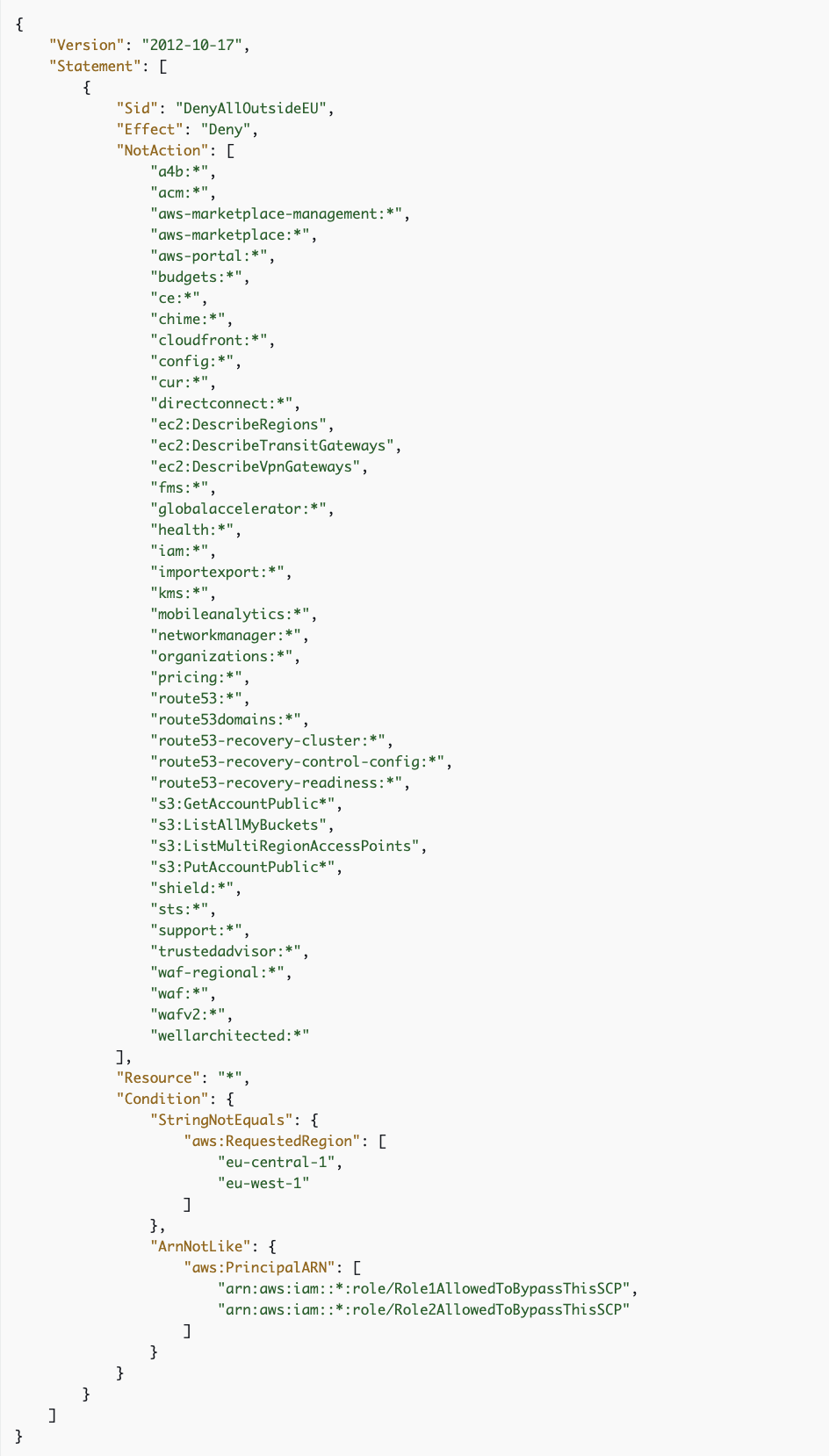
Incorrect options:
Create a Service control policy (SCP) that mandates multi-factor authentication (MFA) for access to the required services in the designated AWS Regions. Share the MFA credentials with only the AWS users that need access - This still does not solve the problem of allowing access to only specific AWS services in the designated AWS Regions.
Create a Service control policy (SCP) with a deny list policy strategy to deny access to users for certain AWS services and AWS Regions. Exclude administrators of the member accounts from this SCP - This is given only as a distractor. SCPs generally use a deny list policy strategy. Deny list policies must be attached along with other policies that allow the approved actions in the affected accounts. For example, the default FullAWSAccess policy permits the use of all services in an account. This policy is attached by default to the root, all organizational units (OUs), and all accounts. It doesn’t actually grant the permissions; no SCP does. SCP applies to all users of the member accounts. You cannot exclude administrators of the member accounts from an SCP. You can delegate access to specific actions on selected resources by attaching standard AWS Identity and Access Management (IAM) permissions policies to users, roles, or groups in the member accounts.
Create a Service control policy (SCP) that allows access to users for certain AWS services in the designated AWS Regions - SCPs alone are not sufficient in granting permissions to the accounts in your organization. No permissions are granted by an SCP. An SCP defines a guardrail or sets limits on the actions that the account’s administrator can delegate to the IAM users and roles in the affected accounts. So, this option is incorrect.
References:
https://docs.aws.amazon.com/organizations/latest/userguide/orgs_manage_policies_scps_examples.html
Domain
Domain 5: Data Protection
Question 11
An e-commerce company recently saw a huge spike in its monthly AWS spend. Upon further investigation, it was found that some developers had accidentally launched Amazon RDS instances in unexpected Regions. The company has hired you as an AWS Certified Security Specialist to establish best practices around the least privileges for developers and control access to on-premises as well as AWS Cloud resources using Active Directory. The company has mandated that you institute a mechanism to control costs by restricting the level of access that developers have to the AWS Management Console without impacting their productivity. The company would also like to allow developers to launch RDS instances only in us-east-1 Region without limiting access to other services in any Region.
How can you help the company achieve the new security mandate while minimizing the operational burden on the systems administration team?
-
Configure SAML-based authentication tied to an IAM role that has the PowerUserAccess managed policy attached to it. Attach a customer-managed policy that denies access to RDS in any AWS Region except
us-east-1 -
Configure SAML-based authentication tied to an IAM role that has a PowerUserAccess managed policy and a customer-managed policy that denies all the developers access to any AWS services except AWS Service Catalog. Within AWS Service Catalog, create a product containing only RDS service in
us-east-1region -
Configure SAML-based authentication tied to an IAM role that has the AdministrativeAccess managed policy attached to it. Attach a customer-managed policy that denies access to RDS in any AWS Region except
us-east-1 -
Set up an IAM user for each developer and add them to the developer IAM group that has the PowerUserAccess managed policy attached to it. Attach a customer-managed policy that allows the developers access to RDS only in
us-east-1Region
AdministrativeAccess라는건 없다. AdministratorAccess가 맞음
-
AdministratorAccess = 진짜 관리자
-
PowerUserAccess = IAM/Organizations/Account 관리를 뺀 거의 관리자
-
AdministratorAccess
- 계정 관리자
- IAM/보안/권한 위임까지 다 해야 하는 운영 책임자
- 아주 강력해서 보통은 소수에게만 부여하는 게 맞습니다. AWS도 이 정책은 account administrator에만 쓰는 것을 권장합니다.
-
PowerUserAccess
- 개발/운영 리더
- 대부분의 AWS 리소스는 직접 만들고 수정해야 하지만, 사용자/권한 체계까지 건드리면 안 되는 사람
- 즉 “서비스 운영은 폭넓게, IAM 관리는 제한” 이 필요한 경우에 적합합니다.
Overall explanation
Correct option:
Configure SAML-based authentication tied to an IAM role that has the PowerUserAccess managed policy attached to it. Attach a customer-managed policy that denies access to RDS in any AWS Region except us-east-1
Security Assertion Markup Language 2.0 (SAML) is an open federation standard that allows an identity provider (IdP) to authenticate users and pass identity and security information about them to a service provider which is an AWS application or service for the current use case. With SAML, you can enable a single sign-on experience for your users across many SAML-enabled applications and services. Users authenticate with the IdP once using a single set of credentials and then get access to multiple applications and services without additional sign-ins.
For the given scenario, the company wants to control access to on-premises as well as AWS Cloud resources (specifically via the AWS Management Console) using Active Directory, so it should use SAML 2.0 federated users to access the AWS Management Console. You also create an IAM role with a trust policy that sets the SAML provider as the principal, which establishes a trust relationship between your organization and AWS. The role’s permission policy establishes what users from your organization are allowed to do in AWS. In this case, the role will have a PowerUserAccess managed policy attached. As the PowerUserAccess managed policy will allow the developers to create RDS instances in any Region, therefore, you also need to attach a customer-managed policy that denies access to RDS in any AWS Region except us-east-1.
via - https://docs.aws.amazon.com/IAM/latest/UserGuide/id_roles_providers_enable-console-saml.html
At a high level, it is useful to think of these access privileges in the form of this equation:
PowerUserAccess = AdministrativeAccess - IAM
Incorrect options:
Configure SAML-based authentication tied to an IAM role that has the AdministrativeAccess managed policy attached to it. Attach a customer-managed policy that denies access to RDS in any AWS Region except us-east-1 - Using an IAM role with an AdministrativeAccess managed policy attache to it would violate the key requirement of providing the least privileges for developers. PowerUserAccess provides full access to AWS services and resources but does not allow management of users and groups.
At a high level, it is useful to think of these access privileges in the form of this equation:
PowerUserAccess = AdministrativeAccess - IAM
So, PowerUserAccess provides just the right access privileges required for the given use case.
Set up an IAM user for each developer and add them to the developer IAM group that has the PowerUserAccess managed policy attached to it. Attach a customer-managed policy that allows the developers access to RDS only in us-east-1 Region - Setting up an IAM user for each developer and adding them to the developer IAM group goes against the requirement of minimizing the operational burden on the DevOps team because this solution does not take advantage of the existing Active Directory that supports SAML-based authentication.
Configure SAML-based authentication tied to an IAM role that has a PowerUserAccess managed policy and a customer-managed policy that denies all the developers access to any AWS services except AWS Service Catalog. Within AWS Service Catalog, create a product containing only RDS service in us-east-1 region - This option is a distractor as it’s too restrictive. As the customer-managed policy denies the developers access to any AWS services except AWS Service Catalog, therefore it would limit access to all other services in any Region, hence this option is incorrect.
References:
https://docs.aws.amazon.com/IAM/latest/UserGuide/id_roles_providers_enable-console-saml.html
https://docs.aws.amazon.com/IAM/latest/UserGuide/id_roles_providers_saml.html
Domain
Domain 4: Identity and Access Management
Question 32
The security team at a company has been assigned the responsibility of configuring outgoing email using Simple Email Service (SES) that leverages the Amazon SES API with mandatory TLS for the secure transfer of data.
Which configuration should the engineer choose to make TLS mandatory for SES API?
-
Change the behavior of SES by using configuration sets. Set the
TlsPolicyproperty for a configuration set toRequire -
Configure STARTTLS mechanism on SES to establish a TLS-encrypted connection with the client
-
Configure TLS Wrapper mechanism on SES to establish a secure TLS-encrypted connection with the client
-
By default, Amazon SES configuration mandates TLS. Custom configurations are not needed to achieve secure communication
SES를 API로도 사용할 수 있고 SMTP로도 사용할 수 있다.
SMTP에서 TLS는
- STARTTTLS
- TLS Wrapper
이렇게 두 가지 사용 가능.
API 사용할 때 TLS를 강제하려면 TlsPolicy 속성을 Require로 해야 한다.
Overall explanation
Correct option:
Change the behavior of SES by using configuration sets. Set the TlsPolicy property for a configuration set to Require
By default, Amazon SES uses opportunistic TLS.
To address the given requirement, you can use the PutConfigurationSetDeliveryOptions API operation to set the TlsPolicy property for a configuration set to Require. You can use the AWS CLI to make this change.
Configuration for mandatory TLS:
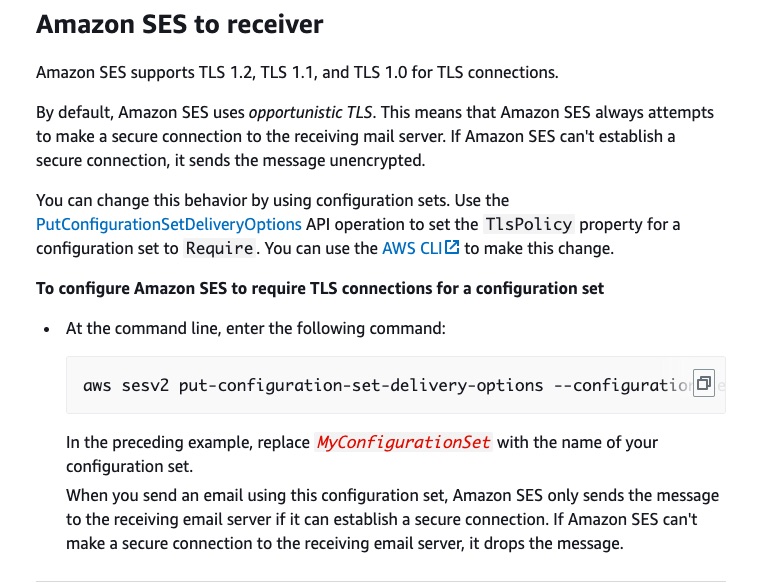
via - https://docs.aws.amazon.com/ses/latest/dg/security-protocols.html
Incorrect options:
Configure STARTTLS mechanism on SES to establish a TLS-encrypted connection with the client
Configure TLS Wrapper mechanism on SES to establish a secure TLS-encrypted connection with the client
If you are accessing Amazon SES through the SMTP interface, you’re required to encrypt your connection using Transport Layer Security (TLS). Amazon SES supports two mechanisms for establishing a TLS-encrypted connection: STARTTLS and TLS Wrapper. Since the use case mentions using Amazon SES API, these two options are irrelevant to the given use case.
By default, Amazon SES configuration mandates TLS. Custom configurations are not needed to achieve secure communication - This statement is incorrect. By default, Amazon SES uses opportunistic TLS. This means that Amazon SES always attempts to make a secure connection to the receiving mail server. If Amazon SES can’t establish a secure connection, it sends the message unencrypted.
References:
https://docs.aws.amazon.com/ses/latest/dg/security-protocols.html
https://docs.aws.amazon.com/ses/latest/dg/data-protection.html
Domain
Domain 5: Data Protection
Question 48
A company has moved its business-critical data to an Amazon EFS file system which will be accessed by multiple EC2 instances.
Which of the following would you recommend to exercise access control such that only the permitted EC2 instances can read from the EFS file system? (Select two)
-
Use Network ACLs to control the network traffic to and from your Amazon EC2 instance
-
Use VPC security groups to control the network traffic to and from your file system
-
Use Amazon GuardDuty to curb unwanted access to the EFS file system
-
Use an IAM policy to control access for clients who can mount your file system with the required permissions
-
Set up the IAM policy root credentials to control and configure the clients accessing the EFS file system
NACL은 subnet 수준에서 작동하지 instance 수준에서 작동하지 않는다. instance 수준에서는 Security Group 사용해야 함. GuardDuty는 access control용이 아니다. 모니터링용.
Overall explanation
Correct options:
Use VPC security groups to control the network traffic to and from your file system
Use an IAM policy to control access for clients who can mount your file system with the required permissions
You control which EC2 instances can access your EFS file system by using VPC security group rules and AWS Identity and Access Management (IAM) policies. Use VPC security groups to control the network traffic to and from your file system. Attach an IAM policy to your file system to control which clients can mount your file system and with what permissions, and you may use EFS Access Points to manage application access. Control access to files and directories with POSIX-compliant user and group-level permissions.
Files and directories in an Amazon EFS file system support standard Unix-style read, write, and execute permissions based on the user ID and group IDs. When an NFS client mounts an EFS file system without using an access point, the user ID and group ID provided by the client is trusted. You can also use EFS access points to override user ID and group IDs used by the NFS client. When users attempt to access files and directories, Amazon EFS checks their user IDs and group IDs to verify that each user has permission to access the objects
Incorrect options:
Use Network ACLs to control the network traffic to and from your Amazon EC2 instance - Network ACLs operate at the subnet level and not at the instance level.
Set up the IAM policy root credentials to control and configure the clients accessing the EFS file system - There is no such thing as an IAM policy root credentials and this statement has been added as a distractor.
Use Amazon GuardDuty to curb unwanted access to the EFS file system - Amazon GuardDuty is a threat detection service that continuously monitors for malicious activity and unauthorized behavior to protect your AWS accounts, workloads, and data stored in Amazon S3. It cannot be used for access control to the EFS file system.
References:
https://docs.aws.amazon.com/vpc/latest/userguide/VPC_Security.html#VPC_Security_Comparison
https://docs.aws.amazon.com/efs/latest/ug/accessing-fs-nfs-permissions.html
https://docs.aws.amazon.com/efs/latest/ug/iam-access-control-nfs-efs.html
Domain
Domain 3: Infrastructure Security
Question 63
An application deployed on an Amazon Elastic Compute Cloud (Amazon EC2) instance needs to read from and write files to an S3 bucket in the same AWS account (Account A1). The application also reads (but doesn’t write) files from an S3 bucket in another AWS Account (Account A2). The company uses a multi-account strategy and each application has its own AWS account.
Three teams access the company’s data: the Central Cloud Team, the Application Team, and the Data Lake Team. The Central Cloud Team is responsible for the overall security and governance of the AWS environment across all AWS accounts. The Application Team is responsible for building, deploying, and running their application within the application account (Account A1) that they own and manage. Likewise, the Data Lake Team owns and manages the Data Lake account (Account A2). The Central Cloud Team has two security requirements that they want to apply:
a) All AWS API calls across all accounts must be encrypted in transit and accounts can’t leave the organization on their own.
b) Least privilege policy/permissions should be configured for the application in Account A1 to access files from the S3 bucket in Account A2.
As an AWS Certified Security Specialist, which of the following options would you combine to implement a solution for the given security and access requirements? (Select two)
-
The application team has to create an IAM role in Account A1, that the application running on the EC2 instance will use to get objects from the S3 bucket in Account A2. An identity-based role must then be created in the data lake account (Account A2) that grants access to the application in Account A1
-
Create a permission boundary that denies all requests that are not sent using SSL (TLS) and also prevents an account from leaving the organization. Apply the permission boundary to the root of the organization
-
The application team has to create an IAM role in Account A1, that the application running on the EC2 instance will use to get objects from the S3 bucket in Account A2. A resource-based policy has to be attached to the bucket in the data lake account (Account A2) that grants read access to the role in the application account (Account A1)
-
The application team has to create an IAM role in Account A1, that the application running on the EC2 instance will use to get objects from the S3 bucket in Account A2. A resource-based policy has to be attached to the bucket in the data lake account (Account A2) that grants full access to the role in the application account (Account A1)
-
Create a Service Control Policy (SCP) that denies all requests that are not sent using SSL (TLS) and also prevents an account from leaving the organization. Apply the SCP to the root of the organization
fyi) permission boundary는 identity-based policy의 한 종류다. A permissions boundary is typically used to delegate the creation of IAM principals. Delegation enables other individuals in your accounts to create new IAM principals but limits the permissions that can be granted to the new IAM principals.
Overall explanation
Correct options:
Create a Service Control Policy (SCP) that denies all requests that are not sent using SSL (TLS) and also prevents an account from leaving the organization. Apply the SCP to the root of the organization
SCPs are meant to be used as coarse-grained guardrails, and they don’t directly grant access. The primary function of SCPs is to enforce security invariants across AWS accounts and OUs in an organization. Security invariants are control objectives or configurations that you apply to multiple accounts, OUs, or the whole AWS organization. For example, you can use an SCP to prevent member accounts from leaving your organization or to enforce that AWS resources can only be deployed to certain Regions.
For the current use case, SCP can be used to enforce all AWS API calls to be encrypted in transit and Accounts can’t leave the organization on their own.
The application team has to create an IAM role in Account A1, that the application running on the EC2 instance will use to get objects from the S3 bucket in Account A2. A resource-based policy has to be attached to the bucket in the data lake account (Account A2) that grants read access to the role in the application account (Account A1)
The only resource-based policy needed in this example is attached to the bucket in the data lake account (Account A2) which is external to the application account (Account A1). Both the identity-based policy and resource-based policy must grant access to an action on the S3 bucket for access to be allowed in a cross-account scenario. The resource-based policy configured for the S3 bucket in Account A2 grants read access to the IAM role in the application account (Account A1). Then, give the IAM role in Account A1 the necessary permissions to read (GetObject) objects from the S3 bucket in Account A2. This read-only access configuration also adheres to the least privilege principle recommended by the Central Cloud team.
Incorrect options:
Create a permission boundary that denies all requests that are not sent using SSL (TLS) and also prevents an account from leaving the organization. Apply the permission boundary to the root of the organization - A permissions boundary is a type of identity-based policy that doesn’t directly grant access. Instead, like an SCP, a permissions boundary acts as a guardrail for your IAM principals that allows you to set coarse-grained access controls. A permissions boundary is typically used to delegate the creation of IAM principals. Delegation enables other individuals in your accounts to create new IAM principals but limits the permissions that can be granted to the new IAM principals.
The application team has to create an IAM role in Account A1, that the application running on the EC2 instance will use to get objects from the S3 bucket in Account A2. A resource-based policy has to be attached to the bucket in the data lake account (Account A2) that grants full access to the role in the application account (Account A1) - The given use case requires the least privilege access to read the files stored in the S3 bucket in Account A2. Since this option grants full access to the role in the application account (Account A1), so this option is incorrect.
The application team has to create an IAM role in Account A1, that the application running on the EC2 instance will use to get objects from the S3 bucket in Account A2. An identity-based role must then be created in the data lake account (Account A2) that grants access to the application in Account A1 - The identity-based role needs to be created in Account A1 and not in Account A2, so this option is incorrect.
References:
https://aws.amazon.com/blogs/security/iam-policy-types-how-and-when-to-use-them/
https://repost.aws/knowledge-center/cross-account-access-s3
Domain
Domain 6: Security Foundations and Governance