Question 4
An organization is implementing AWS Identity Center as the centralized identity management platform for the entire AWS organization spanning multiple accounts. The organization’s AWS administrator needs to establish the prerequisites for delegating Identity Center administration to a designated person in the management account.
Which of the following statements correctly describe the required steps? (Select three)
-
Create IAM users in the management account and assign them to Identity Center as the source of identity authentication
-
Set up and configure a second AWS Region in the management account to provide geographic redundancy for Identity Center operations
-
Create user and group assignments within the Identity Center directory structure that establishes the initial organization membership
-
Create or link an AWS Identity Center directory in the management account to serve as the identity source for the organization
-
Deploy an on-premises Active Directory Connector in the management account to facilitate hybrid identity integration with existing corporate directories
-
Create permission sets in the management account that define the roles and access levels that users will be assigned across member accounts
IAM user는 Identity Center의 source of identity가 될 수 없다. 특정 IAM User로 로그인하지 않기 위해 AWS Identity Center를 쓰는 것.
- 3번 맞음: IAM Identity Center에서 관리자를 쓰려면 먼저 user/group을 만들고 그룹에 사용자를 넣는 초기 구성이 필요합니다. AWS의 기본 튜토리얼도 administrative user, group, membership을 먼저 만들게 되어 있습니다.
- 4번 맞음: 조직 차원에서 IAM Identity Center를 쓰려면 identity source가 있어야 합니다. 기본값은 Identity Center directory이고, 필요하면 AD나 외부 IdP로 바꿀 수 있습니다. 조직당 identity source는 하나입니다.
- 6번 맞음: 여러 AWS 계정에 어떤 권한을 줄지는 permission set으로 정의합니다. AWS는 permission set이 사용자/그룹의 계정 접근 권한 수준을 정의한다고 명시합니다.
틀린 보기:
- 1번 틀림: IAM Identity Center의 identity source는 IAM users가 아닙니다. 지원되는 것은 Identity Center directory / Active Directory / external IdP입니다.
- 2번 틀림: 두 번째 리전 설정은 필수 prerequisite가 아닙니다. IAM Identity Center 조직 인스턴스는 기본적으로 한 리전에서 활성화되며, 추가 리전 관련 기능은 별도 옵션입니다.
- 5번 틀림: AD Connector는 AD를 identity source로 쓰려는 경우 선택 가능한 방식일 뿐, 모든 조직에 필요한 필수 단계는 아닙니다.
Permission set은 AWS IAM Identity Center에서 사용자나 그룹이 특정 AWS 계정에 들어갔을 때 어떤 권한으로 동작할지 정의하는 권한 묶음입니다. 쉽게 말하면, “이 사람은 이 계정에서 Admin으로, 저 계정에서는 ReadOnly로 들어가게 하자”를 중앙에서 관리하는 단위입니다. Permission set은 IAM Identity Center에 저장되고, 하나 이상의 AWS 계정에 프로비저닝될 수 있습니다.
조금 더 직관적으로 보면:
- 사용자/그룹: “누가 들어갈지”
- AWS 계정: “어디에 들어갈지”
- permission set: “들어가서 무엇을 할 수 있을지”
이 3개를 연결해서 권한을 부여하는 구조입니다. IAM Identity Center의 organization instance에서는 사용자 또는 그룹에 대해 AWS 계정 접근을 줄 때 permission set을 사용합니다.
핵심은 permission set 자체가 곧 로그인 대상에게 바로 붙는 권한 정의라는 점입니다.
Overall explanation
Correct options:
Create or link an AWS Identity Center directory in the management account to serve as the identity source for the organization
AWS Identity Center requires an identity source (directory) in the management account. Organizations can either create a new Identity Center directory managed by AWS or link an existing AWS Directory Service (Managed Microsoft Active Directory or Simple AD). This directory serves as the authoritative source of identity and is prerequisite to all other Identity Center configurations. Without a directory, the platform has no users or groups to manage, making this step logically first.
Create permission sets in the management account that define the roles and access levels that users will be assigned across member accounts
Permission sets are Identity Center’s mechanism for defining IAM roles and their permissions. Permission sets serve as templates that are applied to users and groups across member accounts. Organizations define permission sets in the management account that specify job functions and their associated IAM permissions (PowerUser, Billing Admin, Developer, etc.). These permission sets are then assigned to users and groups, automatically creating corresponding IAM roles in member accounts. Permission sets must be created before user assignments can be made effective.
Create user and group assignments within the Identity Center directory structure that establishes the initial organization membership
User and group assignments establish which individuals and teams have access to which accounts and permission sets. Assignments are created within the Identity Center directory, linking directory users or groups to specific AWS accounts and permission sets. These assignments generate the actual temporary credentials and session tokens that users receive when they authenticate. Creating assignments is a prerequisite to users being able to access AWS accounts through Identity Center.
Incorrect options:
Deploy an on-premises Active Directory Connector in the management account to facilitate hybrid identity integration with existing corporate directories - While Active Directory Connectors can be used for hybrid identity scenarios, they are optional and are used to synchronize corporate directory users into Identity Center after initial setup. The connector does not need to be deployed in the management account (it typically runs in an on-premises data center or through an EC2 instance). Active Directory integration is not a prerequisite for basic Identity Center setup; it is an optional enhancement for organizations with existing corporate directories.
Set up and configure a second AWS Region in the management account to provide geographic redundancy for Identity Center operations - AWS Identity Center operates across AWS Regions automatically without requiring redundancy setup in a second Region. The directory created in the management account is replicated and available across all Regions. Multi-Region configuration for Identity Center is not a prerequisite and is handled transparently by AWS infrastructure. This is not part of the standard prerequisite setup.
Create IAM users in the management account and assign them to Identity Center as the source of identity authentication - Traditional IAM users are not the source of identity for Identity Center. Identity Center is specifically designed to eliminate the need for individual IAM users in AWS accounts. Users authenticate to Identity Center (which uses its managed directory or an external identity provider), and Identity Center provisions temporary credentials. Creating IAM users in the management account for Identity Center authentication is the opposite of the intended architecture.
References:
https://docs.aws.amazon.com/singlesignon/latest/userguide/getting-started.html
https://docs.aws.amazon.com/singlesignon/latest/userguide/manage-your-identity-source.html
https://docs.aws.amazon.com/singlesignon/latest/userguide/permissionsets.html
Domain
Domain 4: Identity and Access Management
Question 6
A security team must immediately isolate a potentially compromised EC2 instance to prevent lateral movement while maintaining the ability to investigate the instance later. The team applied a network ACL to the target instance’s subnet that denies all inbound and outbound traffic. However, the instance still responds to SSH requests and the security team can ping the instance from other hosts on the network. The initial containment measures are insufficient and the team requires a more comprehensive isolation solution.
What should the security team do to isolate the instance?
-
Create a network ACL on the target instance’s subnet that places deny-all-inbound rules above all other rules at the top priority and deny-all-outbound rules above all other rules at the top priority
-
Stop the target instance, create an Amazon Machine Image of the instance, and relaunch the instance in a quarantine subnet that allows access only from the forensics team
-
Execute an AWS Systems Manager document that deploys host-level firewall rules on the instance to block all network communication while preserving forensic data
-
Remove the security group rule that allows port 22 inbound and reconfigure the instance to use AWS Systems Manager Session Manager instead of SSH
NACL 적용하면 트래픽 차단 안 될수가 없다. 새로운 NACL 만들어서 최우선순위로 deny-all-outbound rule 설정하면 됨. 선택지 다 읽어라 시간 많아…
Overall explanation
Correct option:
Create a network ACL on the target instance’s subnet that places deny-all-inbound rules above all other rules at the top priority and deny-all-outbound rules above all other rules at the top priority
Network ACLs are stateless layer 3 and 4 filtering mechanisms that operate on the subnet. Network ACL rules are evaluated in order from lowest rule number to highest, with processing stopping at the first matching rule. By placing explicit deny-all-inbound and deny-all-outbound rules at the top priority (rule numbers 1-2), all subsequent rules become unreachable for matching traffic. This creates a complete traffic isolation that blocks SSH, ICMP (ping), and all other protocols.
The scenario describes SSH still responding and ping still succeeding despite an existing network ACL, which indicates the original ACL did not have deny rules at the top priority. Perhaps the original deny rules were numbered lower (higher values) than allow rules, making them unreachable. By explicitly creating properly-ordered deny rules at the top, the team ensures no traffic of any kind can reach or leave the instance at the network layer.
This approach provides comprehensive isolation at the infrastructure level that is independent of instance configuration, making it impossible for malware or an attacker to circumvent through host-level configuration changes. The instance remains intact and accessible for later forensic investigation once approved by incident response leadership.
Incorrect options:
Stop the target instance, create an Amazon Machine Image of the instance, and relaunch the instance in a quarantine subnet that allows access only from the forensics team - Stopping and relaunching the instance in a quarantine subnet is disruptive and can alter the system before the investigation is complete. It also takes more effort and more time than necessary for the immediate isolation requirement. This option may be used later as part of a containment or rebuild strategy, but it is not the cleanest first action for isolating active network traffic in the current test scenario. The scenario points to the need for a network control that immediately blocks the active session.
Remove the security group rule that allows port 22 inbound and reconfigure the instance to use AWS Systems Manager Session Manager instead of SSH - Removing a single security group rule for port 22 does not prevent the instance from responding to SSH requests if the rule still exists elsewhere or if there are overlapping rules. Moreover, reconfiguring the instance to use Session Manager requires the instance to still have outbound network access to Systems Manager endpoints and EC2 Instance Metadata Service, which conflicts with the isolation requirement. This approach requires modifying the instance configuration rather than enforcing isolation at the network layer.
Execute an AWS Systems Manager document that deploys host-level firewall rules on the instance to block all network communication while preserving forensic data - Host-level firewall rules are maintained on the instance itself and can potentially be disabled, reconfigured, or bypassed by an attacker with sufficient privileges on the compromised instance. The scenario indicates the instance is potentially compromised, so relying on controls running on the compromised system is not reliable containment. Network-layer controls (security groups, network ACLs) cannot be modified or bypassed from within the guest OS, making them more trustworthy for isolation.
References:
https://docs.aws.amazon.com/vpc/latest/userguide/vpc-network-acls.html
https://docs.aws.amazon.com/vpc/latest/userguide/security.html
Domain
Domain 2: Incident Response
Question 7
A global financial services firm creates automated snapshots of its Amazon RDS databases as part of a multi-region disaster recovery strategy. The firm maintains database copies in three AWS accounts: the primary production account, a secondary account in a different Region, and a tertiary account for long-term archival. All snapshots must be encrypted, and each receiving account must be able to decrypt and restore snapshots during a disaster recovery event without requiring decryption keys from external sources. Which solution best satisfies this requirement?
-
Encrypt snapshots using an AWS KMS customer managed key in the primary account, establish AWS KMS key replication across the three accounts using the multi-Region key feature, and add IAM trust relationships between the accounts to enable cross-account key access
-
Create snapshots with the AWS default managed key, then grant the secondary and tertiary accounts IAM permissions on the default key within the primary account so they can decrypt snapshots from any account
-
Use an AWS KMS customer managed key to encrypt the snapshots, then grant an IAM principal in each account explicit permissions to use the key for decrypt operations through the customer managed key’s key policy
-
Generate snapshots using an AWS KMS customer managed key, then create an AWS Lambda function that imports the key into each account and configures the accounts to use the imported key for snapshot restoration
multi-Region key는 cross-account용이 아니다.
customer managed key는 다른 계정의 principal에게 permission을 줄 수 있음.
- 같은 Region + 다른 account
가능. 소스 Region의 CMK에 대해 cross-account key policy와 대상 계정 IAM 권한을 주면 됩니다. RDS 문서도 스냅샷과 같은 Region의 customer managed key를 만들고 다른 계정에 접근 권한을 주라고 설명합니다. - 다른 Region + 다른 account
소스 Region 키만으로는 안 됩니다. 대상 Region에 있는 키가 필요합니다. 일반 single-Region key라면 대상 Region에 새 키를 써야 하고, multi-Region key(MRK) 를 쓰더라도 대상 Region replica key를 만들어 그 키를 사용해야 합니다. MRK도 각 replica가 별도의 Regional KMS key이고 ARN도 다릅니다.
시험 감각으로 한 줄로 자르면:
cross-account는 가능하지만 cross-Region은 별개다. 다른 Region이면 그 Region의 KMS 키가 필요하다.
3번 선택지에 cross-Region 관련 내용은 없지만 나머지 선택지가 다 말이 안되므로 3번이 답이다.
establish AWS KMS key replication across the three accounts using the multi-Region key feature multi-Region key feature로 across the three accounts를 한다는 말 자체가 말이 안 됨. 영어 잘 읽어라 꼼꼼히.. 시간 많아.
Overall explanation
Correct option:
Use an AWS KMS customer managed key to encrypt the snapshots, then grant an IAM principal in each account explicit permissions to use the key for decrypt operations through the customer managed key’s key policy
A customer managed key is a KMS key that the firm creates and controls, unlike the default AWS managed key which is managed by AWS. The key policy of a customer managed key can grant permissions to principals in other accounts, allowing those principals to use the key for specific operations such as decrypt.
The process is straightforward: the primary account creates the customer managed key and uses it to encrypt RDS snapshots. The key policy includes statements that grant the decrypt permission to IAM principals (users or roles) in the secondary and tertiary accounts. When a disaster recovery event occurs, an administrator in the secondary or tertiary account can assume an IAM role that has permission to call the decrypt operation on the key. The role can restore the snapshot into its own account’s RDS infrastructure because the key policy authorizes that account’s principal to decrypt with the key.
This approach ensures that each receiving account has independent ability to decrypt snapshots without requiring the primary account to import, export, or copy key material. The key material never leaves the KMS service, and the policy grants usage permissions instead. This is more secure than copying key material and simpler than setting up key replication.
Incorrect options:
Generate snapshots using an AWS KMS customer managed key, then create an AWS Lambda function that imports the key into each account and configures the accounts to use the imported key for snapshot restoration - AWS KMS does not provide an import key feature that accepts key materials from another AWS account’s KMS service. The KMS import key feature is designed to import externally generated keys from outside AWS, not to import KMS-generated keys from other AWS accounts. Attempting to import a key from another account is not a supported KMS workflow.
Encrypt snapshots using an AWS KMS customer managed key in the primary account, establish AWS KMS key replication across the three accounts using the multi-Region key feature, and add IAM trust relationships between the accounts to enable cross-account key access - AWS KMS multi-Region keys are replicas of a primary customer managed key created in other Regions, not other accounts. A multi-Region key in a secondary Region is still associated with the same account as the primary key. Multi-Region keys are designed for cross-Region disaster recovery within a single account, not for cross-account access. Even with multi-Region key replication set up, the secondary and tertiary accounts would need to be in the same AWS account as the primary for this approach to work.
Create snapshots with the AWS default managed key, then grant the secondary and tertiary accounts IAM permissions on the default key within the primary account so they can decrypt snapshots from any account - Granting IAM permissions on an AWS managed key to principals in other accounts is not possible. AWS managed keys enforce account ownership and cannot be shared across accounts via IAM policy. IAM policy is account-specific and cannot grant cross-account access to AWS managed keys. This configuration is not supported by the AWS IAM and KMS integration model.
References:
https://docs.aws.amazon.com/kms/latest/developerguide/key-policy-default.html
https://docs.aws.amazon.com/kms/latest/developerguide/key-policy-modifying-external-accounts.html
Domain
Domain 5: Data Protection
Question 14
A development team publishes an open-source toolset for a SaaS application in a public repository. During a security review, the company discovers that the repository contains an IAM access key and secret key that provide access to internal AWS resources. A security engineer must determine any unauthorized usage of the exposed credentials and must immediately prevent any further misuse.
Which combination of actions should the security engineer take to meet these requirements? (Select two)
-
Enable AWS CloudTrail Insights and use anomaly detection to identify unusual API activity patterns associated with the exposed credentials going forward
-
Create an AWS Config rule to detect exposed access keys in source code repositories and automatically revoke the keys when detected
-
Deactivate the compromised IAM access key in the IAM user account to immediately prevent any further use of the credentials
-
Use AWS Identity and Access Management Access Analyzer to identify which AWS resources were accessed and determine whether the exposed credentials were used
-
Generate an IAM credential report and review the last-used information for the access key to determine recent usage activity
GPT는 4번이 아니라 3,5번이 답이라는데 내가 원래 선택한 답이다.
“Access Analyzer는 권한 분석 도구에 가깝고, 노출된 access key의 사용 흔적 확인은 IAM credential report/CloudTrail 쪽이다.”
1. “즉시 막아라”가 보이면 무조건 access key 비활성화부터 본다
→ 3번 거의 확정.
2. “실제로 썼는지 확인”은 Access Analyzer보다 credential report / last used를 우선 본다
→ 5번 채택.
3. Access Analyzer는 기본적으로 권한·외부공유·미사용 접근 분석 쪽이지, 침해 포렌식 전용 도구로 보지 않는다
→ 4번 버림.
4. 시험에서는 ‘가장 직접적인 기능’이 이긴다
→ 정답: 3번 + 5번.
Overall explanation
Correct options:
Use AWS Identity and Access Management Access Analyzer to identify which AWS resources were accessed and determine whether the exposed credentials were used
IAM Access Analyzer simplifies the forensic process through its Policy Generation and Unused Access features.
Identify Usage: You can use Access Analyzer to review the specific services and actions an IAM entity (the compromised user) has used over a specific period. By analyzing the CloudTrail logs, it can generate a report of all “Last Accessed” information for that user.
Forensic Scope: This allows a security engineer to quickly see if the credentials were used to touch sensitive services (like S3 or RDS) that the developer doesn’t normally use, helping define the “blast radius” of the breach without manually writing complex SQL queries in Athena.
Deactivate the compromised IAM access key in the IAM user account to immediately prevent any further use of the credentials
Deactivating the exposed IAM access key is the most immediate and effective way to prevent further misuse. Once credentials are exposed in a public repository, they must be considered compromised, and continued use poses a significant security risk.
By disabling the key, the security engineer ensures that any malicious actor who has obtained the credentials can no longer use them to access AWS resources. This aligns with AWS security best practices for credential compromise response.
Incorrect options:
Create an AWS Config rule to detect exposed access keys in source code repositories and automatically revoke the keys when detected - AWS Config can evaluate resource configurations but does not natively detect exposed credentials in external code repositories or automatically revoke access keys. This option introduces a control that is not applicable to the described scenario and does not address immediate remediation or investigation.
Enable AWS CloudTrail Insights and use anomaly detection to identify unusual API activity patterns associated with the exposed credentials going forward - CloudTrail Insights can detect unusual API activity patterns, but it is designed for ongoing anomaly detection rather than immediate investigation of a known compromised key. It does not provide direct evidence of past usage of the specific access key, nor does it prevent further misuse.
Generate an IAM credential report and review the last-used information for the access key to determine recent usage activity - The IAM credential report only shows the time the key was last used; it does not provide the detail needed to see what resources were accessed or who (which IP/location) used them.
References:
https://docs.aws.amazon.com/IAM/latest/UserGuide/access-analyzer.html
https://docs.aws.amazon.com/IAM/latest/UserGuide/access-analyzer-concepts.html
https://docs.aws.amazon.com/IAM/latest/UserGuide/id_credentials_getting-report.html
https://docs.aws.amazon.com/awscloudtrail/latest/userguide/cloudtrail-insights.html
Domain
Domain 2: Incident Response
Question 16
A company provides a mobile application that uses the MQTT protocol to connect to AWS IoT Core. The application subscribes to client-specific topics. Recently, the company identified an attack pattern where malicious applications impersonate legitimate clients by manipulating the client ID with injected characters to access unauthorized topics. A security engineer must implement controls to ensure that devices can connect only by using valid identities and cannot escalate privileges by altering the client ID.
Which combination of actions should the security engineer implement to mitigate this threat in the most operationally efficient manner? (Select two)
-
Implement AWS IoT Core custom authorizers backed by an AWS Lambda function that validates incoming client ID values against a regular expression pattern at connection time, rejecting any MQTT connection whose client ID contains special characters or does not correspond to a registered IoT thing name in the device registry
-
Configure an AWS IoT Core policy that allows iot:Subscribe on topic filters by using wildcards such as topicfilter/* to simplify topic access management across all devices
-
Attach an AWS IoT Core policy that permits the iot:Connect action on the resource client/${iot:ClientId}
-
Attach an AWS IoT Core policy that permits the iot:Connect action on the resource client/${iot:Connection.Thing.ThingName}
-
Modify the application to use the AWS IoT thing name as the MQTT client ID when establishing a connection to AWS IoT Core
문제에서 client ID를 흉내내는게 원인이었으므로, 정책에서 ThingName으로 검사했어야 했다. 5번에서 thing name을 client ID로써 사용한다고 되어있으니까 4번을 선택해야 했는데.. 영어 자세히 읽자.
Overall explanation
Correct option:
Modify the application to use the AWS IoT thing name as the MQTT client ID when establishing a connection to AWS IoT Core
Using the AWS IoT thing name as the MQTT client ID creates a strong binding between the device identity and the connection identifier. This ensures that each device connects with a predictable and controlled identifier that is registered in AWS IoT Core.
By enforcing the use of thing names, the company prevents attackers from arbitrarily crafting client IDs with injected characters. This aligns the client identity with the AWS IoT registry and reduces the risk of unauthorized topic access due to manipulated identifiers.
Attach an AWS IoT Core policy that permits the iot:Connect action on the resource client/${iot:Connection.Thing.ThingName}
Using an IoT policy that allows the iot:Connect action only when the client ID matches the thing name enforces identity-based access control. The policy variable ${iot:Connection.Thing.ThingName} ensures that the connection request is evaluated against the registered thing name.
This prevents a device from connecting with a spoofed or modified client ID. Even if an attacker attempts to inject special characters, the policy evaluation fails because the client ID does not match the associated thing name, effectively mitigating the threat.
Incorrect options:
Configure an AWS IoT Core policy that allows iot:Subscribe on topic filters by using wildcards such as topicfilter/ to simplify topic access management across all devices* - Allowing broad topic access using wildcard filters increases the attack surface and weakens authorization controls. This approach does not restrict client identity or prevent misuse of client IDs. Instead, it makes it easier for attackers to access unintended topics.
Implement AWS IoT Core custom authorizers backed by an AWS Lambda function that validates incoming client ID values against a regular expression pattern at connection time, rejecting any MQTT connection whose client ID contains special characters or does not correspond to a registered IoT thing name in the device registry - AWS IoT Core custom authorizers can perform token-based or header-based authentication for devices that cannot use X.509 certificates. However, implementing a custom authorizer that validates client ID format with a Lambda function introduces additional latency on every connection request and adds an operational dependency on Lambda function availability and cold start behavior. The purpose-built iot:Connection.Thing.ThingName policy variable achieves the same client ID binding enforcement natively within the standard IoT Core policy engine without any custom code.
Custom authorizers are intended for scenarios where standard AWS IoT authentication mechanisms are insufficient, such as when connecting devices that use bearer tokens instead of X.509 certificates. For devices that already use X.509 certificate-based authentication, policy variables provide a simpler and more reliable enforcement mechanism.
**Attach an AWS IoT Core policy that permits the iot:Connect action on the resource client/{iot:ClientId}` permits any client ID that the device presents during connection.
This does not enforce a binding between the client ID and the registered thing. As a result, attackers can still manipulate the client ID to access unauthorized topics, making this option insufficient.
References:
https://docs.aws.amazon.com/iot/latest/developerguide/iot-policies.html
https://docs.aws.amazon.com/iot/latest/developerguide/connect-policy.html
https://docs.aws.amazon.com/iot/latest/developerguide/thing-policy-variables.html
https://docs.aws.amazon.com/iot/latest/developerguide/security-best-practices.html
Domain
Domain 3: Infrastructure Security
Question 17
A multinational corporation uses AWS Organizations and AWS IAM Identity Center (AWS Single Sign-On) to manage access across 22 member accounts. A security architect is authoring a permission set in IAM Identity Center that will be deployed to users across all 22 accounts. The permission set includes both an AWS managed policy and a customer-created policy. The architect holds full administrative privileges and is operating within the management account. When attempting to assign the permission set to an IAM Identity Center user who holds user access to multiple member accounts, the assignment operation fails.
What action should the architect take to resolve this failure?
-
Create a service role in the management account that contains both policies, link the permission set to the service role through a cross-account trust relationship configured across all 22 member accounts, and delegate credential assumption to IAM Identity Center
-
Verify that the AWS managed policy and the customer-managed policy do not contain conflicting permissions, and reconcile any overlapping statements before redeploying the permission set
-
Abandon the permission set modification and instead edit the user’s existing permission set by adding the AWS managed policy and the customer-managed policy directly to the existing role
-
Create the customer-managed policy in every member account that will receive the permission set, while ensuring that the policy name and permissions are identical in each account
정답은 4번입니다.
이유는 IAM Identity Center permission set에 customer-managed policy를 넣으면, 그 정책이 자동으로 각 멤버 계정에 생성되지 않기 때문입니다. AWS 공식 문서에 따르면, permission set을 배포하려는 모든 대상 계정에 동일한 이름과 경로(path)의 customer-managed policy가 미리 존재해야 하며, 없으면 assignment/provisioning이 실패합니다. 반면 AWS managed policy는 각 계정에 따로 만들 필요가 없습니다.
- AWS managed policy: 그냥 붙이면 됨
- Customer managed policy: 대상 모든 계정에 동일 이름/경로로 미리 생성 필요
- 없으면 IAM Identity Center assignment 실패
- 따라서 4번
(1번 선택지 관련) IAM Identity Center는 member account 안에 role을 만들지, cross-account service role을 사용하지 않는다.
1번이 틀린 이유
IAM Identity Center는 permission set을 계정에 할당할 때 각 대상 계정에 IAM Identity Center가 관리하는 역할(AWSReservedSSO_…)을 자동 생성/관리합니다. 즉, 별도의 service role을 management account에 만들고 cross-account trust로 엮는 방식이 정답 메커니즘이 아닙니다. 이 문제의 실패 원인은 trust role 부재가 아니라, customer-managed policy가 대상 계정들에 미리 존재해야 하는 조건을 충족하지 못했기 때문입니다.
Overall explanation
Correct option:
Create the customer-managed policy in every member account that will receive the permission set, while ensuring that the policy name and permissions are identical in each account
IAM Identity Center permission sets that include customer-managed policies require that the customer-managed policy be present in every account where the permission set is assigned. Customer-managed policies are account-scoped resources; they do not replicate automatically across accounts like AWS managed policies do. When IAM Identity Center attempts to assign the permission set to a user in a member account, it references the customer-managed policy by name, but if that policy does not exist in the target account, the assignment fails.
The resolution is to create the customer-managed policy in all 22 member accounts with the identical name and identical permissions. Once the policy exists in each account, IAM Identity Center can successfully reference it from any member account, and the permission set assignment completes. The AWS managed policy, in contrast, is already available in all accounts and requires no additional provisioning.
This approach ensures that the permission set behaves consistently across all member accounts and that users receive the intended permissions regardless of which account they access through IAM Identity Center.
Incorrect options: Create a service role in the management account that contains both policies, link the permission set to the service role through a cross-account trust relationship configured across all 22 member accounts, and delegate credential assumption to IAM Identity Center - Creating a service role in the management account and establishing cross-account trust does not align with IAM Identity Center’s permission set model. Permission sets are inherently designed to be used by IAM Identity Center to create roles within member accounts, not to assume cross-account service roles in the management account. This approach is architecturally incorrect for the IAM Identity Center workflow.
Verify that the AWS managed policy and the customer-managed policy do not contain conflicting permissions, and reconcile any overlapping statements before redeploying the permission set - Verifying for conflicting policies is a good general practice, but conflicting policy logic is not the cause of assignment failure in this scenario. IAM Identity Center fails the assignment because it cannot locate the customer-managed policy in the member account, not because of policy conflicts. Reconciling permissions does not resolve the missing policy problem.
Abandon the permission set modification and instead edit the user’s existing permission set by adding the AWS managed policy and the customer-managed policy directly to the existing role - Editing the user’s existing permission set does not address the organizational requirement to deploy the permission set across 22 accounts. Additionally, this approach is not scalable because it requires modifying each user individually rather than leveraging a centralized permission set that can be reused across multiple users.
References:
https://docs.aws.amazon.com/singlesignon/latest/userguide/what-is.html
https://docs.aws.amazon.com/singlesignon/latest/userguide/permissionsets.html
https://docs.aws.amazon.com/IAM/latest/UserGuide/access_policies_create-console.html
Domain
Domain 4: Identity and Access Management
Question 24
An organization recently rotated EC2 instance host keys in CloudHSM to comply with security policies, but after the rotation, users attempting to connect via EC2 Instance Connect receive host key validation failures and cannot establish connections. The security team confirms that the new host keys are correctly installed on the EC2 instances and SSH connectivity tests from alternative sources succeed, indicating the issue is specific to EC2 Instance Connect functionality.
What is the most likely cause of the connection failures?
-
The new host keys must be uploaded to the AWS trusted host keys database to enable EC2 Instance Connect verification
-
The EC2 instance profile lacks the AmazonSSMManagedInstanceCore IAM policy required for EC2 Instance Connect to function
-
The EC2 Instance Connect service requires host key entries to be stored in AWS Secrets Manager before authentication succeeds
-
Host key validation failures indicate that Systems Manager Session Manager must be enabled as a prerequisite to EC2 Instance Connect
정답은 1번입니다.
이유는 EC2 Instance Connect에서 인스턴스 호스트 키를 회전하면, 새 호스트 키가 AWS trusted host keys database에 자동 반영되지 않기 때문입니다. AWS 문서도 이 경우 **“Host key validation failed for EC2 Instance Connect”**가 발생하며, 해결하려면 인스턴스에서 eic_harvest_hostkeys 스크립트를 실행해 새 호스트 키를 업로드해야 한다고 설명합니다. 또한 EC2 문서에는 EC2 Instance Connect가 Linux 인스턴스의 host keys를 업데이트할 때 instance identity role을 사용한다고 나옵니다.
각 선택지를 딱 끊어서 보면:
- 1번 맞음: 표현이 약간 시험식으로 단순화되어 있지만, 핵심 원인은 맞습니다. 새 host key가 EC2 Instance Connect 쪽의 신뢰 저장소에 자동 반영되지 않아 검증 실패가 난 것입니다. 실제 조치는 수동으로 DB에 “직접 업로드”라기보다
eic_harvest_hostkeys실행입니다. - 2번 틀림:
AmazonSSMManagedInstanceCore는 Systems Manager용이지, 이 문제의 직접 원인이 아닙니다. AWS 문서는 EC2 Instance Connect host key 업데이트에 instance identity role을 언급하지 SSM 정책을 필수 전제로 두지 않습니다. - 3번 틀림: AWS 문서상 EC2 Instance Connect host key 검증을 위해 Secrets Manager에 저장해야 한다는 요구는 없습니다. 문제 해결 방법도
eic_harvest_hostkeys실행입니다. - 4번 틀림: Session Manager는 EC2 Instance Connect의 선행 조건이 아닙니다. AWS는 이를 별도 연결 방법으로 다루고 있습니다.
시험장용 한 줄:
“EC2 Instance Connect host key rotation 후 실패 = 새 host key를 EIC 쪽에 재수집(eic_harvest_hostkeys) 안 해서.”
Overall explanation
Correct option:
The EC2 instance profile lacks the AmazonSSMManagedInstanceCore IAM policy required for EC2 Instance Connect to function
EC2 Instance Connect requires specific IAM permissions on the EC2 instance profile to function correctly, including the ability to retrieve temporary SSH public keys from the EC2 Instance Connect API and verify them with the running EC2 instance. The AmazonSSMManagedInstanceCore IAM policy grants these necessary permissions and allows the EC2 instance to communicate with AWS Systems Manager services.
Without this policy attached to the instance profile, the EC2 instance cannot authenticate the temporary SSH public key that EC2 Instance Connect generates during the connection process. This explains why standard SSH key pairs and direct SSH connections work (they do not require EC2 Instance Connect API communication), but EC2 Instance Connect connections fail.
The host key rotation itself is not the issue, as host keys are used for server identity verification, not client authentication. The problem manifests as a host key validation failure because the connection attempt fails before host key negotiation completes successfully.
Incorrect options:
The EC2 Instance Connect service requires host key entries to be stored in AWS Secrets Manager before authentication succeeds - AWS Secrets Manager stores application secrets, database credentials, and API keys, not SSH host keys or EC2 Instance Connect credentials. EC2 Instance Connect does not interact with Secrets Manager or require host key entries to be stored there. Host key validation occurs through SSH protocol mechanisms, not through AWS secrets management services, making this option technically infeasible.
The new host keys must be uploaded to the AWS trusted host keys database to enable EC2 Instance Connect verification - AWS does not maintain a centralized “trusted host keys database” where administrators upload EC2 instance host keys. EC2 Instance Connect does not validate instance identity through any AWS-managed database of host keys; it validates the SSH connection through IAM policies and temporary credentials. This option misrepresents how EC2 Instance Connect functions and does not match any actual AWS service capability.
Host key validation failures indicate that Systems Manager Session Manager must be enabled as a prerequisite to EC2 Instance Connect - AWS Systems Manager Session Manager is a separate session management feature that provides shell access to EC2 instances without requiring SSH key management. While Session Manager also uses the AmazonSSMManagedInstanceCore policy, it is not a prerequisite for EC2 Instance Connect to function. EC2 Instance Connect and Session Manager are independent features, and enabling Session Manager does not resolve EC2 Instance Connect host key validation failures.
References:
https://docs.aws.amazon.com/AWSEC2/latest/UserGuide/connect-linux-inst-eic.html
https://docs.aws.amazon.com/AWSEC2/latest/UserGuide/ec2-instance-connect-set-up.html
Domain
Domain 3: Infrastructure Security
Question 27
An IAM user receives an Access Denied error when trying to retrieve objects from an Amazon S3 bucket. The IAM user and the S3 bucket are in the same AWS account. The bucket uses server-side encryption with AWS KMS keys and encrypts all objects at rest by using a customer managed KMS key from the same account. The bucket does not have a bucket policy. The IAM user has an IAM policy that allows s3:List* and s3:Get* on the bucket and its objects. The same IAM policy also allows kms:Decrypt on the customer managed KMS key. A security engineer must determine a possible reason why the IAM user still cannot access the objects.
Which explanation is most likely correct?
-
The Amazon S3 bucket requires a bucket policy that explicitly allows the IAM user to access the objects, even when the user and the bucket are in the same AWS account
-
The IAM policy must also allow the kms:DescribeKey permission for the customer managed KMS key before the user can retrieve SSE-KMS encrypted objects from Amazon S3
-
The IAM user also needs the kms:GenerateDataKey permission on the customer managed KMS key to retrieve existing SSE-KMS encrypted objects from Amazon S3
-
The customer managed KMS key policy was changed so that the AWS account no longer has permission to use IAM policies to control access to the key
kms:DescribeKey는 key의 metadata를 조회하기 위한 권한이다. 복호화 자체는 kms:Decrypt로 가능.
정답은 4번입니다.
이유는, KMS 키는 IAM 정책만으로는 접근 권한이 완성되지 않을 수 있기 때문입니다. AWS KMS는 키 정책(key policy)이 IAM 정책 사용을 명시적으로 허용해야만, IAM 사용자/역할에 붙은 kms:Decrypt 같은 허용 정책이 효력을 가집니다. AWS 문서도 “키 정책이 명시적으로 허용하지 않으면 IAM allow는 효과가 없다” 고 설명합니다. 특히 기본 키 정책의 Enable IAM User Permissions 성격의 문장이 빠지면, 같은 계정 안이라도 IAM 정책만으로는 키 사용 권한이 성립하지 않습니다.
각 선택지를 짧게 보면:
- 1번 오답: 같은 계정에서는 버킷 정책이 필수는 아닙니다. S3는 IAM identity-based policy만으로도 접근을 허용할 수 있습니다. 이 문제도 버킷 정책이 없다는 점 자체가 원인이라는 흐름은 아닙니다. KMS 권한이 더 핵심입니다.
- 2번 오답 가능성 높음:
kms:DescribeKey는 이 시나리오의 핵심 필수 권한으로 AWS가 제시하지 않습니다. S3 SSE-KMS 다운로드 권한 설명의 핵심은kms:Decrypt입니다. - 3번 함정: 일부
GetObjectAPI 문서에는kms:GenerateDataKey도 언급되지만, S3 SSE-KMS 사용자 가이드는 다운로드에는kms:Decrypt가 필요하다고 설명합니다. 그래서 시험에서는 “IAM에는kms:Decrypt도 이미 있는데 왜 아직도 Access Denied냐?” → 키 정책이 IAM 권한 위임을 막고 있다는 4번이 더 본질적이고 정답 가능성이 높습니다.
시험장에서 1줄로 외우면:
“S3 same-account라도 SSE-KMS면 IAM allow만으로 끝이 아님 → KMS key policy가 IAM 사용을 허용해야 한다.”
Overall explanation
Correct option:
The customer managed KMS key policy was changed so that the AWS account no longer has permission to use IAM policies to control access to the key
For an IAM principal to use a customer managed KMS key, AWS KMS authorization depends on both the IAM policy and the KMS key policy. AWS documents that unless the key policy allows the account to use IAM policies for access control, permissions granted only through IAM policies are not sufficient to use the key. If the key policy was edited to remove the account-level permission that enables IAM policy delegation, an IAM user can have kms:Decrypt in IAM and still receive Access Denied.
This fits the scenario precisely. The user already has s3:Get*, s3:List*, and kms:Decrypt in IAM, and there is no bucket policy denying access. A broken or restrictive KMS key policy is therefore a realistic reason the user still cannot access the SSE-KMS encrypted objects. Amazon S3 needs to use the KMS key on behalf of the requester during retrieval, and if the key policy does not allow that authorization path, the request fails.
This is a common AWS exam trap. Many learners assume IAM permissions alone are enough for a customer managed KMS key, but KMS key policy evaluation is critical. In same-account scenarios, the default key policy usually enables IAM policies to control access. If that default behavior has been removed, access breaks even when the IAM policy appears correct.
Incorrect options:
The IAM policy must also allow the kms:DescribeKey permission for the customer managed KMS key before the user can retrieve SSE-KMS encrypted objects from Amazon S3 - kms:DescribeKey can be useful for viewing metadata about a KMS key, but it is not the core permission required to retrieve an existing SSE-KMS encrypted object from Amazon S3. The essential KMS permission for reading such an object is kms:Decrypt. Since the scenario already grants kms:Decrypt, adding kms:DescribeKey is not the most likely missing permission. A failure caused by key policy configuration is much more plausible than the absence of a metadata-read permission.
The IAM user also needs the kms:GenerateDataKey permission on the customer managed KMS key to retrieve existing SSE-KMS encrypted objects from Amazon S3 -kms:GenerateDataKey is typically needed when new data keys must be generated for encryption operations. Retrieving an existing SSE-KMS encrypted object from Amazon S3 does not normally require the IAM user to generate a new data key. The critical read path permission is kms:Decrypt, which the user already has in IAM. Therefore, the absence of kms:GenerateDataKey is not the most likely reason for the Access Denied error in this scenario.
The Amazon S3 bucket requires a bucket policy that explicitly allows the IAM user to access the objects, even when the user and the bucket are in the same AWS account - An S3 bucket policy is not required for same-account access when IAM identity-based policies already allow the relevant S3 actions and there is no explicit deny. In this scenario, the user already has s3:List* and s3:Get* permissions in IAM, so the absence of a bucket policy is not itself a problem. Bucket policies are often used for cross-account access or for additional restrictions, but they are not mandatory here. Since the bucket has no bucket policy, there is no bucket-policy-based deny to explain the failure.
References:
https://docs.aws.amazon.com/kms/latest/developerguide/key-policies.html
https://docs.aws.amazon.com/kms/latest/developerguide/control-access.html
https://docs.aws.amazon.com/AmazonS3/latest/userguide/UsingKMSEncryption.html
Domain
Domain 5: Data Protection
Question 36
A company operates hundreds of AWS accounts within an AWS Organizations structure in a single AWS Region. The company has designated a centralized security tooling account as the delegated administrator for both Amazon GuardDuty and AWS Security Hub. GuardDuty and Security Hub are automatically enabled for all existing and new accounts. During a security validation exercise, the security team launches an Amazon EC2 instance in one of the member accounts and attempts to generate a DNS-based GuardDuty finding by making repeated DNS queries to a test domain. However, no corresponding finding appears in the centralized Security Hub account.
What is the most likely reason that the finding did not appear in the delegated administrator account?
-
The GuardDuty service-linked role was not created in the member account, which prevents GuardDuty from collecting DNS query data for analysis
-
The VPC uses a custom DNS resolver instead of the default AmazonProvidedDNS, which prevents GuardDuty from analyzing DNS query logs
-
The EC2 instance does not have an IAM role that allows publishing DNS activity logs to GuardDuty, which prevents the detection from being generated
-
The integration between GuardDuty and Security Hub was not enabled in the member account where the activity was generated
GuardDuty에서 DNS-based GuardDuty findings 안 된다는 문제 나오면 custom DNS resolver 쓴다는 내용 고르자.
AmazonProvidedDNS라는게 있구나.
기본 VPC DNS 리졸버를 가리키는 이름이 AmazonProvidedDNS이고, 그걸 포함한 서비스의 공식 명칭이 Route 53 Resolver
- AmazonProvidedDNS
- VPC 안에서 인스턴스가 기본으로 쓰는 DNS 서버를 뜻합니다.
- DHCP 옵션 셋에서
domain-name-servers값으로AmazonProvidedDNS를 넣는 그 표현도 이걸 말합니다. - 접근 주소는 보통
169.254.169.253, IPv6는fd00:ec2::253, 그리고 IPv4 기준으로는 VPC CIDR의 base + 2 주소로도 접근됩니다. 예를 들어10.0.0.0/16VPC면10.0.0.2입니다.
- Route 53 Resolver
- 위의 기본 DNS 해석 기능을 포함하는 더 넓은 서비스 이름입니다.
- 그래서 문서에서는 VPC 기본 DNS 자체를 Route 53 Resolver라고도 부르고, 여기에 더해 inbound endpoint, outbound endpoint, resolver rule, private hosted zone resolution 같은 확장 기능도 Route 53 Resolver 범주로 설명합니다.
4번이 아닌 이유도 중요합니다. GuardDuty 문서상 같은 계정, 같은 리전에서 GuardDuty와 Security Hub가 둘 다 활성화되어 있으면 통합은 자동으로 활성화되고, GuardDuty는 생성된 finding을 Security Hub로 보냅니다. 문제에서도 두 서비스가 기존/신규 계정에 자동 활성화된다고 했으므로, 가장 그럴듯한 원인은 “멤버 계정에서 통합을 안 켰다”가 아니라 애초에 DNS finding이 생성되지 않은 것입니다. 또한 Security Hub 위임 관리자 계정은 멤버 계정들의 보안 상태를 중앙에서 모니터링할 수 있습니다.
1번, 3번이 틀린 이유는 GuardDuty가 foundational data sources를 직접 수집해서 분석하기 때문입니다. AWS는 GuardDuty 활성화 후 foundational data sources에 대해 별도로 뭘 더 켤 필요가 없다고 설명합니다. 또 EC2 인스턴스에 GuardDuty로 DNS 로그를 “퍼블리시”하기 위한 IAM role이 필요한 구조도 아닙니다. GuardDuty를 처음 활성화할 때는 서비스 연결 역할도 자동 생성됩니다.
GuardDuty와 Security Hub의 통합은 수동으로 해제할 수 있다.
- 자동 활성화 가능
- 하지만 수동 해제도 가능
- 해제 포인트는 보통 Security Hub에서 “해당 product의 findings 수신 중지” 입니다.
Overall explanation
Correct option:
The VPC uses a custom DNS resolver instead of the default AmazonProvidedDNS, which prevents GuardDuty from analyzing DNS query logs
Amazon GuardDuty relies on DNS logs that are generated by the AmazonProvidedDNS resolver within the VPC. When a VPC is configured to use a custom DNS resolver, such as an external or third-party DNS service, those DNS queries are no longer visible to GuardDuty.
Because GuardDuty cannot inspect DNS traffic that bypasses AmazonProvidedDNS, it cannot generate DNS-based findings. As a result, even though the activity occurred, no finding is created and therefore nothing is forwarded to Security Hub.
This is a well-known limitation and a common exam trap. GuardDuty DNS findings require the use of the default AWS DNS resolver to function correctly.
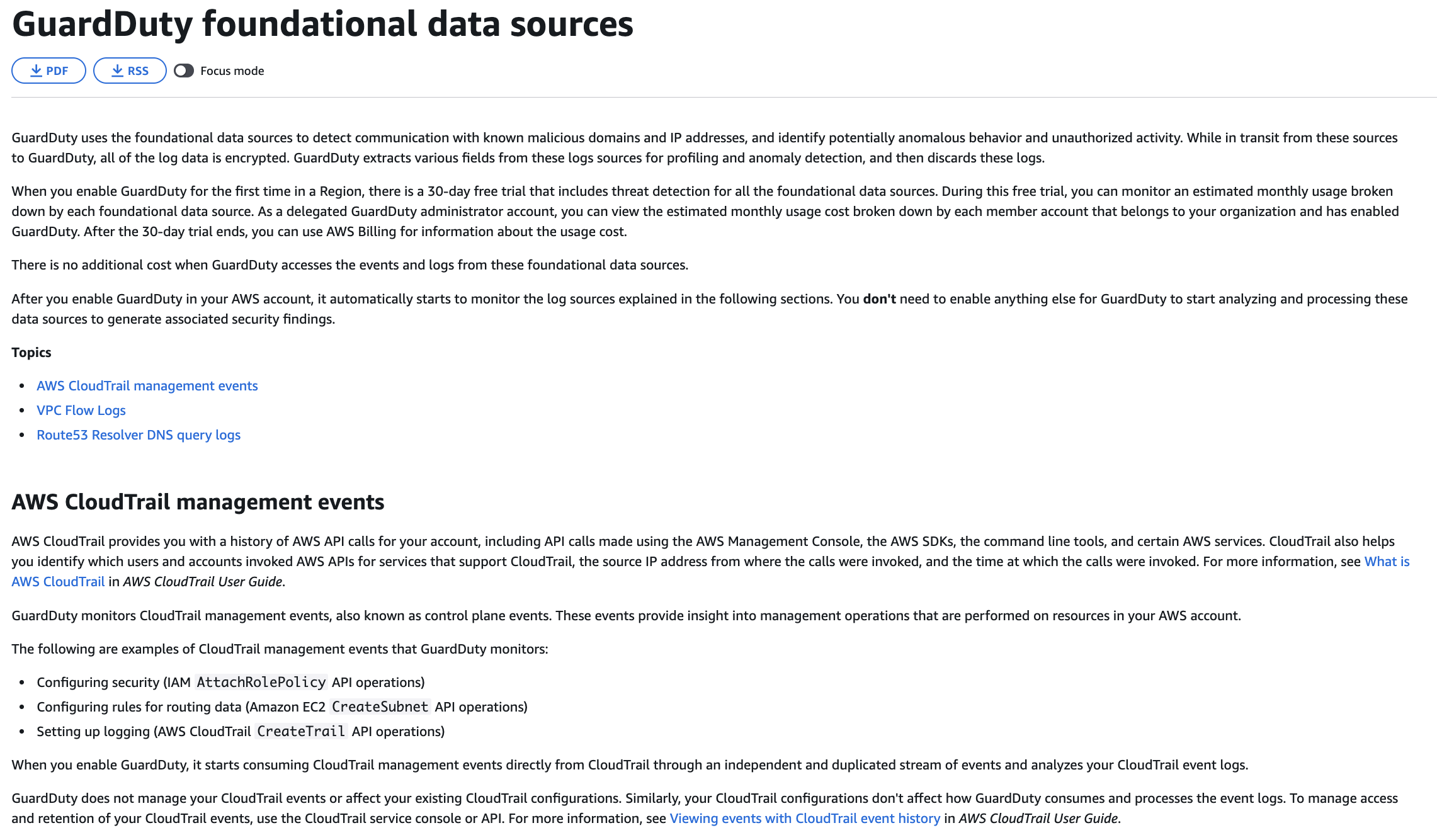
via - https://docs.aws.amazon.com/guardduty/latest/ug/guardduty_data-sources.html
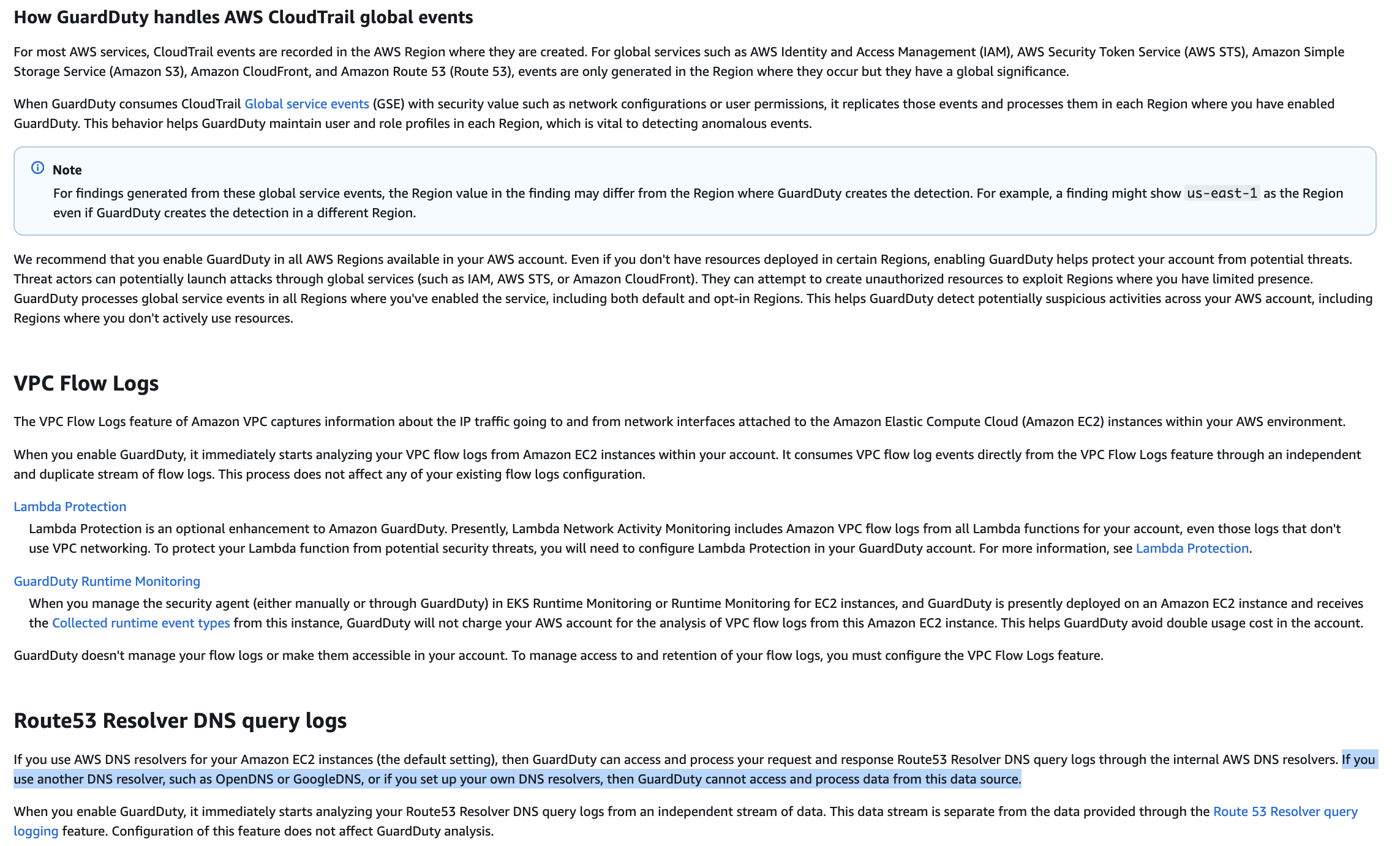
via - https://docs.aws.amazon.com/guardduty/latest/ug/guardduty_data-sources.html
Incorrect options:
The GuardDuty service-linked role was not created in the member account, which prevents GuardDuty from collecting DNS query data for analysis - GuardDuty automatically creates and manages its service-linked role when the service is enabled. If GuardDuty is already enabled across the organization, the service-linked role exists. The absence of a finding is not related to role creation but to the inability to observe DNS traffic.
The integration between GuardDuty and Security Hub was not enabled in the member account where the activity was generated - In an organization where GuardDuty and Security Hub are automatically enabled, integration between the two services is typically configured centrally. If GuardDuty is properly enabled and integrated, findings are automatically forwarded to Security Hub. The absence of a finding indicates that the detection did not occur, not that the integration failed.
The EC2 instance does not have an IAM role that allows publishing DNS activity logs to GuardDuty, which prevents the detection from being generated - GuardDuty does not require an IAM role on EC2 instances to collect DNS activity. It analyzes traffic at the AWS infrastructure level rather than relying on instance-level permissions. This option incorrectly assumes that instance roles are required for threat detection, which is not the case for GuardDuty.
References:
https://docs.aws.amazon.com/guardduty/latest/ug/guardduty_data-sources.html
https://docs.aws.amazon.com/guardduty/latest/ug/guardduty_finding-types-active.html
https://docs.aws.amazon.com/securityhub/latest/userguide/securityhub-accounts.html
Domain
Domain 1: Detection
Question 42
A healthcare technology company organizes its AWS workloads across three separate accounts: development, QA, and production. All software engineers can access the development account, but only senior engineers with elevated privileges can access the QA and production accounts. The security operations team spends excessive time managing individual credentials for every engineer in every environment. A cloud security architect must implement a more scalable solution that allows engineers to access the appropriate resources across multiple accounts when their work assignments demand it. The solution must also reduce the overhead of managing individual credentials across environments.
Which solution will meet these requirements?
-
Use AWS IAM Access Analyzer to determine the minimum permissions that engineers need in each account. Configure IAM Access Analyzer to automatically provision cross-account access for each engineer based on its findings
-
Create an Amazon Cognito identity pool that federates engineers from the development account. Configure resource-based policies in the QA and production accounts to allow Cognito-authenticated identities to access resources
-
Deploy AWS IAM Identity Center with an external Active Directory connector in the development account. Define permission sets that reflect each engineer’s job function, including read-only sets for junior engineers and administrative sets for senior engineers. Propagate these permission sets to all three accounts through the IAM Identity Center console. Configure per-account session duration limits and automatic session revocation for elevated access
-
Create IAM roles in the QA account and the production account. Attach trust policies to those roles that permit the sts:AssumeRole action. Create corresponding IAM roles in the development account for senior engineers who require elevated access. Add the development account roles as trusted principals in the QA and production account role trust policies
정답은 4번입니다.
이유는 이 문제의 핵심이 여러 계정에 대해 엔지니어별 개별 자격 증명을 따로 만들지 않고, 필요할 때만 교차 계정 역할 전환으로 접근하게 만드는 것이기 때문입니다. AWS IAM 역할의 cross-account access 패턴은 바로 이 용도이고, AWS 문서도 이 방식의 장점으로 각 계정마다 개별 IAM 사용자를 만들 필요가 없고, 사용자가 계정을 바꿀 때마다 다시 로그인할 필요도 없다고 설명합니다.
즉 4번처럼:
- 개발 계정에서 엔지니어들이 기본적으로 작업하고
- QA / Prod 계정에는 AssumeRole 가능한 역할만 만들어 두고
- senior engineer만 그 역할을 맡을 수 있게 trust policy를 두면
개발 계정의 자격 증명 1세트로 시작해서, 필요 시 QA/Prod 역할로 전환할 수 있으므로 운영 부담이 크게 줄어듭니다.
3번은 아깝지만 오답
IAM Identity Center 자체는 여러 계정 접근을 중앙관리하는 권장 아키텍처가 맞습니다. AWS도 IAM Identity Center를 AWS Organizations와 함께 써서 여러 계정 접근을 중앙관리하는 방식을 권장합니다.
하지만 이 선택지는 “development account에 배포” 라고 적혀 있는데, AD Connector / IAM Identity Center 연동은 일반적으로 Organizations management account 또는 delegated admin account 기준으로 설명됩니다. AD Connector도 management account에 있어야 한다고 AWS 문서가 안내합니다.
또 “automatic session revocation”도 문장 그대로는 부정확합니다. IAM Identity Center에서 세션 duration 설정은 가능하지만, 기존 세션은 기본적으로 duration까지 지속될 수 있고, revoke는 별도 절차/사전 준비가 필요합니다.
시험장용으로 딱 끊으면:
- 개별 계정마다 사용자 만들기 싫다
- 여러 계정 접근이 필요하다
- 필요한 사람만 상위 환경 접근한다
이 조합이면 보통 cross-account role / AssumeRole를 먼저 봅니다.
문제에서 AWS Console에 접근해야 한다고 해도 cross-account role / AssumeRole 정답이 가능한지?
가능하다. IAM role의 cross-account access는 AWS Management Console에서도 가능하고, 사용자는 콘솔에서 Switch Role로 다른 계정 역할을 맡을 수 있기 때문입니다. AWS도 cross-account role의 장점으로 각 계정마다 개별 IAM 사용자를 만들 필요가 없고, 계정 간 리소스 접근을 위해 다시 로그인할 필요가 없다고 설명합니다.
다만, 문제가 “여러 계정의 AWS Console 접근을 중앙에서 더 확장성 있게 관리”하는 것을 더 강하게 강조하고, 선택지에 정상적으로 서술된 IAM Identity Center가 있다면, 그때는 보통 IAM Identity Center가 더 좋은 답입니다. IAM Identity Center는 AWS Organizations와 통합되어 여러 AWS 계정에 대한 접근을 중앙에서 관리할 수 있고, AWS access portal로 사용자에게 여러 계정/권한을 한 번에 제공하는 것이 핵심 목적입니다.
Overall explanation
Correct option:
Create IAM roles in the QA account and the production account. Attach trust policies to those roles that permit the sts:AssumeRole action. Create corresponding IAM roles in the development account for senior engineers who require elevated access. Add the development account roles as trusted principals in the QA and production account role trust policies
AWS Identity and Access Management (IAM) supports cross-account access through role assumption. When an IAM role in one account (the trusting account) includes a trust policy that references an IAM principal from another account (the trusted account), users or roles in the trusted account can call sts:AssumeRole to temporarily assume the role. This model eliminates the need for long-term credential management by replacing static access keys with short-lived temporary security credentials that AWS STS issues for each session.
For this scenario, the architect creates an IAM role in each of the QA and production accounts with a trust policy that lists the development account IAM roles as trusted principals. Senior engineers assume the appropriate role through the AWS Management Console or programmatically through the CLI by calling sts:AssumeRole. This approach centralizes identity management in the development account while enforcing fine-grained access in the target accounts. No credentials need to be distributed because the assumed role provides temporary credentials valid only for the session duration.
This design minimizes operational overhead because administrators only manage engineer identities in the development account and control which engineers can assume which cross-account roles. Changes to access are made by updating role trust policies in the target accounts without touching individual engineer credentials. This pattern scales across any number of accounts and is consistent with AWS security best practices for multi-account architectures.
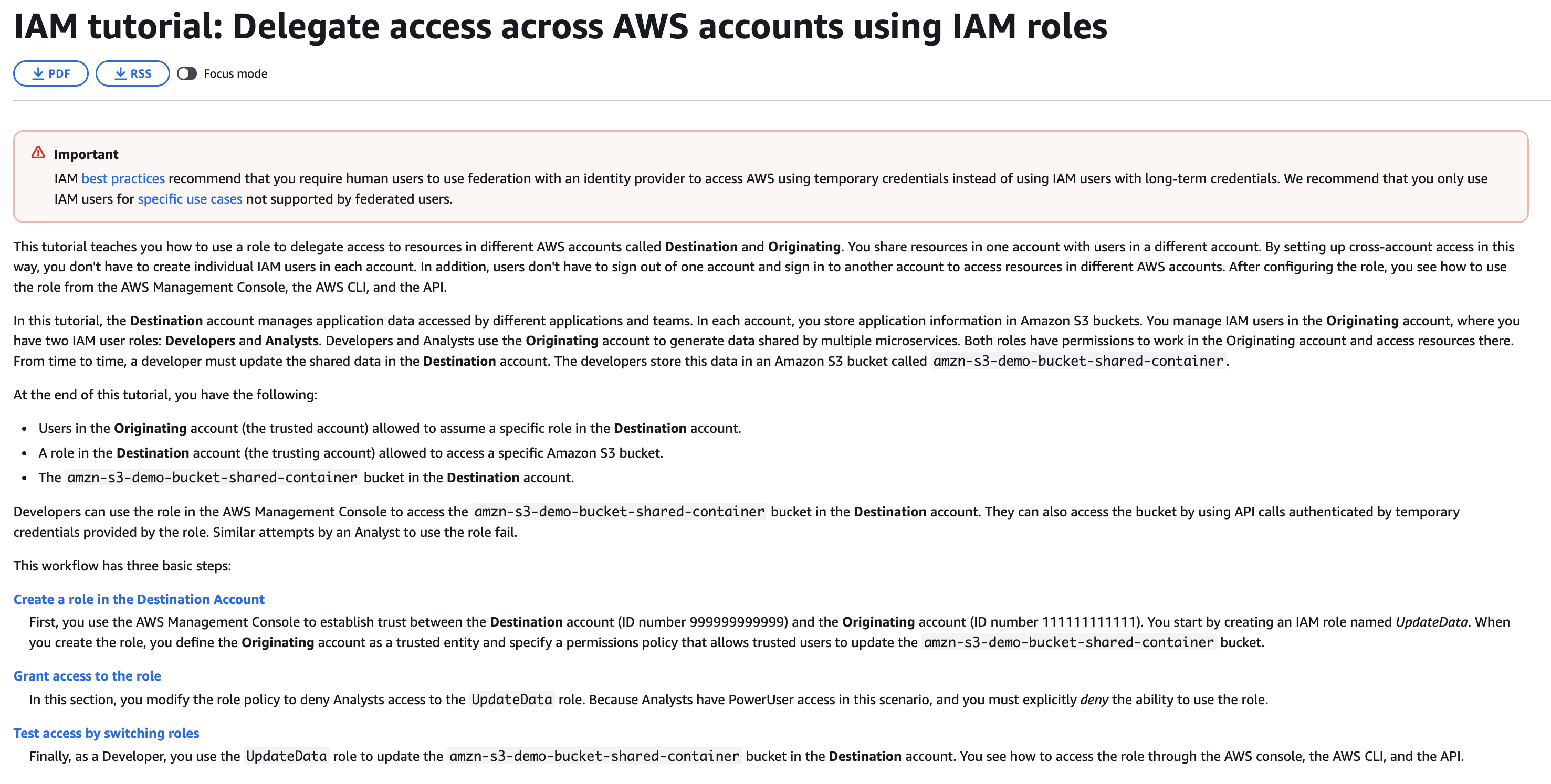
via - https://docs.aws.amazon.com/IAM/latest/UserGuide/tutorial_cross-account-with-roles.html
Incorrect options:
Use AWS IAM Access Analyzer to determine the minimum permissions that engineers need in each account. Configure IAM Access Analyzer to automatically provision cross-account access for each engineer based on its findings - AWS IAM Access Analyzer helps identify resources shared with external entities and validates IAM policies against best practices. It can also generate IAM policies based on observed access activity logged in AWS CloudTrail. However, IAM Access Analyzer does not automatically provision cross-account access or create the IAM constructs needed to enable role switching between accounts. Administrators must create and configure those constructs themselves based on Access Analyzer recommendations.
This option conflates a policy analysis tool with an access provisioning system. Access Analyzer addresses policy validation and gap analysis, not the delegation mechanism required for engineers to switch between accounts without managing individual credentials.
Deploy AWS IAM Identity Center with an external Active Directory connector in the development account. Define permission sets that reflect each engineer’s job function, including read-only sets for junior engineers and administrative sets for senior engineers. Propagate these permission sets to all three accounts through the IAM Identity Center console. Configure per-account session duration limits and automatic session revocation for elevated access - AWS IAM Identity Center is a valid and recommended solution for centralized multi-account access management. However, this option introduces an additional Active Directory connector dependency and implies managing permission sets for every engineer individually through a centralized portal. While IAM Identity Center does use temporary credentials internally, the option does not describe the explicit trust relationship mechanism between accounts that is at the core of the recommended solution. Managing granular permission sets per engineer across all accounts can also become operationally complex at scale.
This option is a distractor because IAM Identity Center does support multi-account access. However, it does not reflect the most direct and scalable answer to the stated requirement, which is the explicit cross-account trust relationship approach using IAM role assumption.
Create an Amazon Cognito identity pool that federates engineers from the development account. Configure resource-based policies in the QA and production accounts to allow Cognito-authenticated identities to access resources - Amazon Cognito is designed for application-level identity management, primarily for end users of web and mobile applications. It is not the recommended tool for granting developers or engineers cross-account access to the AWS management plane. Configuring Cognito for internal workforce access across AWS accounts introduces unnecessary architectural complexity compared to IAM role assumption with STS.
Resource-based policies in the target accounts referencing Cognito-authenticated identities are also difficult to manage at scale and do not align with standard AWS multi-account access patterns. This option introduces architectural complexity without providing a clear benefit over the IAM cross-account role trust policy approach.
References:
https://docs.aws.amazon.com/IAM/latest/UserGuide/tutorial_cross-account-with-roles.html
https://docs.aws.amazon.com/IAM/latest/UserGuide/id_roles_use.html
https://docs.aws.amazon.com/STS/latest/APIReference/API_AssumeRole.html
https://docs.aws.amazon.com/IAM/latest/UserGuide/access_policies_access-advisor.html
Domain
Domain 4: Identity and Access Management
Question 49
A telecommunications provider has implemented a strict security policy requiring that all data exchanged between the company’s on-premises data center and AWS KMS remain within the AWS backbone network at all times. Direct public internet connections between the data center and KMS endpoints are prohibited under the policy. The company uses VPC endpoints to establish private connectivity from its VPC to other AWS services.
Which two actions together BEST accomplish this security requirement? (Select two)
-
Create a VPC endpoint for the AWS KMS service with private DNS enabled so that all DNS queries for the KMS endpoint resolve to the VPC endpoint interface rather than public KMS IP addresses
-
Modify the KMS key policy to restrict API calls based on source IP address using the condition aws:SourceIp with a CIDR block matching the on-premises network range
-
Use the AWS KMS import key feature to transport the KMS master key to on-premises through an encrypted VPN tunnel, storing a copy locally to avoid public service endpoint access
-
Add a condition to the KMS key policy that restricts decryption operations only to requests arriving through the company’s designated VPC endpoint using the aws:sourceVpce resource restriction
-
Create an interface VPC endpoint for AWS KMS, but leave private DNS disabled and update all applications to continue using the default public AWS KMS endpoint names
aws:SourceIp만으로는 위협을 완전히 제거하기 어렵다. aws:sourceVpce는 확실함.
AWS KMS 문서에 따르면 VPC endpoint를 통해 들어오는 요청에는 aws:SourceIp가 효과적이지 않습니다. 이런 경우에는 aws:sourceVpce 또는 aws:sourceVpc를 써야 합니다.
Overall explanation
Correct options:
Add a condition to the KMS key policy that restricts decryption operations only to requests arriving through the company’s designated VPC endpoint using the aws:sourceVpce resource restriction
The aws:sourceVpce condition in the KMS key policy then creates a second layer of control by verifying that every decryption operation comes through the specific VPC endpoint ID that the company has designated. Even if an application or credential is leaked and used from outside the VPC, the KMS key policy rejects any decryption attempts that do not originate from the approved VPC endpoint. The combination of a private DNS endpoint plus a key policy condition ensures that both the network path and the policy layer enforce the requirement that communications stay within AWS backbone infrastructure.
Create a VPC endpoint for the AWS KMS service with private DNS enabled so that all DNS queries for the KMS endpoint resolve to the VPC endpoint interface rather than public KMS IP addresses
A VPC endpoint for AWS KMS with private DNS enabled creates a private network path that intercepts all DNS queries for the KMS service and redirects them to a private endpoint interface within the VPC instead of public KMS IP addresses on the internet. From the application’s perspective, DNS resolution still points to the KMS service, but traffic flows through the private endpoint gateway instead of the public internet. This eliminates the requirement for applications to route through a NAT gateway or internet gateway to reach KMS.
Together, these two controls satisfy the security policy requirement: private DNS redirects KMS traffic away from public endpoints, and the VPC endpoint condition in the key policy verifies the source before granting access.
Incorrect options:
Create an interface VPC endpoint for AWS KMS, but leave private DNS disabled and update all applications to continue using the default public AWS KMS endpoint names - Creating an interface VPC endpoint for KMS is directionally correct, but leaving private DNS disabled while continuing to use the default public KMS endpoint names defeats the purpose of the setup. Without private DNS, the standard service hostname does not automatically resolve to the interface endpoint inside the VPC.
Use the AWS KMS import key feature to transport the KMS master key to on-premises through an encrypted VPN tunnel, storing a copy locally to avoid public service endpoint access - AWS KMS customer managed keys cannot be exported, and the AWS KMS import key feature is used to import externally generated keys into KMS, not to export KMS-managed keys to on-premises. This option misrepresents KMS functionality and proposes a configuration that AWS does not support. Storing a local copy of a key on-premises would also eliminate the security benefit of centralized key management that AWS KMS provides.
Modify the KMS key policy to restrict API calls based on source IP address using the condition aws:SourceIp with a CIDR block matching the on-premises network range - Restricting the KMS key policy by source IP address does not ensure that traffic stays within AWS backbone infrastructure. An attacker with compromised credentials and network access to the corporate VPN can still place themselves behind the IP address range that the policy allows. IP-based restrictions are network-layer controls that do not prevent routing through public internet paths. The requirement explicitly states that communications must not use public service endpoints, which an IP address condition cannot enforce.
References:
https://docs.aws.amazon.com/kms/latest/developerguide/overview.html
https://docs.aws.amazon.com/kms/latest/developerguide/key-policy-services.html
https://docs.aws.amazon.com/kms/latest/developerguide/key-policies.html
Domain
Domain 3: Infrastructure Security
Question 53
A financial services firm must protect critical records stored in Amazon S3 from permanent deletion to meet regulatory requirements. The firm must also replicate the records from its primary AWS Region to a secondary Region to satisfy disaster recovery obligations. The solution must ensure that even users with administrator access cannot permanently delete the records in the secondary Region.
Which solution will meet these requirements?
-
Enable S3 Object Lock in governance mode on the primary S3 bucket, configure S3 Cross-Region Replication to the secondary bucket, and create an IAM permission boundary policy that explicitly denies the s3:DeleteObject and s3:DeleteObjectVersion actions for all users including those with administrator access
-
Enable S3 Object Lock in compliance mode on the primary S3 bucket and configure S3 Cross-Region Replication to copy the protected objects to a bucket in the secondary Region
-
Configure AWS Backup to perform cross-Region S3 backups to a vault in the secondary Region and enable AWS Backup Vault Lock in governance mode on that vault
-
Enable S3 Object Lock on the source bucket and apply legal holds to objects in the primary Region so that the objects cannot be deleted, and configure cross-Region replication to copy the protected objects to the destination bucket
S3 Object Lock의 governance mode와 compliance mode가 뭐지?
- 1번 오답: governance mode는 강한 보호가 아니라, 특별 권한이 있는 사용자라면 우회 가능합니다. AWS는
s3:BypassGovernanceRetention권한이 있으면 governance mode를 override할 수 있다고 명시합니다. 즉 “관리자도 못 지운다”를 만족하지 못합니다. - 2번 정답: compliance mode + CRR 조합이 딱 문제 요구사항과 맞습니다. 규제 준수용 불변성과 교차 리전 복제를 동시에 충족합니다.
- 3번 오답: AWS Backup Vault Lock의 governance mode는 적절한 IAM 권한이 있으면 제거/관리 가능합니다. 역시 “관리자도 영구 삭제 불가”를 만족하지 못합니다. 게다가 문제는 S3 객체 자체의 교차 리전 보호/복제를 묻고 있어 S3 Object Lock + CRR이 더 직접적인 정답입니다.
- 4번 오답: legal hold는 삭제 방지는 되지만,
s3:PutObjectLegalHold권한이 있는 사용자는 자유롭게 제거 가능합니다. 따라서 관리자까지 포함한 절대적 삭제 방지 요구에는 compliance mode보다 약합니다.
시험장에서 10초컷으로 외우면:
“관리자도 못 지운다” = S3 Object Lock compliance mode
“다른 리전에도 똑같이 보호” = CRR + destination bucket에도 Object Lock 필요
S3 Replication은 Object Lock retention 정보도 함께 복제하므로, 원본 버킷에서 compliance mode로 보호된 객체는 보조 리전의 복제본에도 같은 보호가 적용됩니다. Object Lock이 있는 소스 버킷을 복제하려면 대상 버킷도 Object Lock이 활성화되어 있어야 합니다.
Overall explanation
Correct option:
Enable S3 Object Lock in compliance mode on the primary S3 bucket and configure S3 Cross-Region Replication to copy the protected objects to a bucket in the secondary Region
S3 Object Lock in compliance mode provides the strongest immutability guarantee available in Amazon S3. In compliance mode, no user including the AWS account root user and administrators can delete or overwrite a protected object version until its configured retention period expires. This directly satisfies the requirement that administrator access cannot permanently delete the data, because the S3 service itself enforces the retention constraint independently of IAM policies.
When S3 Object Lock is active on the source bucket and Cross-Region Replication is configured, the Object Lock settings are preserved on replicated objects in the destination bucket. The destination bucket must also have Object Lock enabled and the replication configuration must include replica modification and Object Lock replication settings. Once replication is established, objects in the secondary Region carry the same compliance mode retention that prevents administrator deletion.
The combination of compliance mode and Cross-Region Replication satisfies both stated requirements simultaneously. Compliance mode addresses the immutability requirement, and Cross-Region Replication satisfies the disaster recovery requirement by maintaining a geographically separate copy of the data. No additional IAM policies or custom bucket deny statements are needed because compliance mode retention is enforced at the S3 service layer.
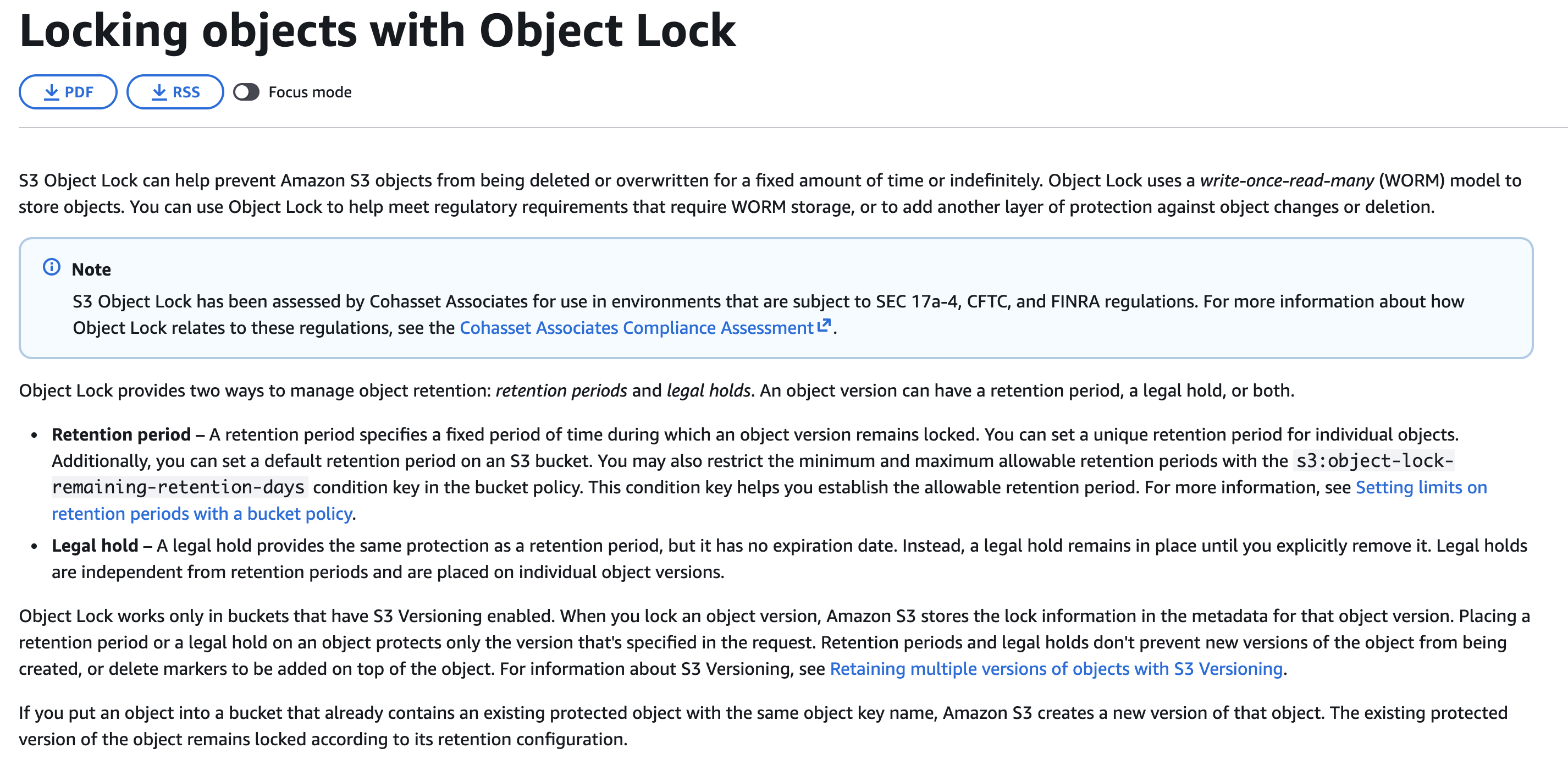
via - https://docs.aws.amazon.com/AmazonS3/latest/userguide/object-lock.html
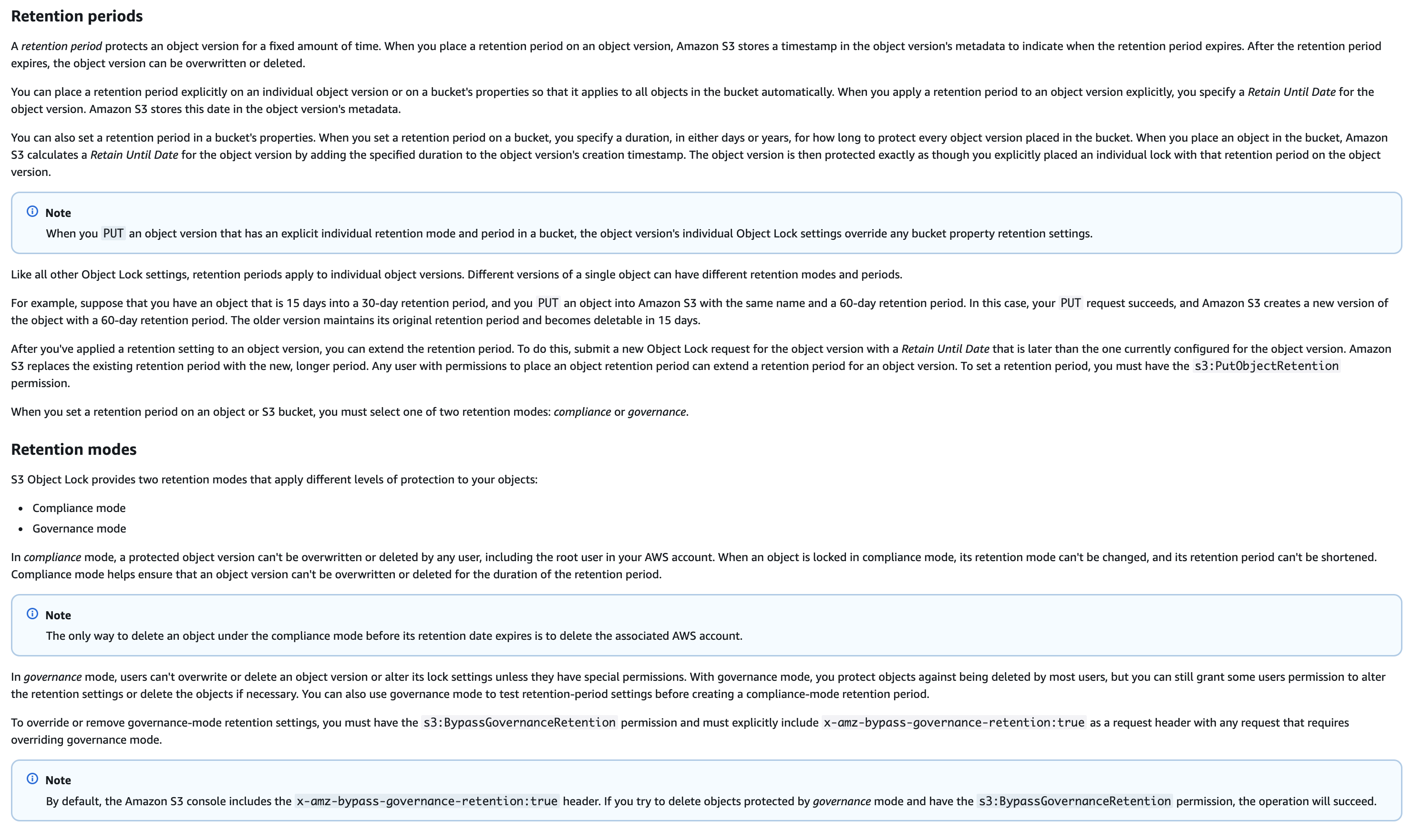
via - https://docs.aws.amazon.com/AmazonS3/latest/userguide/object-lock.html
Incorrect options:
Configure AWS Backup to perform cross-Region S3 backups to a vault in the secondary Region and enable AWS Backup Vault Lock in governance mode on that vault - AWS Backup Vault Lock in governance mode does not prevent administrators from permanently deleting data. In governance mode, users who hold the backup:DeleteBackupVault permission can still remove the vault and its contents. Only vault lock in compliance mode prevents deletion by any user. Using governance mode therefore does not satisfy the requirement that administrator access cannot permanently delete the records.
Additionally, AWS Backup creates backup copies rather than maintaining continuously synchronized replicas. Recovery latency and operational overhead differ significantly from S3 Cross-Region Replication, which keeps a live, near-real-time copy in the destination Region.
Enable S3 Object Lock in governance mode on the primary S3 bucket, configure S3 Cross-Region Replication to the secondary bucket, and create an IAM permission boundary policy that explicitly denies the s3:DeleteObject and s3:DeleteObjectVersion actions for all users including those with administrator access - S3 Object Lock in governance mode allows users who hold the s3:BypassGovernanceRetention permission to override the retention period and delete protected objects. Account administrators can grant themselves this permission, which means governance mode does not provide the same immutability guarantee as compliance mode. Since the requirement states that administrator access cannot permanently delete the data, governance mode explicitly fails to meet this requirement.
An IAM permission boundary that denies delete actions is subject to the same limitation: it can be modified by any IAM administrator who holds the permissions to update permission boundaries. Because the goal is to prevent permanent deletion even for administrators, only S3 Object Lock compliance mode provides a service-enforced control that cannot be undone through IAM policy changes.
Enable S3 Object Lock on the source bucket and apply legal holds to objects in the primary Region so that the objects cannot be deleted, and configure cross-Region replication to copy the protected objects to the destination bucket - Applying legal holds in the primary Region can prevent deletion of objects in that Region as long as the legal hold remains in place. Legal holds do not have a fixed retention period and can be removed by users with the appropriate permissions, which means they do not provide the same level of enforcement as compliance mode.
References:
https://docs.aws.amazon.com/AmazonS3/latest/userguide/object-lock.html
https://aws.amazon.com/blogs/storage/protecting-data-with-amazon-s3-object-lock/
Domain
Domain 5: Data Protection
Question 55
A company receives an Amazon GuardDuty finding that indicates potential credential compromise on an Amazon EC2 instance hosting a critical web application. The finding type is UnauthorizedAccess:IAMUser/InstanceCredentialExfiltration. Further investigation confirms that API credentials associated with the EC2 instance profile were used from a geographic location where the company does not operate. A security engineer must take immediate action to block the malicious activity.
What should the security engineer do first to mitigate the threat?
-
Revoke all active IAM role sessions associated with the EC2 instance profile to immediately invalidate the compromised temporary credentials
-
Install the Amazon Inspector agent on the EC2 instance and run a vulnerability assessment using the CVE rules package
-
Create an AWS WAF rule to block requests originating from the suspicious geographic location and associate the rule with the application endpoint
-
Install and configure the AWS Systems Manager Agent on the EC2 instance and generate an inventory report to assess the system state
Critical Application이지만 작동 멈추면 안 된다는 말 없으니까 일단 IAM role session 끊으면 되나??
가용성 조건이 없으면, compromised instance credentials 문제는 먼저 끊는 게 맞다.
반대로 문제에 “critical application must remain available” 같은 문구가 있었다면, 그때는 무조건 revoke 먼저라고 보기보다 대체 인스턴스 투입, role 교체, 트래픽 전환 같은 선택지를 더 신중히 봐야 합니다.
Instance profile credentials exfiltration → first action = revoke active IAM role sessions.
- 1번 = 맞음: 이미 유출된 임시 자격 증명 자체의 악용을 가장 직접적으로 중단하는 조치.
- 2번 = 아님: Inspector 취약점 평가는 조사용이지, 현재 진행 중인 credential abuse를 즉시 차단하지 못함.
- 3번 = 아님: WAF geo block은 웹 요청 차단용이고, 지금 문제는 AWS API가 stolen instance credentials로 호출되는 상황이라 본질적 대응이 아님. GuardDuty finding도 CloudTrail 기반 API 사용 이상 징후를 설명합니다.
- 4번 = 아님: SSM inventory도 조사 보조일 뿐, 즉시 악성 세션을 막지 못함.
AWS API가 호출되는 상황이므로 application endpoint를 WAF로 막아봤자 의미 없다.
Overall explanation
Correct option:
Revoke all active IAM role sessions associated with the EC2 instance profile to immediately invalidate the compromised temporary credentials
Revoking active IAM role sessions is the fastest and most direct way to invalidate compromised temporary credentials. When instance profile credentials are exfiltrated, attackers can use the temporary access keys to perform API actions until the session expires. Revoking the session immediately cuts off the attacker’s ability to continue using those credentials.
This action aligns with incident response best practices, where containment is the first priority. By invalidating the active sessions, the security engineer prevents further unauthorized API calls without requiring changes to infrastructure or application availability.
This step is also minimally disruptive and can be executed quickly. After containment, the security engineer can proceed with deeper investigation, rotation of credentials, and hardening of the environment.
Incorrect options:
Create an AWS WAF rule to block requests originating from the suspicious geographic location and associate the rule with the application endpoint - Blocking traffic by geographic location using AWS WAF applies only to web traffic that flows through services integrated with WAF, such as Application Load Balancers or CloudFront. The attack involves API calls made using stolen credentials, which are not mitigated by WAF rules. Therefore, this option does not address the actual threat vector.
Install and configure the AWS Systems Manager Agent on the EC2 instance and generate an inventory report to assess the system state - Installing and using AWS Systems Manager to collect inventory data can help with post-incident investigation and system visibility. However, it does not provide immediate containment of the threat. The attacker can continue to use the compromised credentials while the inventory process runs, which makes this option inappropriate as the first step.
Install the Amazon Inspector agent on the EC2 instance and run a vulnerability assessment using the CVE rules package - Running Amazon Inspector to identify vulnerabilities is useful for improving the security posture of the instance over time. This option focuses on vulnerability assessment rather than incident containment. It does not stop the active misuse of stolen credentials and therefore does not meet the requirement.
References:
https://docs.aws.amazon.com/IAM/latest/UserGuide/id_roles_use_revoke-sessions.html
Domain
Domain 2: Incident Response
Question 57
During a post-breach forensic investigation, a security team discovers that an attacker gained temporary access to an AWS account with ID 987654321098. The attacker created an AWS KMS key during the compromise. The key policy on this KMS key grants a specific IAM principal kms:* permissions. Although the security team scheduled the key for deletion the previous day, the key remains active and usable today. The key has the ARN arn:aws:kms:us-west-2:987654321098:key/mrk-1a2b3c4d5e6f7891011121314151617.
The forensics team must delete this key as quickly as possible to stop any potential continued data access.
Which solution will meet this requirement?
-
Call the kms:CancelKeyDeletion API on the KMS key to reset its pending deletion status. Then immediately call kms:DeleteKey on the key ARN to remove the key from the account without any waiting period
-
Update the key policy on the KMS key to add an explicit Allow statement for kms:ScheduleKeyDeletion and all other kms:* actions, specifying the security team’s IAM role ARN as an additional key administrator. Then reissue the kms:ScheduleKeyDeletion API call for the key ARN and specify a waiting period of 7 days to satisfy the mandatory KMS deletion waiting period
-
Identify all AWS Regions where the multi-Region KMS key or any of its replicas currently exist. Schedule the key for deletion in each Region where it is present, using the minimum waiting period of 7 days in every Region
-
Call kms:RotateKeyOnDemand on the KMS key to generate new key material. Then schedule the original key material version for immediate deletion because the original version has been superseded by the newly rotated key material and is no longer needed
key를 Rotate하더라도 과거 버전의 key material만 삭제하는 기능은 없다. key를 제거해서 전체 버전 한꺼번에 삭제하는 것 밖에 없음.
그리고 Rotate를 하더라도 권한(kms:GenerateDataKey, kms:Encrypt)만 있으면 과거의 key material도 계속 사용 가능하다.
정답은 3번입니다.
이유는 두 가지입니다.
첫째, 주어진 키 ARN의 key ID가 mrk-... 로 시작하므로 이 키는 multi-Region KMS key입니다. AWS KMS에서 multi-Region key는 관련 키들이 각 Region에 독립적인 KMS key로 존재하고, primary key는 replica key들이 남아 있으면 삭제되지 않습니다. 또한 primary에 삭제를 걸어도 replica가 남아 있으면 PendingReplicaDeletion 상태가 될 수 있고, 마지막 replica가 실제로 삭제된 뒤에야 primary의 삭제 대기 기간이 시작됩니다.
둘째, KMS 키 삭제는 즉시 삭제가 불가능합니다. AWS KMS는 키 삭제에 대해 반드시 7~30일의 waiting period를 요구하며, 최소값은 7일입니다. 따라서 가장 빠른 합법적 방법은 관련된 모든 Region의 primary/replica key를 찾아 각각 deletion을 예약하고, 각 Region에서 최소 7일을 설정하는 것입니다.
mrk- 보이면 multi-Region key → 모든 Region의 replica 포함해서 삭제 예약 → 최소 7일.
(single-Region key는 mrk- 접두사가 없습니다)
AWS KMS key를 즉시 삭제하는 기능 같은건 없다. 7일 ~ 30일 기다렸다가 삭제됨.
Overall explanation
Correct option:
Identify all AWS Regions where the multi-Region KMS key or any of its replicas currently exist. Schedule the key for deletion in each Region where it is present, using the minimum waiting period of 7 days in every Region
The key ARN contains the prefix mrk-, which identifies this as a multi-Region key (MRK). Multi-Region keys consist of a primary key in one Region and replica keys in one or more additional Regions. All replicas share the same key material and key ID. Because each replica can independently encrypt and decrypt data, a multi-Region key remains usable as long as any replica exists in any Region. To completely eliminate the key, the security team must schedule deletion for the primary key and every replica in every Region where they exist.
AWS requires that all replica keys be scheduled for deletion before the primary key can be deleted. Attempting to delete the primary key while replicas still exist produces an error. The minimum waiting period for KMS key deletion is 7 days, and this minimum applies to both primary and replica keys in every Region. There is no API or mechanism that bypasses this waiting period, even in incident response scenarios. The 7-day window protects against accidental deletion while still allowing prompt action. The team should use the minimum 7-day window since the requirement is to delete the key as quickly as possible.
The reason the key remains active despite a previous deletion schedule is most likely that deletion was scheduled only for the primary key in one Region, while one or more replica keys continue to exist in other Regions. The security team must enumerate all Regions containing the key using the KMS console or the kms:ListKeys and kms:DescribeKey APIs across Regions, then schedule deletion with the minimum 7-day waiting period in each.
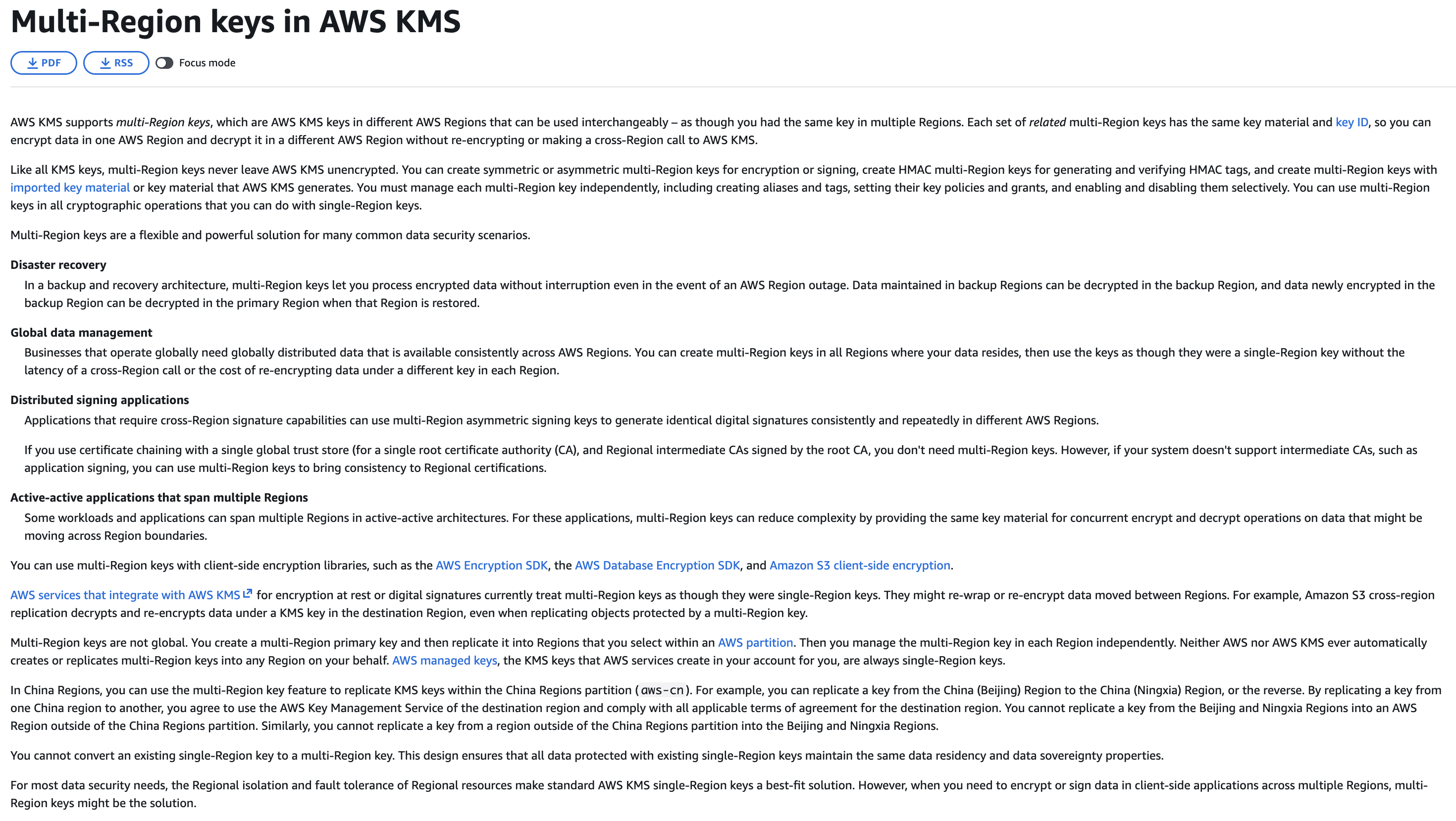
via - https://docs.aws.amazon.com/kms/latest/developerguide/multi-region-keys-overview.html
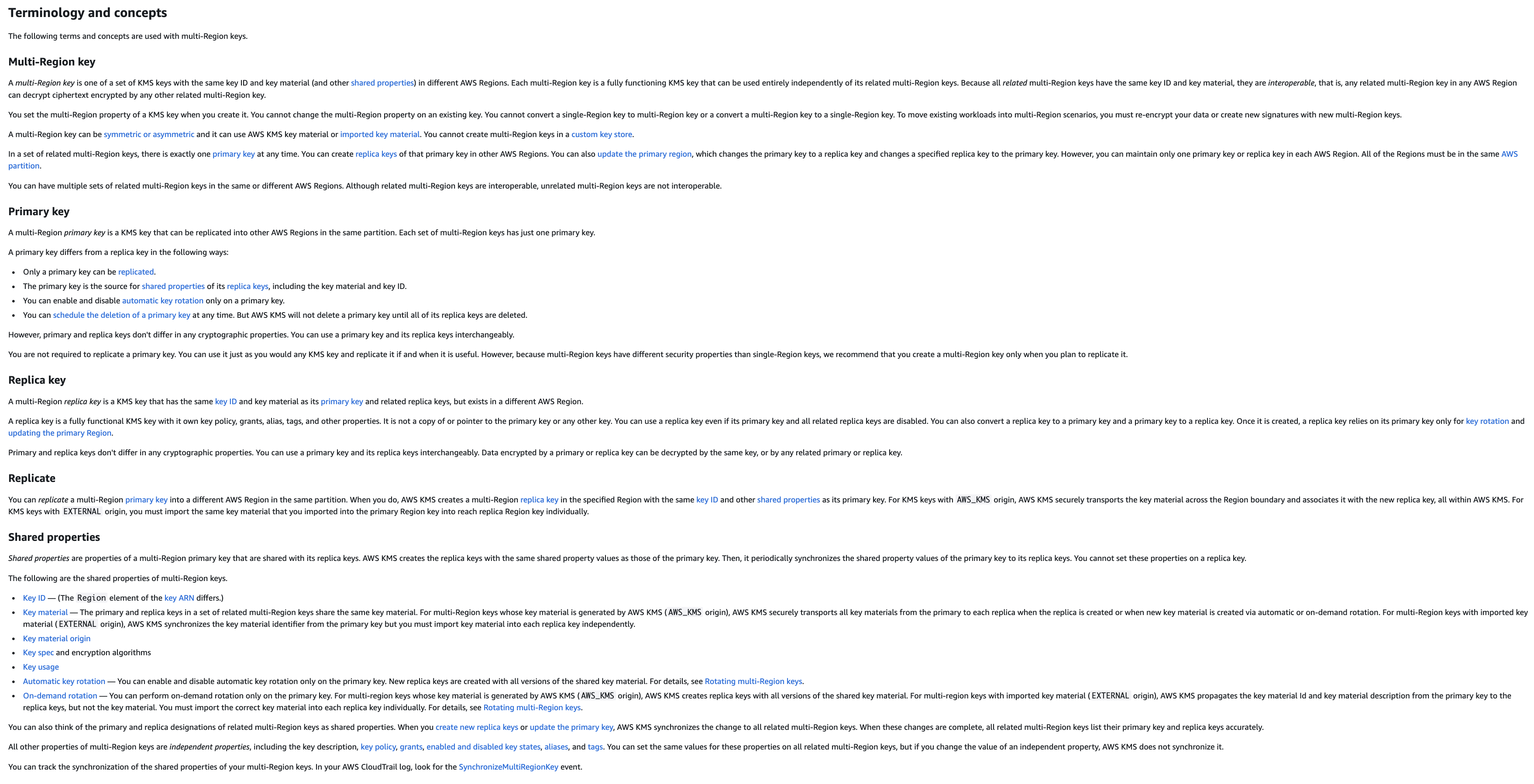
via - https://docs.aws.amazon.com/kms/latest/developerguide/multi-region-keys-overview.html
Incorrect options:
Call kms:RotateKeyOnDemand on the KMS key to generate new key material. Then schedule the original key material version for immediate deletion because the original version has been superseded by the newly rotated key material and is no longer needed - AWS KMS on-demand key rotation generates new key material for the key, but all previous key material versions are retained and remain available for decrypting data that was encrypted with them. AWS does not allow selective deletion of individual key material versions by version ID. Deleting a KMS key deletes all versions of its key material simultaneously after the mandatory waiting period expires. There is no API to delete only the original key material version while keeping the key active.
Additionally, rotating the key material does not prevent the attacker from using the key if they have a valid session or API credentials that allow them to call kms:GenerateDataKey or kms:Encrypt. The key remains enabled and usable until scheduled for deletion in all Regions and the waiting period expires.
Update the key policy on the KMS key to add an explicit Allow statement for kms:ScheduleKeyDeletion and all other kms: actions, specifying the security team’s IAM role ARN as an additional key administrator. Then reissue the kms:ScheduleKeyDeletion API call for the key ARN and specify a waiting period of 7 days to satisfy the mandatory KMS deletion waiting period* - The key policy already grants the IAM principal kms:* permissions, which already includes kms:ScheduleKeyDeletion. Adding another explicit Allow statement and a key administrator to the key policy is redundant and does not resolve any permission problem. The problem is not a missing permission; it is that deletion was not scheduled across all Regions where the multi-Region key and its replicas exist.
Modifying a key policy during an active security incident also introduces unnecessary changes that complicate the forensic record and audit trail. The policy modification adds no value and does not accelerate the deletion of the key across all Regions.
Call the kms:CancelKeyDeletion API on the KMS key to reset its pending deletion status. Then immediately call kms:DeleteKey on the key ARN to remove the key from the account without any waiting period - The kms:CancelKeyDeletion API cancels a pending deletion schedule and returns the key to an enabled or disabled state. Calling this API moves the key further away from deletion, not closer to it, making this the opposite of what is needed. Furthermore, there is no kms:DeleteKey API in AWS KMS that immediately destroys a key without a waiting period. The only deletion mechanism in AWS KMS is kms:ScheduleKeyDeletion, which enforces a mandatory waiting period of 7 to 30 days. Immediate key deletion is intentionally prevented in AWS KMS to protect against accidental loss.
References:
https://docs.aws.amazon.com/kms/latest/developerguide/multi-region-keys-overview.html
https://docs.aws.amazon.com/kms/latest/developerguide/deleting-keys.html
https://docs.aws.amazon.com/kms/latest/developerguide/rotate-keys.html
Domain
Domain 2: Incident Response
Question 60
A company wants to integrate AWS IAM Identity Center with an external identity provider (IdP) to centralize authentication and enable automated user provisioning.
Select and arrange the necessary steps from the list below. You may use each step one time or not at all:
-
Configure IAM Identity Center to use the external IdP as the identity source
-
Retrieve the SAML metadata document from IAM Identity Center
-
Create an IAM role with a trust policy that references the external IdP endpoint
-
Enable automated user provisioning in IAM Identity Center
-
Enable automated provisioning capabilities in the external IdP
-
Retrieve the SAML metadata document from the external IdP
Which sequence of steps should a security engineer implement to meet these requirements?
-
Step 1: Retrieve the SAML metadata document from IAM Identity Center → Step 2: Retrieve the SAML metadata document from the external IdP → Step 3: Configure IAM Identity Center to use the external IdP as the identity source
-
Step 1: Retrieve the SAML metadata document from IAM Identity Center → Step 2: Configure IAM Identity Center to use the external IdP as the identity source → Step 3: Retrieve the SAML metadata document from the external IdP
-
Step 1: Configure IAM Identity Center to use the external IdP as the identity source → Step 2: Enable automated user provisioning in IAM Identity Center → Step 3: Enable automated provisioning capabilities in the external IdP
-
Step 1: Create an IAM role with a trust policy that references the external IdP endpoint → Step 2: Retrieve the SAML metadata document from IAM Identity Center → Step 3: Configure IAM Identity Center to use the external IdP as the identity source
양쪽에서 SAML metadata 받아서 IAM Identity Center에 넣어주면 되는구나.
IAM Identity Center에서 SAML metadata 받고, 그걸로 external IdP에서 SAML metadata 받으면 된다.
syn,ack,syn/ack 같네. 양쪽에 서로의 SAML metadata를 알아야 함.
IAM 역할과 신뢰 정책(trust policy)을 생성하는 것은 IAM Identity Center를 외부 IdP와 통합하는 과정의 일부가 아닙니다. IAM Identity Center는 페더레이션을 독립적으로 처리하므로, SAML 기반 인증을 위해 IAM 역할을 수동으로 생성할 필요가 없습니다. 이런 단계는 불필요한 복잡성만 추가할 뿐, 해결책에 기여하지 않습니다.
Overall explanation
Correct option:
Step 1: Retrieve the SAML metadata document from IAM Identity Center → Step 2: Retrieve the SAML metadata document from the external IdP → Step 3: Configure IAM Identity Center to use the external IdP as the identity source
The correct sequence begins with retrieving the SAML metadata from IAM Identity Center. This metadata is required by the external IdP to configure AWS as a trusted service provider and establish the federation endpoints.
Next, retrieving the SAML metadata from the external IdP allows IAM Identity Center to obtain the necessary identity provider details, including certificates and assertion endpoints. This bidirectional metadata exchange is required to establish mutual trust.
Finally, configuring IAM Identity Center to use the external IdP as the identity source completes the federation setup. At this stage, both sides trust each other, and authentication requests can be securely processed through the external IdP.
Incorrect options:
Step 1: Configure IAM Identity Center to use the external IdP as the identity source → Step 2: Enable automated user provisioning in IAM Identity Center → Step 3: Enable automated provisioning capabilities in the external IdP - This sequence attempts to enable provisioning before establishing SAML federation. Provisioning depends on a valid identity source configuration. Without completing metadata exchange and trust establishment, IAM Identity Center cannot synchronize users or authenticate requests.
Step 1: Create an IAM role with a trust policy that references the external IdP endpoint → Step 2: Retrieve the SAML metadata document from IAM Identity Center → Step 3: Configure IAM Identity Center to use the external IdP as the identity source - Creating an IAM role with a trust policy is not part of integrating IAM Identity Center with an external IdP. IAM Identity Center handles federation independently and does not require manually created IAM roles for SAML-based authentication. This step introduces unnecessary complexity and does not contribute to the solution.
Step 1: Retrieve the SAML metadata document from IAM Identity Center → Step 2: Configure IAM Identity Center to use the external IdP as the identity source → Step 3: Retrieve the SAML metadata document from the external IdP - This sequence is incorrect because it tries to configure IAM Identity Center to use the external IdP before IAM Identity Center has the IdP’s metadata. For SAML federation to work, both sides must exchange metadata first so they can trust each other. Without the IdP metadata, IAM Identity Center does not have the necessary information such as certificates and endpoints to validate authentication responses, so the setup remains incomplete and will not function correctly.
References:
https://docs.aws.amazon.com/singlesignon/latest/userguide/manage-your-identity-source.html
https://docs.aws.amazon.com/singlesignon/latest/userguide/gs-okta.html
https://docs.aws.amazon.com/singlesignon/latest/userguide/provision-automatically.html
Domain
Domain 6: Security Foundations and Governance
Question 63
A media streaming platform deploys microservices as Docker containers running on Amazon ECS. The security team requires that all data in transit between streaming clients and backend containers must remain encrypted from origin to destination. The platform expects highly variable traffic loads with sharp spikes during live broadcast events.
Which solution provides the MOST scalability and LOWEST latency while satisfying the encryption requirement?
-
Configure a Network Load Balancer with a TCP listener to pass TLS traffic directly through to the ECS containers without terminating the encryption at the load balancer
-
Deploy an AWS Global Accelerator standard accelerator in front of the ECS containers. Configure Global Accelerator to perform TLS offloading at the nearest AWS edge location, then re-establish a separate encrypted tunnel from the edge location to each backend container using a certificate managed by AWS Certificate Manager
-
Configure a Network Load Balancer to terminate the incoming TLS session and then establish a new encrypted connection to each backend container
-
Place an AWS WAF web ACL configured for TLS inspection in front of the ECS containers to inspect and re-encrypt all incoming TLS traffic before forwarding requests to the backend containers
가장 속도가 빠르고 오버헤드가 없으려면 NLB써서 패킷 그대로 애플리케이션에 전달하고 애플리케이션에서 복호화해서 사용하는게 가장 낫다.
Global Accelerator는 TLS offloading 기능이 없다. 그리고 문제 요구사항도 ‘must remain encrypted from origin to destination’. 전송중에 복호화가 되면 안 된다.
- “encrypted in transit”, “end-to-end encryption” 정도면
ALB 종료 + backend HTTPS 재암호화도 포함될 수 있음 - “remain encrypted from origin to destination”, “without terminating at the load balancer”, “pass through” 같이 더 강한 표현이면
NLB TCP passthrough 쪽으로 보는 게 맞음
Overall explanation
Correct option:
Configure a Network Load Balancer with a TCP listener to pass TLS traffic directly through to the ECS containers without terminating the encryption at the load balancer
A Network Load Balancer (NLB) operating with a TCP listener passes network packets to registered targets without inspecting or altering the payload. When TLS traffic arrives at an NLB TCP listener, the NLB forwards the encrypted packets as-is to the backend containers. The containers perform TLS termination themselves, which means the encryption session runs end-to-end from the client to the container. No intermediate component decrypts and re-encrypts the traffic, satisfying the requirement for unbroken encryption from origin to destination.
Network Load Balancers are designed for extreme performance and operate at Layer 4 of the OSI model. They handle millions of requests per second at ultra-low latency because they process TCP flows rather than HTTP requests. The NLB uses a flow-hash algorithm to route packets consistently to the same target for the duration of a connection, ensuring session continuity. It scales automatically to handle sudden traffic spikes such as those generated by live broadcast events, without any pre-warming or manual capacity management.
Combining the NLB TCP pass-through capability with ECS containers that perform their own TLS termination achieves both the encryption requirement and the performance requirement simultaneously. The NLB handles connection routing and elastic scaling while the containers maintain the private keys and TLS session state. This is the recommended AWS pattern for high-throughput workloads that require unbroken encryption between clients and containerized backends.
Listeners for your Network Load Balancers:
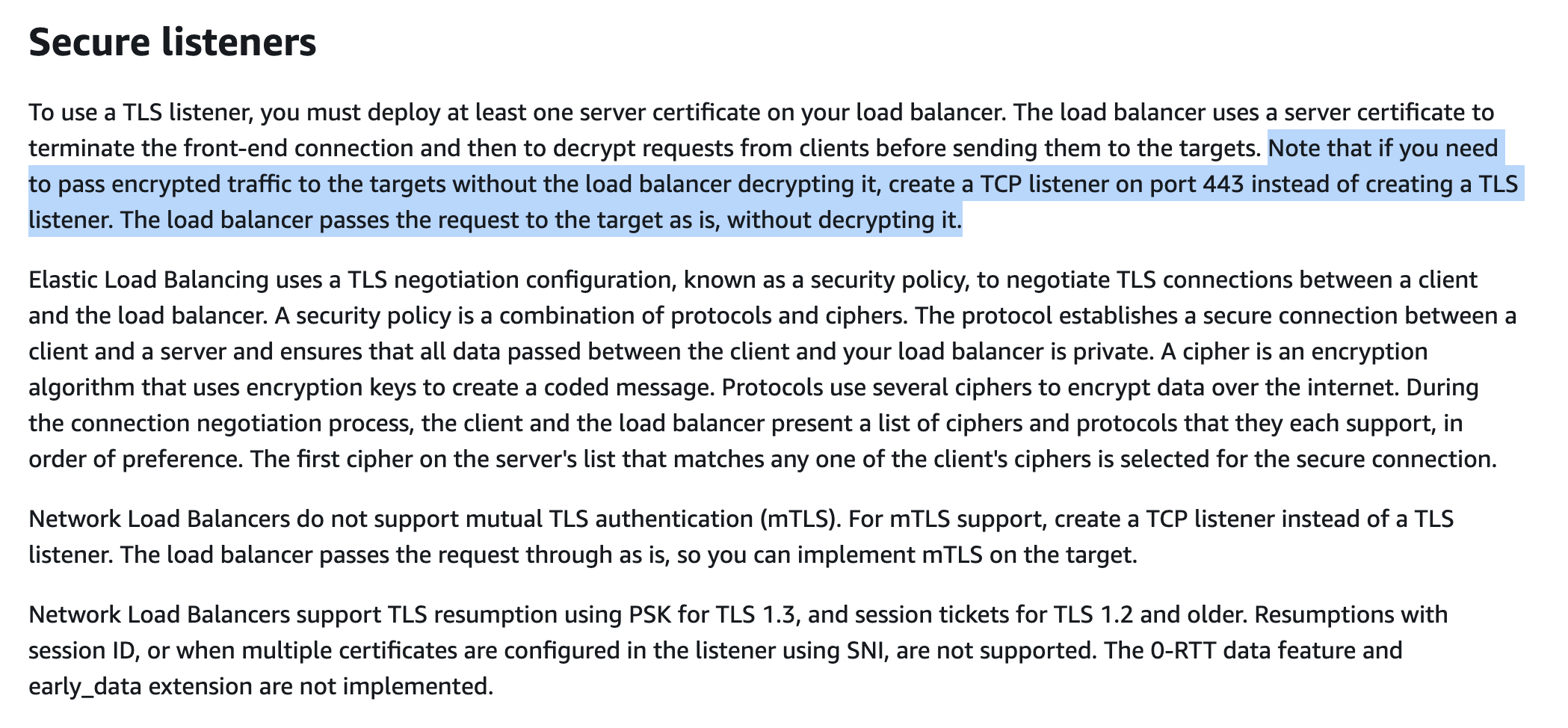
via - https://docs.aws.amazon.com/elasticloadbalancing/latest/network/load-balancer-listeners.html
Incorrect options:
Configure a Network Load Balancer to terminate the incoming TLS session and then establish a new encrypted connection to each backend container - When an NLB terminates TLS, it decrypts incoming traffic at the load balancer and then establishes a separate TLS session to each backend target. This TLS bridging pattern breaks the unbroken encryption requirement because the NLB gains access to the plaintext payload between termination and re-encryption. The security requirement explicitly prohibits any intermediate component from decrypting the traffic.
Additionally, TLS termination at the NLB requires the load balancer to perform cryptographic operations and manage certificates, which adds processing overhead and latency compared to a pure TCP pass-through that simply routes packets without inspection.
Place an AWS WAF web ACL configured for TLS inspection in front of the ECS containers to inspect and re-encrypt all incoming TLS traffic before forwarding requests to the backend containers - AWS WAF is a web application firewall that filters and monitors HTTP and HTTPS requests based on rules such as SQL injection patterns and rate limits. WAF operates at Layer 7 and requires access to decrypted HTTP payloads to evaluate those rules. TLS inspection in WAF requires TLS termination, which breaks the unbroken encryption chain required by the security team. WAF is fundamentally incompatible with the stated encryption requirement.
AWS WAF also cannot distribute traffic across multiple containers; it must be deployed in front of a CloudFront distribution, an ALB, or an API Gateway endpoint, all of which also terminate TLS. Using WAF here does not meet either the encryption requirement or the scalability and latency requirements.
Deploy an AWS Global Accelerator standard accelerator in front of the ECS containers. Configure Global Accelerator to perform TLS offloading at the nearest AWS edge location, then re-establish a separate encrypted tunnel from the edge location to each backend container using a certificate managed by AWS Certificate Manager - AWS Global Accelerator routes traffic through the AWS global network backbone and can reduce latency by directing traffic to the nearest AWS edge location. However, Global Accelerator does not perform TLS offloading itself; it forwards traffic to a registered endpoint such as an NLB or ALB where termination occurs. Describing Global Accelerator as performing TLS termination at edge locations is technically inaccurate.
Even if Global Accelerator were layered in front of an NLB with a TCP listener, TLS offloading at an edge location and re-encryption to the backend would still break the unbroken encryption chain required by the security team. This option introduces an additional network hop and an additional termination point without satisfying the core requirement.
References:
https://docs.aws.amazon.com/elasticloadbalancing/latest/network/introduction.html
https://docs.aws.amazon.com/elasticloadbalancing/latest/network/load-balancer-listeners.html
https://docs.aws.amazon.com/AmazonECS/latest/developerguide/load-balancer-types.html
https://docs.aws.amazon.com/elasticloadbalancing/latest/network/load-balancer-target-groups.html
Domain
Domain 3: Infrastructure Security
Question 64
A compliance team at a technology company has deployed an AWS Lambda function to generate daily security reports. The function gathers Amazon Inspector findings from AWS Security Hub in the us-east-1 Region and uses an Amazon EventBridge scheduled rule to trigger report generation each day. A security engineer discovers that the Lambda function is failing to produce the reports. The engineer must resolve the failure and ensure the function’s execution role follows the principle of least privilege.
Which solution will meet these requirements?
-
Create a custom IAM policy that grants read-only permissions scoped to Amazon Inspector findings and AWS Security Hub resources in us-east-1, and attach it to the Lambda function’s execution role
-
Write an inline IAM policy that explicitly allows Get_, List_, Batch_, and Describe_ actions scoped to the arn:aws:securityhub:us-east-1::product/aws/inspector/* resource ARN and attach this policy to the Lambda function’s execution role to restrict access to Inspector-sourced findings only
-
Attach the AWS managed AWSSecurityHubReadOnlyAccess policy to the Lambda function’s execution role to provide complete read access to all Security Hub data across all products and standards
-
Create a separate IAM role with both the SecurityAudit and ReadOnlyAccess AWS managed policies attached, then update the Lambda function code to call the sts:AssumeRole API at runtime to assume this broader-privilege role before executing Security Hub and Inspector API queries
2번은 일단 least previlige가 아니라서 탈락
정답은 1번입니다.
이유는 Lambda가 Security Hub에서 Amazon Inspector finding을 읽어 와서 보고서를 만드는 용도이므로, 실행 역할에는 필요한 읽기 권한만 주는 게 least privilege에 맞습니다. Amazon Inspector findings는 Security Hub에 통합되어 들어오며, Security Hub에서 조회할 수 있습니다. AWS도 AWSSecurityHubReadOnlyAccess 같은 관리형 정책 대신, 필요한 범위로 제한한 고객 관리형 정책을 쓰면 더 좁게 권한을 설계할 수 있습니다.
시험장 기준으로 한 줄로 끊으면:
“Security Hub에서 Inspector findings를 읽는 Lambda → us-east-1 범위의 필요한 read 권한만 담은 custom policy” = 1번.
“AWS managed read-only / broad read / assume role” 나오면 과권한 가능성 높음.
Overall explanation
Correct option:
Create a custom IAM policy that grants read-only permissions scoped to Amazon Inspector findings and AWS Security Hub resources in us-east-1, and attach it to the Lambda function’s execution role
The Lambda function requires permission to read Amazon Inspector findings that are aggregated in AWS Security Hub. The correct least privilege approach is to create a custom IAM policy that grants only the specific read-only actions needed to query Security Hub findings and, if necessary, Inspector data in the us-east-1 Region. Attaching this custom policy directly to the function’s execution role ensures the role holds exactly the permissions required and nothing more.
A custom policy scoped to the relevant services and Region satisfies both the functional requirement to access the findings data and the security requirement to apply least privilege. The engineer can identify the precise API actions the function uses, such as securityhub:GetFindings or securityhub:BatchGetFindings, and include only those actions in the policy. This targeted approach avoids granting access to Security Hub features and data sources the function does not need.
The failure is caused by the execution role lacking the necessary permissions to call Security Hub APIs. Attaching a properly scoped custom read-only policy to the execution role resolves the failure without introducing excess permissions.
Incorrect options:
Attach the AWS managed AWSSecurityHubReadOnlyAccess policy to the Lambda function’s execution role to provide complete read access to all Security Hub data across all products and standards - The AWSSecurityHubReadOnlyAccess AWS managed policy grants read access to all Security Hub findings, standards, insights, and product integrations across the entire account. This provides far broader access than the function requires since the function only needs to read Inspector findings in a single Region. Attaching this managed policy violates the principle of least privilege by granting access to Security Hub data from all integrated products and all Regions. Least privilege requires granting only the specific permissions needed for the function’s defined task. A custom policy scoped to the relevant actions and Region is more appropriate than a broad managed policy that covers all Security Hub capabilities.
Create a separate IAM role with both the SecurityAudit and ReadOnlyAccess AWS managed policies attached, then update the Lambda function code to call the sts:AssumeRole API at runtime to assume this broader-privilege role before executing Security Hub and Inspector API queries - Configuring the function to assume a secondary role with SecurityAudit and ReadOnlyAccess managed policies adds unnecessary complexity and grants far more permissions than the function requires. SecurityAudit grants read access to a wide range of AWS services and configuration data, while ReadOnlyAccess provides read access to virtually all AWS services. Both policies violate the principle of least privilege for a function that only needs to read Inspector findings from Security Hub. Using sts:AssumeRole at runtime also requires the execution role to hold the sts:AssumeRole permission, adds latency to each function invocation for the assume role API call, and introduces an additional role to manage. The simpler and more secure approach is to attach a minimal custom policy directly to the execution role.
Write an inline IAM policy that explicitly allows Get_, List_, Batch_, and Describe_ actions scoped to the arn:aws:securityhub:us-east-1::product/aws/inspector/ resource ARN and attach this policy to the Lambda function’s execution role to restrict access to Inspector-sourced findings only* - The resource ARN arn:aws:securityhub:us-east-1::product/aws/inspector/* is used with some Security Hub resource-level permission restrictions, but many Security Hub API actions such as securityhub:GetFindings do not support resource-level restrictions and require a wildcard resource. Scoping all Security Hub actions to this ARN may prevent certain required API calls from succeeding because the specified resource pattern does not match the resource type expected by those actions. Additionally, this approach grants wildcard action patterns such as Get_, List_, Batch_, and Describe_ on Security Hub without verifying which specific actions are required. A correct least privilege policy identifies the exact actions the function invokes rather than using wildcards. Option Create a custom IAM policy that grants read-only permissions scoped to Amazon Inspector findings and AWS Security Hub resources in us-east-1, and attach it to the Lambda function’s execution role is more precise and operationally correct.
References:
https://docs.aws.amazon.com/securityhub/latest/userguide/security-iam.html
https://docs.aws.amazon.com/IAM/latest/UserGuide/best-practices.html
https://aws.amazon.com/blogs/security/nine-aws-security-hub-best-practices/
Domain
Domain 2: Incident Response
Question 1
A company is deploying a new workload across multiple AWS accounts in an AWS Organizations environment. The finance team requires every supported resource to include a tag named CostCenter. The tag value must be one of three approved values that map to internal billing codes. The company must enforce the allowed CostCenter values during create and tag operations, and it also must prevent users from creating resources without the CostCenter tag.
Which solution should the security engineer recommend?
-
Enable tag policies in AWS Organizations, define a tag policy for the CostCenter tag with the approved values, and create an Amazon EventBridge rule that invokes an AWS Lambda function whenever a noncompliant CostCenter tag is created so the function can block further tag changes
-
Create an organization-wide AWS Config rule that checks all resources for the CostCenter tag and automatically remediates missing or invalid values by applying one of the approved values based on the resource type
-
Create an AWS Organizations backup policy that requires a CostCenter tag on all supported resources and configure the policy to reject any resource operation when the CostCenter tag is missing or invalid
-
Enable tag policies in AWS Organizations, define a tag policy for the CostCenter tag with the three approved values, turn on enforcement for supported resource types, and create a service control policy that denies create operations when the aws:RequestTag/CostCenter condition key is null
tag policy만으로는 CostCenter 키가 아예 없는 생성 요청이 허용될 수 있습니다. AWS 공식 문서가 아주 명확하게 말합니다: “Untagged resources or tags that aren’t defined in the tag policy aren’t evaluated for compliance” 즉, 태그 정책은 태그가 붙어 있는 경우 그 key/value가 정책에 맞는지를 보지만, 태그 자체가 없는 요청까지 자동으로 막아주지는 않습니다.
오답 이유
- 1번: EventBridge + Lambda는 사후 탐지/대응이라 create/tag 시점의 선제 차단이 아닙니다.
- 2번: AWS Config는 평가/사후 remediation 용도라 생성 자체를 막지 못합니다. 게다가 “리소스 타입 기준으로 승인값 자동 적용”도 문제 조건과 맞지 않습니다.
- 3번: AWS Organizations backup policy는 이 용도가 아닙니다. 태그 강제나 생성 차단용 정책이 아닙니다.
계정 1개일 때는 IAM 정책으로 강제 가능. 조건에 따른 Deny가 들어있는 정책을 IAM Principal에 붙이면 된다.
Overall explanation
Correct option:
Enable tag policies in AWS Organizations, define a tag policy for the CostCenter tag with the three approved values, turn on enforcement for supported resource types, and create a service control policy that denies create operations when the aws:RequestTag/CostCenter condition key is null
AWS Organizations tag policies are the native mechanism for standardizing tag keys and allowed tag values across accounts in an organization. AWS documents that tag policies can define acceptable values for a tag such as CostCenter and can enforce noncompliant operations on supported resource types. This directly meets the requirement to allow only one of three approved CostCenter values and to prevent the tag from being changed to an unapproved value on supported services.
via - https://docs.aws.amazon.com/organizations/latest/userguide/orgs_manage_policies_tag-policies.html
However, AWS also documents that tag policies alone do not evaluate untagged resources unless you use the required tag key capability or another control. To prevent resource creation when the CostCenter tag is missing, an SCP can deny create operations when aws:RequestTag/CostCenter is null. AWS IAM documentation shows that aws:RequestTag/tag-key is the correct condition key pattern for controlling which tag values can be passed in a request.
This combination gives the company both controls it needs. The tag policy governs the approved values and blocks noncompliant tag operations for supported resource types, while the SCP forces users to supply the CostCenter tag during creation. It is the most direct and centralized solution.
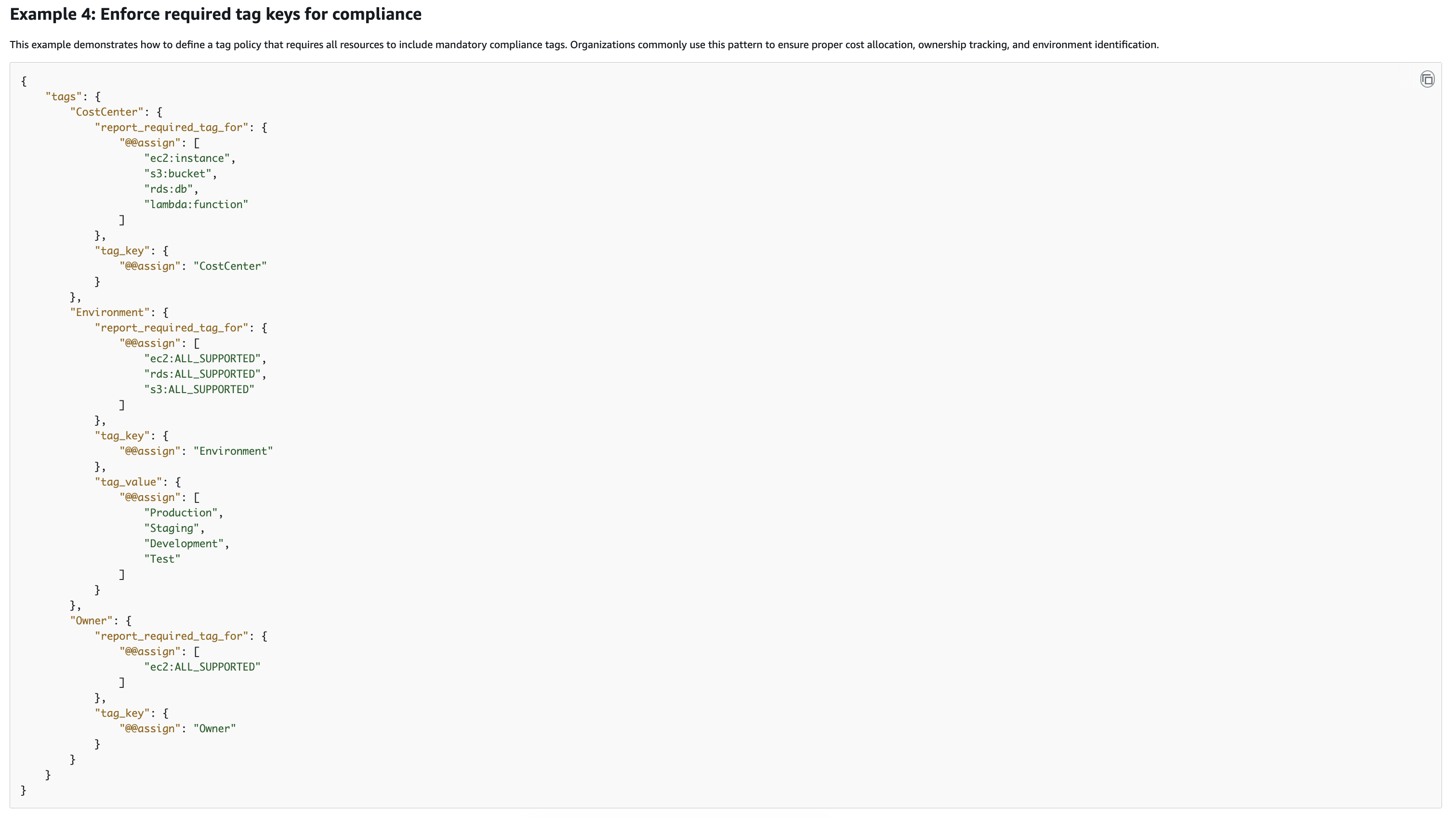
Incorrect options:
Create an AWS Organizations backup policy that requires a CostCenter tag on all supported resources and configure the policy to reject any resource operation when the CostCenter tag is missing or invalid - AWS Organizations backup policies are used to manage backup plans and backup-related governance. They are not the control mechanism for required resource tags or enforcement of approved tag values. This option therefore uses the wrong type of organizational policy. The requirement is specifically about tagging governance, which is handled by tag policies and IAM or SCP tag condition keys, not backup policies.
Create an organization-wide AWS Config rule that checks all resources for the CostCenter tag and automatically remediates missing or invalid values by applying one of the approved values based on the resource type - An organization-wide Config rule can help identify noncompliant resources, and remediation can help correct drift after the fact. That makes this design useful for reporting and cleanup. It still does not meet the requirement to enforce the policy at create time. It also introduces a risky remediation pattern by automatically assigning approved values based on resource type, which may not reflect the correct financial ownership of the resource.
Enable tag policies in AWS Organizations, define a tag policy for the CostCenter tag with the approved values, and create an Amazon EventBridge rule that invokes an AWS Lambda function whenever a noncompliant CostCenter tag is created so the function can block further tag changes - The tag policy portion is directionally correct because tag policies are the right service for standardizing allowed tag values across the organization. On supported resource types, they can prevent noncompliant tagging operations. The EventBridge and Lambda part is unnecessary and still reactive. A Lambda function triggered after a noncompliant event is not the right mechanism to block the original tag mutation in real time, and it does not solve the requirement to require the CostCenter tag during create operations.
References:
https://docs.aws.amazon.com/organizations/latest/userguide/orgs_manage_policies_tag-policies.html
https://docs.aws.amazon.com/config/latest/developerguide/WhatIsConfig.html
Domain
Domain 6: Security Foundations and Governance
Question 10
A biotechnology company deploys a data pipeline application on Amazon Elastic Container Service (ECS) that processes patient medical records. During a recent security assessment, the team discovered that PostgreSQL database credentials were embedded directly in the application’s Docker image and stored in the company’s private container registry. A security engineer must establish a solution that secures database credentials, enables automatic credential rotation, restricts credential access to only the ECS task containers that require it, and prevents database administrators from sharing plaintext passwords with other team members. The solution should introduce minimal operational complexity.
Which option best meets these requirements?
-
Place database credentials in AWS Secrets Manager, use inline IAM policies on ECS task roles to limit credential retrieval to specific containers, and establish manual credential rotation by extracting credentials through AWS CLI commands
-
Store database credentials in AWS Systems Manager Parameter Store, associate IAM roles with ECS task definitions to grant permission to retrieve stored credentials, and manage rotation through manual AWS CLI exports on a quarterly schedule
-
Embed encrypted credentials in the Docker image using KMS encryption at build time, store the KMS key in AWS Secrets Manager with access restricted to ECS task roles, decrypt credentials at container runtime using a sidecar container that fetches the KMS key from Secrets Manager, and rotate the KMS key quarterly through AWS Systems Manager Automation
-
Store database credentials in AWS Secrets Manager, configure IAM roles attached to ECS task definitions to grant permission to retrieve credentials from Secrets Manager, and enable automatic rotation of database credentials through Secrets Manager rotation Lambda functions
fyi) Secret Manager는 credential rotation할 때 AWS Lambda를 사용한다. 따로 설정할 필요는 없고 자동임.
Overall explanation
Correct option:
Store database credentials in AWS Secrets Manager, configure IAM roles attached to ECS task definitions to grant permission to retrieve credentials from Secrets Manager, and enable automatic rotation of database credentials through Secrets Manager rotation Lambda functions
AWS Secrets Manager is purpose-built for storing, managing, and rotating secrets like database credentials. Unlike the parameter store, Secrets Manager integrates with AWS Lambda to automate credential rotation without requiring manual operator intervention. When a credential is stored in Secrets Manager, the owner provides a Lambda function that knows how to rotate the credential against the target database; Secrets Manager invokes that function automatically on a schedule the administrator sets, such as every 30 days.
ECS task definitions can include an IAM role that grants the necessary permissions to retrieve a specific secret from Secrets Manager. This permission model ensures that only the ECS tasks explicitly granted this role can decrypt and retrieve the database credential. Other containers or processes without the role are denied access, preventing inadvertent exposure. Database administrators never handle plaintext credentials in email or Slack because the rotation Lambda function updates the secret directly in Secrets Manager and in the database engine simultaneously.
The task role approach eliminates the need for instance profiles or other workarounds because ECS natively supports IAM roles at the task level. This gives fine-grained access control and follows AWS best practices for least privilege. The solution introduces minimal operational overhead because once the rotation Lambda is configured, credential management happens automatically without human intervention.
Incorrect options:
Embed encrypted credentials in the Docker image using KMS encryption at build time, store the KMS key in AWS Secrets Manager with access restricted to ECS task roles, decrypt credentials at container runtime using a sidecar container that fetches the KMS key from Secrets Manager, and rotate the KMS key quarterly through AWS Systems Manager Automation - Running a dedicated ECS service as a credential distribution layer introduces unnecessary architectural complexity and additional operational overhead. The custom credential store on EBS volumes must be backed up, encrypted, and monitored. A single point of failure in the credential distribution service could disrupt the entire data pipeline. This approach also requires custom Lambda logic for rotation, increasing development effort compared to using Secrets Manager’s built-in rotation framework.
Place database credentials in AWS Secrets Manager, use inline IAM policies on ECS task roles to limit credential retrieval to specific containers, and establish manual credential rotation by extracting credentials through AWS CLI commands - AWS Secrets Manager is the correct service choice, but inline IAM policies are less maintainable than task roles. Inline policies are embedded directly in the role and cannot be reused or updated across multiple task definitions efficiently. More importantly, this option specifies manual credential rotation via AWS CLI commands, which defeats the purpose of using Secrets Manager’s automated rotation feature and introduces operational complexity and human error risk.
Store database credentials in AWS Systems Manager Parameter Store, associate IAM roles with ECS task definitions to grant permission to retrieve stored credentials, and manage rotation through manual AWS CLI exports on a quarterly schedule - AWS Systems Manager Parameter Store does not support automated credential rotation natively. The quarterly manual rotation schedule leaves a 90-day window during which an old credential remains active, violating the principle of short credential lifetime. Manual rotation also introduces human error and requires operators to handle plaintext credentials, increasing the risk of accidental exposure or sharing.
References:
https://docs.aws.amazon.com/secretsmanager/latest/userguide/intro.html
https://docs.aws.amazon.com/secretsmanager/latest/userguide/rotating-secrets.html
https://docs.aws.amazon.com/AmazonECS/latest/developerguide/task-iam-roles.html
Domain
Domain 5: Data Protection
Question 11
A technology startup operates a single AWS account and it is now expanding its AWS infrastructure across multiple geographies. The startup previously deployed AWS CloudTrail in a single Region with logs being delivered to an Amazon S3 bucket through the AWS CLI. Management has now authorized expansion to three additional Regions globally. After the expansion, the security team observes that CloudTrail logs from the newly provisioned Regions are not being delivered to the existing S3 bucket. The team needs to restore log delivery from all Regions while reducing manual reconfiguration.
What is the optimal solution?
-
Deploy AWS Config in each new Region to centralize CloudTrail log aggregation and route logs through an Amazon Kinesis Data Stream to the S3 bucket
-
Update the existing CloudTrail trail to enable multi-Region logging so all Regions deliver logs to the same bucket
-
Establish a new organization-wide CloudTrail trail in AWS Organizations that automatically covers all enabled Regions
-
Create separate CloudTrail trails for each of the three newly added Regions and manually configure each trail to point to the same centralized S3 bucket
AWS Config는 log aggregation 서비스가 아니다.
CloudTrail는 multi-Region mode를 지원해서 모든 region의 로그를 하나의 S3 bucket에 모을 수 있다.
AWS Organizations가 있을 때 organization trail이랑 multi-region CloudTrail 써서 모든 계정의 모든 리전의 로그를 하나의 S3 Bucket에 모을 수 있어?
네. AWS Organizations가 있으면, organization trail을 multi-Region으로 만들어서 조직 내 모든 계정의 모든 활성화된(enabled) 리전 로그를 하나의 S3 버킷으로 중앙 수집할 수 있습니다. AWS 문서상 organization trail은 모든 계정에 자동 적용될 수 있고, all Regions 또는 current Region only로 설정할 수 있습니다.
Overall explanation
Correct option:
Update the existing CloudTrail trail to enable multi-Region logging so all Regions deliver logs to the same bucket
AWS CloudTrail supports a multi-Region mode that, when enabled on an existing trail, automatically captures API activity from all Regions and delivers those logs to a single S3 bucket. This setting eliminates the need to create and maintain separate trails for each Region. When the startup enables multi-Region mode on the existing trail, CloudTrail immediately begins collecting logs from the three newly added Regions and appending them to the existing delivery path.
The multi-Region setting is a single toggle that applies organization-wide, requiring no per-Region configuration or additional trails. This approach leverages the trail already in place, which minimizes change risk and maintains the existing S3 bucket, log encryption, and retention policies without modification.
The startup can enable multi-Region logging through the AWS Console or AWS CLI in minutes, and log delivery from the new Regions begins immediately without waiting for new trail creation or propagation delays. This is the least operationally burdensome solution because it changes only one attribute on one resource.
Incorrect options:
Create separate CloudTrail trails for each of the three newly added Regions and manually configure each trail to point to the same centralized S3 bucket - Creating separate trails for each Region requires manually configuring each trail, specifying the destination S3 bucket for each, and managing authentication and encryption settings independently. This approach multiplies the configuration complexity and creates more resources to monitor and maintain. Separate region-specific trails also produce logs with different organizational structures in the S3 bucket, making consolidated analysis more difficult than a single multi-Region trail.
Deploy AWS Config in each new Region to centralize CloudTrail log aggregation and route logs through an Amazon Kinesis Data Stream to the S3 bucket - AWS Config is a resource compliance and configuration tracking service, not a log aggregation service. Config does not control CloudTrail log delivery. Adding Config does not solve the immediate problem and introduces unnecessary service dependencies and monitoring overhead. Kinesis Data Streams would require additional data processing pipeline code and ongoing infrastructure management, all of which are more complex than enabling an existing trail’s multi-Region capability.
Establish a new organization-wide CloudTrail trail in AWS Organizations that automatically covers all enabled Regions - AWS Organizations CloudTrail trails are valuable for multi-account visibility, but the startup operates a single account and this option creates an entirely new trail. If the startup later onboards additional member accounts, an organization trail would be beneficial, but for a single-account scenario with multiple Regions, updating the existing trail to multi-Region mode is simpler than creating a new organization trail.
References:
https://docs.aws.amazon.com/awscloudtrail/latest/userguide/cloudtrail-user-guide.html
https://docs.aws.amazon.com/awscloudtrail/latest/userguide/cloudtrail-update-a-trail-console.html
Domain
Domain 1: Detection
Question 18
A company runs workloads in an AWS account and has Amazon GuardDuty enabled for threat detection. A security engineer notices unusual GuardDuty findings and wants to investigate a particular IAM role in more depth. The engineer needs a report that includes anomalous activity details and any indicators of compromise associated with that role.
Which solution should the security engineer use to meet these requirements?
-
Use AWS Security Hub to create a custom insight for the IAM role, export the matching findings, and rely on the insight output as the investigation report for anomalous behavior and compromise indicators
-
Use Amazon Detective to investigate the IAM role and generate an investigation report that includes anomalous behavior and indicators of compromise
-
Use Amazon Inspector to run an on-demand scan of the IAM role and review the resulting report for indicators of compromise
-
Use AWS Audit Manager to create an assessment for the IAM role and generate an assessment report for the suspicious activity
오답 이유도 보면 더 분명합니다.
- 1번 Security Hub: Security Hub의 custom insight는 findings를 필터링/집계하는 용도에 가깝고, findings를 S3로 내보낼 수는 있어도 이것만으로 IAM role에 대한 심층 이상행위 분석 + IOC 조사 보고서를 만들어 주는 서비스는 아닙니다.
- 3번 Amazon Inspector: Inspector는 주로 취약점/소프트웨어 노출/코드 보안 관련 findings report를 내보내는 서비스이며, IAM role 자체를 조사해서 IOC 중심 보고서를 만드는 용도가 아닙니다.
- 4번 Audit Manager: Audit Manager는 감사/통제 증적 수집과 assessment report 용도이지, 실시간 위협 조사나 침해지표 분석 도구가 아닙니다. 이 문제 요구사항과 맞지 않습니다. 이 부분은 AWS 서비스 역할상 판단입니다.
Overall explanation
Correct option:
Use Amazon Detective to investigate the IAM role and generate an investigation report that includes anomalous behavior and indicators of compromise
Amazon Detective is the AWS service designed to help security teams analyze, investigate, and identify the root cause of suspicious activity and GuardDuty findings. AWS documents that Detective Investigations can be used to investigate IAM users and IAM roles by using indicators of compromise, and that the investigation summary highlights anomalous indicators that require attention. This makes Detective the best fit for the requirement because the engineer specifically wants to investigate an IAM role and generate a report that contains details about anomalous behavior and indicators of compromise. Detective is purpose-built for this type of investigation workflow rather than for compliance assessment or vulnerability scanning.
Using Detective also minimizes operational effort because it provides a native investigative experience tied to security findings, instead of requiring the company to build a separate reporting and correlation pipeline.
via - https://docs.aws.amazon.com/detective/latest/userguide/detective-investigation-about.html
Incorrect options:
Use AWS Audit Manager to create an assessment for the IAM role and generate an assessment report for the suspicious activity - AWS Audit Manager is designed for compliance assessments and evidence collection against audit frameworks. It helps organizations map controls and gather evidence for standards such as PCI DSS or CIS, but it is not an incident investigation service for anomalous IAM role behavior. This option does not align with the requirement to analyze indicators of compromise and unusual GuardDuty-related activity. Audit Manager focuses on governance and compliance reporting, not on threat investigation of a specific IAM role.
Use AWS Security Hub to create a custom insight for the IAM role, export the matching findings, and rely on the insight output as the investigation report for anomalous behavior and compromise indicators - AWS Security Hub can aggregate and normalize findings from multiple security services, and custom insights can help filter findings related to a particular IAM role. That makes Security Hub useful for centralized visibility and prioritization. However, an insight is not the same as an investigation report with detailed anomalous behavior analysis and indicators of compromise. Security Hub helps surface findings, but Amazon Detective is the more appropriate service for the investigative report requested in this scenario.
Use Amazon Inspector to run an on-demand scan of the IAM role and review the resulting report for indicators of compromise - Amazon Inspector on-demand scans are associated with supported code security or workload scanning use cases, not with investigating IAM roles for GuardDuty-style suspicious behavior. Even though this option sounds plausible because it mentions a report, Inspector is not the right service for analyzing IAM role anomalies or compromise indicators. The requirement is investigative, not vulnerability-oriented.
References:
https://docs.aws.amazon.com/detective/latest/userguide/detective-investigation-about.html
https://docs.aws.amazon.com/guardduty/latest/ug/what-is-guardduty.html
https://docs.aws.amazon.com/audit-manager/latest/userguide/what-is.html
https://docs.aws.amazon.com/inspector/latest/user/what-is-inspector.html
https://docs.aws.amazon.com/securityhub/latest/userguide/what-is-securityhub-v2.html
Domain
Domain 1: Detection
Question 28
A security engineer must design a key management solution for a company that performs cryptographic operations on sensitive application data. The solution must create and manage symmetric AWS KMS keys whose key material is generated and used inside a custom key store backed by an AWS CloudHSM cluster. The company also needs to generate symmetric and asymmetric data key pairs for local use within applications. In addition, the company must maintain an audit trail of key usage and key management activity.
Which solution should the security engineer recommend?
-
Use AWS Key Management Service with a custom key store that is backed by the AWS CloudHSM cluster to create the symmetric KMS keys, use data keys and data key pairs for local cryptographic operations inside the applications, and use AWS Config to capture and audit every cryptographic operation that uses the keys
-
Use AWS Key Management Service with a custom key store that is backed by the AWS CloudHSM cluster, and use Amazon Audit Manager to audit key management and cryptographic operations
-
Use AWS Key Management Service with a custom key store that is backed by the AWS CloudHSM cluster to create the keys, and use AWS CloudTrail to audit key usage and key management activity
-
Use AWS Key Management Service with a custom key store that is backed by the AWS CloudHSM cluster, and use Amazon GuardDuty to audit key management and cryptographic operations
AWS Config는 설정을 검사하지 사용을 모니터링하진 않는다. 사용을 모니터링하는 용도로는 AWS CloudTrail을 골라야 함.
Overall explanation
Correct option:
Use AWS Key Management Service with a custom key store that is backed by the AWS CloudHSM cluster to create the keys, and use AWS CloudTrail to audit key usage and key management activity
AWS Key Management Service supports custom key stores that are backed by AWS CloudHSM clusters. This allows the company to create symmetric KMS keys whose key material is generated and used in the custom key store while still using the AWS KMS control plane and APIs. AWS KMS also supports generating data keys and data key pairs for local cryptographic use in applications, which satisfies the requirement to use symmetric and asymmetric key material outside of AWS KMS.
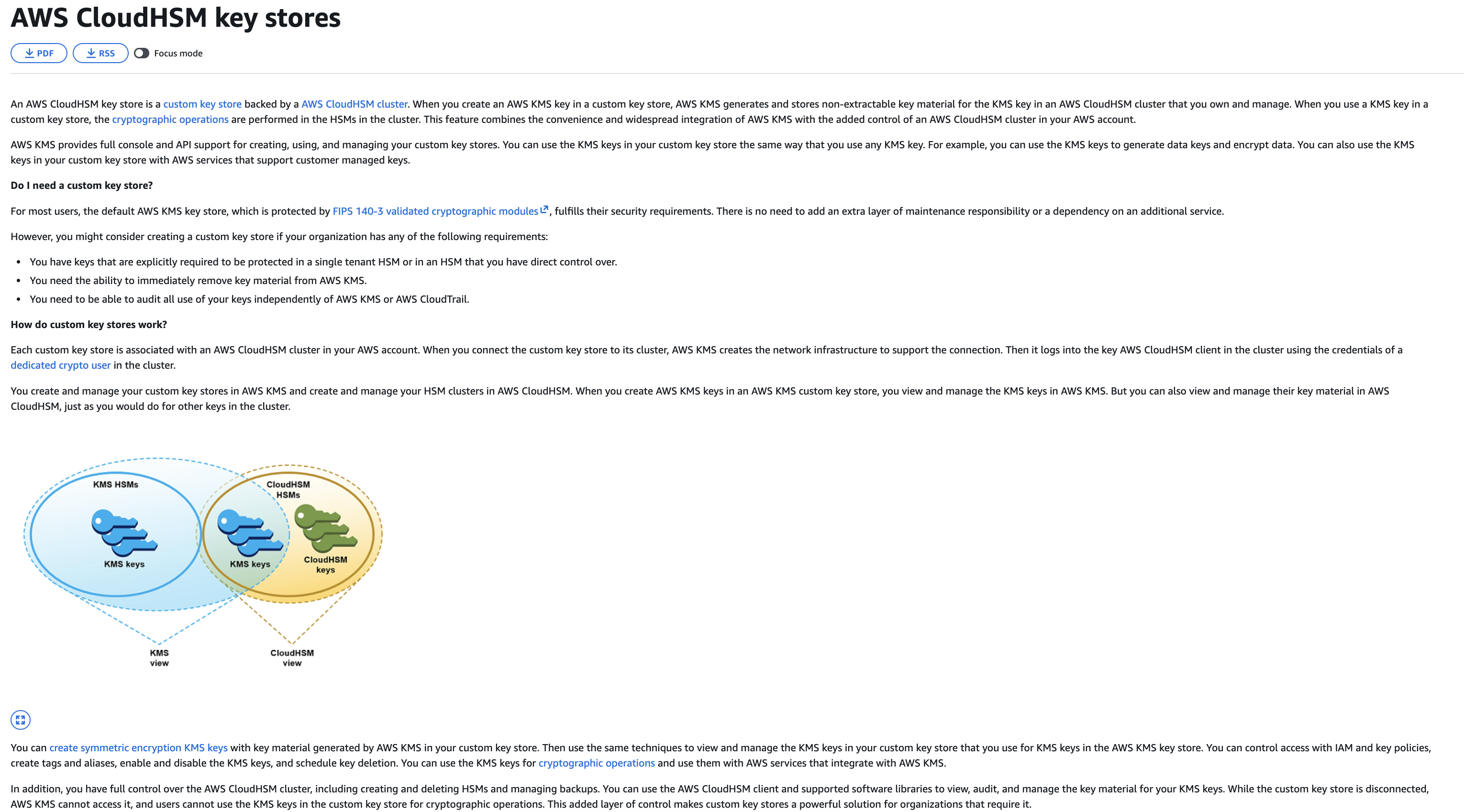
via - https://docs.aws.amazon.com/kms/latest/developerguide/keystore-cloudhsm.html
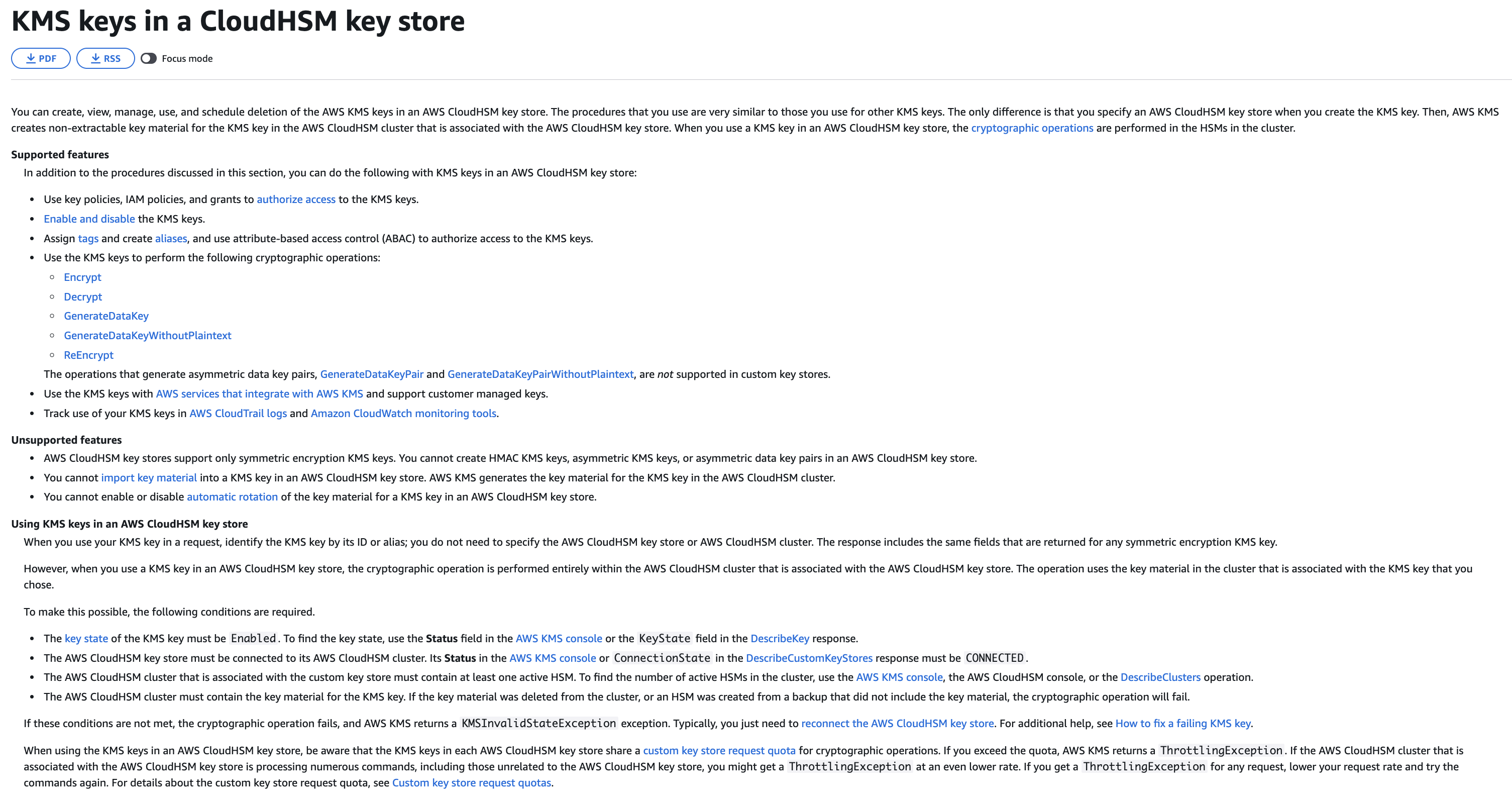
via - https://docs.aws.amazon.com/kms/latest/developerguide/manage-cmk-keystore.html
AWS CloudTrail is the correct auditing service for AWS KMS activity. AWS documents that CloudTrail logs all AWS KMS API calls, including key management operations such as CreateKey and cryptographic operations such as GenerateDataKey and Decrypt. This provides the required audit trail for both administrative activity and key usage.
This combination best meets all requirements with native AWS services. It uses AWS KMS with a custom key store for the required key control model, supports data keys and data key pairs for local application use, and uses CloudTrail for a complete audit record of AWS KMS operations.
Incorrect options:
Use AWS Key Management Service with a custom key store that is backed by the AWS CloudHSM cluster, and use Amazon Audit Manager to audit key management and cryptographic operations - AWS Audit Manager is a compliance evidence collection service. It can collect evidence from services like CloudTrail and Config for assessments and audit reports, but it does not itself serve as the direct operational audit trail for KMS activity. So, this option is incorrect.
Use AWS Key Management Service with a custom key store that is backed by the AWS CloudHSM cluster, and use Amazon GuardDuty to audit key management and cryptographic operations - AWS KMS with a custom key store is again the correct key management service, but Amazon GuardDuty is not an audit service for AWS KMS usage. GuardDuty is a threat detection service that analyzes telemetry sources for suspicious activity. GuardDuty does not record every KMS API call or provide the required audit trail of key management and cryptographic operations. For this requirement, CloudTrail is the correct service.
Use AWS Key Management Service with a custom key store that is backed by the AWS CloudHSM cluster to create the symmetric KMS keys, use data keys and data key pairs for local cryptographic operations inside the applications, and use AWS Config to capture and audit every cryptographic operation that uses the keys - AWS KMS with a custom key store and the use of data keys and data key pairs is directionally correct and makes this option sound very plausible. However, AWS Config does not capture every cryptographic operation such as GenerateDataKey or Decrypt as an audit log of API activity. AWS Config records resource configuration state and compliance changes, not full operational audit trails for cryptographic API usage. The correct audit mechanism for AWS KMS API calls is AWS CloudTrail, not AWS Config.
References:
https://docs.aws.amazon.com/kms/latest/developerguide/keystore-cloudhsm.html
https://docs.aws.amazon.com/kms/latest/developerguide/manage-cmk-keystore.html
https://docs.aws.amazon.com/kms/latest/developerguide/logging-using-cloudtrail.html
https://docs.aws.amazon.com/config/latest/developerguide/WhatIsConfig.html
https://docs.aws.amazon.com/guardduty/latest/ug/what-is-guardduty.html
Domain
Domain 5: Data Protection
Question 34
An AWS administrator created an IAM group for the DevOps team and applied the following managed policy to require multi-factor authentication for all Amazon EC2 operations:
{
    "Version": "2012-10-17",
    "Statement": [
        {
            "Effect": "Allow",
            "Action": "ec2:*",
            "Resource": "*"
        },
        {
            "Sid": "BlockAnyAccessUnlessSignedInWithMFA",
            "Effect": "Deny",
            "Action": "ec2:*",
            "Resource": "*",
            "Condition": {
                "BoolIfExists": {
                    "aws:MultiFactorAuthPresent": "false"
                }
            }
        }
    ]
}
After the policy is applied, engineers report that they cannot run Amazon EC2 commands using the AWS CLI even after registering their MFA devices.
What should the administrator do to resolve this problem in the most operationally efficient manner, while still enforcing multi-factor authentication?
-
Deploy AWS IAM Identity Center with MFA-enabled permission sets assigned to each DevOps engineer, then instruct engineers to authenticate through the IAM Identity Center portal to receive temporary AWS CLI credentials that already carry the correct MFA session context required by the BoolIfExists condition evaluation
-
Define an IAM role with a trust policy condition that requires MFA authentication, instruct engineers to call the aws sts assume-role command with —serial-number and —token-code parameters, store the returned temporary credentials as the AWS_ACCESS_KEY_ID, AWS_SECRET_ACCESS_KEY, and AWS_SESSION_TOKEN environment variables, and add sts:AssumeRole to the policy’s NotAction list to prevent session context bypass
-
Instruct users to regenerate their long-term access keys after enabling MFA so that subsequent CLI calls automatically include MFA context in the request
-
Direct engineers to run the aws sts get-session-token command with the —serial-number and —token-code flags to obtain temporary session credentials, then configure the AWS CLI profile to use the returned AccessKeyId, SecretAccessKey, and SessionToken values for subsequent API calls
장기 자격 증명 (long-term credentials) 는 MFA context가 붙지 않으므로 재발급해도 소용 없다.
2번,4번 헷갈릴 때는 문제에서 operationally efficient manner를 선택하라고 했으므로 더 간단한 걸 선택한다. —serial-number에 MFA Serial Number, —token-code에 1회용 코드를 넣어서 sts로 임시 토큰을 생성하면 토큰에 MFA Context가 추가된다.
정답은 4번입니다.
이유는 이 정책의 Deny + BoolIfExists + aws:MultiFactorAuthPresent=false 조합이 MFA가 없는 요청뿐 아니라, 장기 액세스 키로 서명한 CLI/API 요청도 막기 때문입니다. AWS 문서도 이 조합은 aws:MultiFactorAuthPresent 키가 없는 장기 자격 증명 요청까지 deny할 수 있다고 설명합니다. 그리고 MFA 보호 API 액세스는 임시 보안 자격 증명으로만 가능하며, 그 자격 증명은 GetSessionToken 또는 AssumeRole로 받아야 합니다.
따라서 현재처럼 IAM 사용자 + 그룹 정책 구조를 유지하면서 가장 적게 바꿔 해결하는 방법은, 사용자가 먼저 aws sts get-session-token --serial-number ... --token-code ...로 MFA가 반영된 임시 세션 자격 증명을 발급받고, 그 AccessKeyId / SecretAccessKey / SessionToken으로 이후 EC2 CLI 명령을 실행하게 하는 것입니다. AWS도 MFA가 필요한 세션 토큰 발급 예시를 별도로 제공합니다.
다른 선택지가 아닌 이유도 분명합니다.
3번은 틀렸습니다. 액세스 키를 다시 발급해도 장기 자격 증명인 것은 같아서 MFA 컨텍스트가 자동으로 붙지 않습니다.
2번의 AssumeRole도 기술적으로는 가능하지만, 새 역할/신뢰 정책/추가 CLI 흐름이 필요해서 현재 문제를 푸는 가장 운영 효율적인 방식은 아닙니다. 1번의 IAM Identity Center는 장기적으로 더 바람직할 수는 있어도, 이 문제의 현재 구성에서 즉시 해결하는 최소 변경 해법은 아닙니다.
한 줄로 정리하면: MFA 디바이스 등록만으로는 부족하고, CLI에서는 MFA가 포함된 임시 STS 세션을 써야 하므로 4번입니다.
BoolIfExists는 조건의 key가 존재하지 않을 땐 기본적으로 true구나
BoolIfExists를 사람이 읽을 때 “키가 있으면만 검사해라”처럼 느끼기 쉬운데, IAM 엔진의 실제 뜻은 더 정확히 말하면 이렇습니다.
“키가 있으면 Bool 비교를 수행하고,
키가 없으면 이 조건 항목은 true로 본다.”
그래서 이 조건:
"Condition": {
  "BoolIfExists": {
    "aws:MultiFactorAuthPresent": "false"
  }
}
은 내부적으로 거의 이렇게 생각하시면 됩니다.
if key exists:
    return (aws:MultiFactorAuthPresent == false)
else:
    return true
즉 aws:MultiFactorAuthPresent가 아예 없으면,
“Condition에 해당 안 함”이 아니라 IfExists 규칙 때문에 condition result가 true가 됩니다.
Overall explanation
Correct option:
Direct engineers to run the aws sts get-session-token command with the —serial-number and —token-code flags to obtain temporary session credentials, then configure the AWS CLI profile to use the returned AccessKeyId, SecretAccessKey, and SessionToken values for subsequent API calls
The BoolIfExists condition key evaluates aws:MultiFactorAuthPresent against the current session context. When engineers use long-term IAM user access keys directly with the AWS CLI, those credentials are not associated with an MFA session, so aws:MultiFactorAuthPresent is either absent or false. The Deny statement with BoolIfExists fires in both cases, blocking all ec2:* actions. The engineers have registered MFA devices, but they have not obtained session tokens that carry MFA authentication context, which is why the CLI calls still fail.
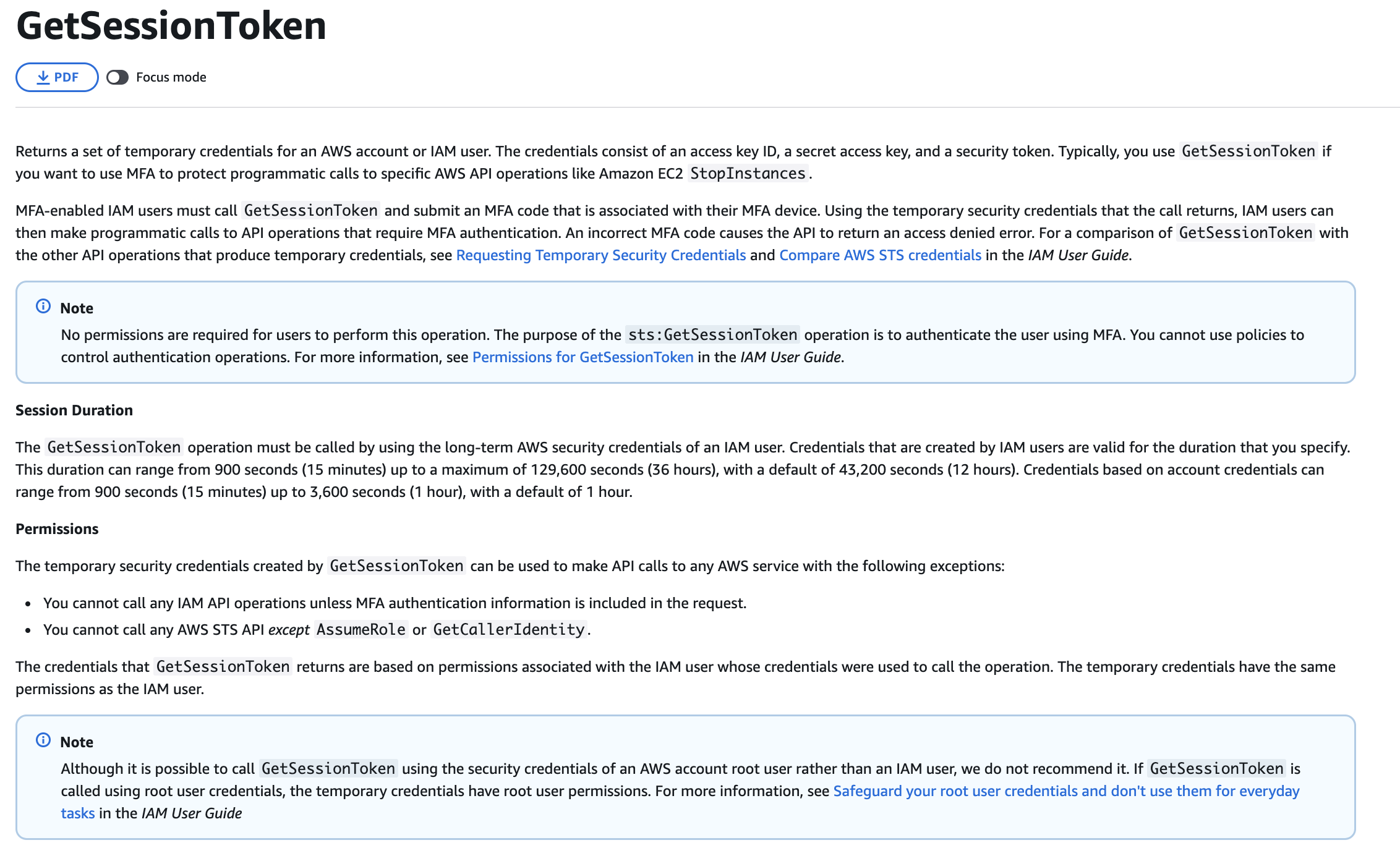
via - https://docs.aws.amazon.com/STS/latest/APIReference/API_GetSessionToken.html
Running aws sts get-session-token with —serial-number set to the MFA device ARN and —token-code set to the current one-time password generates temporary credentials that include an MFA authentication context. When these temporary credentials are used in the AWS CLI, aws:MultiFactorAuthPresent evaluates to true, the Deny condition is not satisfied, and the Allow statement from the first policy statement takes effect. Engineers configure their CLI profile with the three returned credential values to enable the MFA-authenticated session.
This approach requires no changes to the existing IAM policy and enforces MFA exactly as intended. The policy continues to deny access to engineers who have not authenticated with MFA, and engineers who have obtained session tokens through sts get-session-token operate normally.
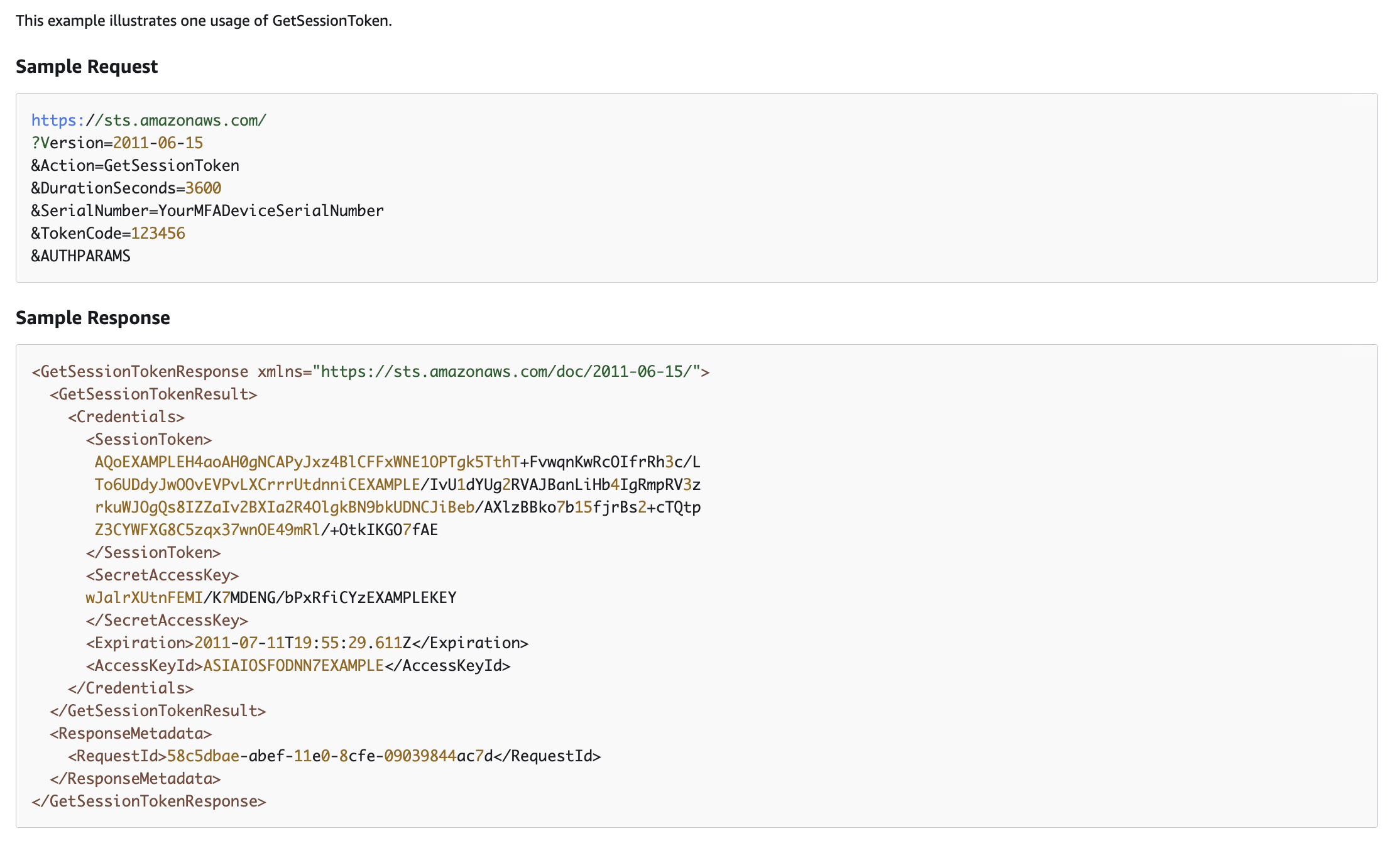
via - https://docs.aws.amazon.com/STS/latest/APIReference/API_GetSessionToken.html
Incorrect options:
Instruct users to regenerate their long-term access keys after enabling MFA so that subsequent CLI calls automatically include MFA context in the request - Regenerating access keys does not include MFA context in API requests. Long-term credentials remain static and cannot satisfy the MFA condition. Temporary credentials from STS are required.
Deploy AWS IAM Identity Center with MFA-enabled permission sets assigned to each DevOps engineer, then instruct engineers to authenticate through the IAM Identity Center portal to receive temporary AWS CLI credentials that already carry the correct MFA session context required by the BoolIfExists condition evaluation - AWS IAM Identity Center is a valid solution for enforcing MFA across AWS CLI access, and it does produce temporary credentials with appropriate session context. However, deploying IAM Identity Center requires configuring an identity source, assigning permission sets, and migrating the DevOps engineers from IAM user credentials to Identity Center credentials. This is a broader infrastructure change than required to resolve the described problem.
The existing IAM users, MFA devices, and policy are already in place. The engineers only need to use the sts get-session-token command to obtain session credentials that carry MFA context, which resolves the issue immediately without any additional infrastructure deployment or credential migration.
Define an IAM role with a trust policy condition that requires MFA authentication, instruct engineers to call the aws sts assume-role command with —serial-number and —token-code parameters, store the returned temporary credentials as the AWS_ACCESS_KEY_ID, AWS_SECRET_ACCESS_KEY, and AWS_SESSION_TOKEN environment variables, and add sts:AssumeRole to the policy’s NotAction list to prevent session context bypass - Using sts:AssumeRole with MFA in the trust policy is an alternative MFA enforcement pattern, but it is more complex than the get-session-token approach for this use case. The engineers are IAM users in the same account who need to run EC2 commands; assuming a role adds an unnecessary layer of credential exchange and role management. Adding sts:AssumeRole to the policy’s NotAction list would also require restructuring the existing policy significantly. The get-session-token approach in the correct option directly produces temporary credentials with MFA context for the existing IAM identity without requiring role assumption, role trust policy configuration, or policy restructuring.
References:
https://docs.aws.amazon.com/STS/latest/APIReference/API_GetSessionToken.html
Domain
Domain 3: Infrastructure Security
Question 35
A company uses federation to grant temporary AWS access to members of its operations team. One federated user, Alex, must be blocked from accessing a specific Amazon S3 bucket named finance-audit-archive. The security team wants to enforce this restriction by using only an Amazon S3 bucket policy.
The solution must deny Alex’s access only to this bucket and must not interfere with any other permissions that Alex has elsewhere in the AWS environment. The company needs a policy statement that targets the correct federated principal and applies an explicit deny only for Amazon S3 actions on the specified bucket.
Which policy should the security engineer use?
{
  "Version": "2012-10-17",
  "Statement": {
    "Principal": { "AWS": "arn:aws:sts::123456789012:federated-user/Alex" },
    "Effect": "Deny",
    "Action": "s3:*",
    "Resource": "arn:aws:s3:::finance-audit-archive"
  }
}
{
  "Version": "2012-10-17",
  "Statement": {
    "Principal": { "AWS": "arn:aws:iam::123456789012:user/Alex" },
    "Effect": "Deny",
    "Action": "s3:*",
    "Resource": "arn:aws:s3:::finance-audit-archive"
  }
}
{
  "Version": "2012-10-17",
  "Statement": {
    "Principal": { "AWS": "arn:aws:sts::123456789012:assumed-role/Alex/session-name" },
    "Effect": "Deny",
    "Action": "s3:*",
    "Resource": "arn:aws:s3:::finance-audit-archive"
  }
}
{
  "Version": "2012-10-17",
  "Statement": {
    "NotPrincipal": { "AWS": "arn:aws:sts::123456789012:federated-user/Alex" },
    "Effect": "Deny",
    "Action": "s3:*",
    "Resource": "arn:aws:s3:::finance-audit-archive"
  }
}
session-name은 매번 바뀌므로 특정 사람 차단 대상으로 부정확합니다.
Overall explanation
Correct option:
{ "Version": "2012-10-17", "Statement": { "Principal": { "AWS": "arn:aws:sts::123456789012:federated-user/Alex" }, "Effect": "Deny", "Action": "s3:*", "Resource": "arn:aws:s3:::finance-audit-archive" } }
An Amazon S3 bucket policy can explicitly deny access to a specific principal for actions against a specific bucket. In this case, the principal is a federated user, so the correct principal format uses the AWS STS federated-user ARN. By targeting arn:aws:sts::123456789012:federated-user/Alex and applying an explicit Deny to s3:* on the bucket, the policy prevents Alex from using Amazon S3 permissions against that bucket.
This design affects only the permissions evaluated for that bucket because bucket policies are resource-based policies scoped to Amazon S3 resources. Alex can continue to retain any unrelated permissions he has for other AWS services or for other resources that are not covered by this bucket policy. That matches the requirement to preserve Alex’s other permissions.
The key point is that the policy must identify the correct type of principal. Because Alex is a federated user, the policy must reference the federated-user ARN in STS rather than an IAM user ARN or an assumed-role ARN. An explicit deny in a resource-based policy then overrides any allows that Alex might otherwise have for that bucket.
Incorrect options:
{ "Version": "2012-10-17", "Statement": { "NotPrincipal": { "AWS": "arn:aws:sts::123456789012:federated-user/Alex" }, "Effect": "Deny", "Action": "s3:*", "Resource": "arn:aws:s3:::finance-audit-archive" } } - NotPrincipal with an explicit deny reverses the intended logic. Instead of denying Alex, this statement denies everyone except Alex. That would create a broad and unintended access restriction on the bucket.
The requirement is to affect only Alex’s S3 permissions for this bucket while leaving all other principals unchanged. This policy does the opposite by making Alex the only principal excluded from the deny, so it clearly fails the requirement.
{ "Version": "2012-10-17", "Statement": { "Principal": { "AWS": "arn:aws:iam::123456789012:user/Alex" }, "Effect": "Deny", "Action": "s3:*", "Resource": "arn:aws:s3:::finance-audit-archive" } } - This policy uses an IAM user ARN, which does not match the identity type in the scenario. Alex is a federated user, so Amazon S3 evaluates his requests under the STS federated-user principal rather than an IAM user principal.
Because the principal ARN is wrong, the deny statement does not reliably target the intended identity. The bucket policy therefore fails to meet the requirement to deny this specific federated user while preserving the rest of his permissions.
{ "Version": "2012-10-17", "Statement": { "Principal": { "AWS": "arn:aws:sts::123456789012:assumed-role/Alex/session-name" }, "Effect": "Deny", "Action": "s3:*", "Resource": "arn:aws:s3:::finance-audit-archive" } } - An assumed-role ARN identifies a role session, not a federated user principal. The scenario states that Alex is a federated user, so using an assumed-role principal does not correctly represent the identity that must be denied.
This mismatch matters because resource-based policies depend on the correct principal identity during authorization. If the principal does not match the actual caller type, the deny does not apply as intended, and the policy fails to provide the precise restriction required.
References:
https://docs.aws.amazon.com/AmazonS3/latest/userguide/security_iam_service-with-iam.html
https://docs.aws.amazon.com/AmazonS3/latest/userguide/example-bucket-policies.html
https://docs.aws.amazon.com/IAM/latest/UserGuide/reference_identifiers.html
https://docs.aws.amazon.com/IAM/latest/UserGuide/reference_policies_elements_principal.html
Domain
Domain 4: Identity and Access Management
Question 41
A security operations team at a healthcare company continuously monitors AWS resource configurations to verify compliance with internal data protection policies. The team is concerned about scenarios where a regulated resource receives multiple configuration changes within a short time window. For each compliance evaluation, the team needs to assess only the configuration snapshot that represents the final state after all successive changes have been applied.
Which solution meets this requirement in the most operationally efficient way?
-
Configure AWS Security Hub custom insights to detect and aggregate resource change events, use the Security Hub Findings API to retrieve the most recently generated finding for each resource, and map finding attributes to the current resource configuration for compliance evaluation
-
Use AWS Config to automatically detect resource configuration changes and record the most recent configuration snapshot for each resource, enabling compliance evaluations against the final cumulative state after successive changes
-
Deploy an AWS Lambda function triggered by Amazon EventBridge events for each resource configuration change API call, persist the latest configuration snapshot in an Amazon DynamoDB table keyed by resource ID, and query the table during compliance evaluations to retrieve the most current recorded state
-
Enable AWS CloudTrail to capture all configuration change API calls for the resource, and write a custom script that processes the CloudTrail log stream and filters for the most recent API call to determine the cumulative resource configuration state
AWS Config 기본 기능이구나. 변경사항 자동 감지 이런거 나오면 AWS Config가 답이다.
AWS Config는 지원 리소스의 생성·변경·삭제를 지속적으로 감지하고, 이를 configuration item(CI) 으로 기록합니다. 각 CI는 해당 시점의 리소스 구성을 나타내는 point-in-time snapshot 이고, AWS Config는 현재 구성 상태와 구성 이력을 모두 조회할 수 있도록 설계되어 있습니다. 따라서 연속된 여러 변경이 있더라도, 컴플라이언스 평가 시 가장 최근에 기록된 구성 스냅샷, 즉 최종 누적 상태를 기준으로 평가하는 데 가장 적합합니다.
1번의 Security Hub custom insight는 보안 finding 집계/조회 용도이지, 리소스의 최종 구성 상태를 authoritative 하게 기록하는 서비스가 아닙니다. 구성 스냅샷 저장과 컴플라이언스 평가의 기본 서비스는 AWS Config입니다.
3번은 Lambda + DynamoDB로 직접 최신 상태 저장소를 만드는 방식이라 가능은 해도, AWS Config가 이미 제공하는 기능을 커스텀으로 재구현 하는 셈이라 운영 효율성이 떨어집니다. AWS Config는 원래 리소스 구성 변경 추적과 규칙 평가를 위해 만들어진 서비스입니다.
4번의 CloudTrail은 API 호출 로그를 남기는 서비스입니다. “가장 최근 API 호출”만 보면 최종 리소스 구성이 무엇인지 항상 정확히 알 수 있는 것은 아니며, 문제에서 요구하는 최종 구성 스냅샷 기반 평가와는 맞지 않습니다. 반면 AWS Config는 리소스의 실제 구성 상태 자체를 기록합니다.
Overall explanation
Correct option:
Use AWS Config to automatically detect resource configuration changes and record the most recent configuration snapshot for each resource, enabling compliance evaluations against the final cumulative state after successive changes
AWS Config is a managed service that continuously records the configuration state of AWS resources and stores a timestamped configuration item for each detected change. When multiple configuration changes occur in rapid succession, AWS Config captures each intermediate state and always retains the most recent configuration snapshot per resource. This enables compliance evaluations to assess the final cumulative configuration without requiring any custom filtering, log parsing, or event ordering logic.
The Configuration History feature in AWS Config records every change for a resource and timestamps each configuration item in sequence. AWS Config managed rules and conformance packs evaluate compliance automatically against the latest configuration item, which reflects the net effect of all changes applied to the resource. This eliminates the need to build custom logic to determine which of several rapid changes represents the definitive current state.
AWS Config requires no custom code, additional compute infrastructure, or streaming data pipeline. Enabling the AWS Config recorder for the relevant resource types and attaching the appropriate compliance rules provides immediate configuration tracking and evaluation capability as a fully managed service, making it the most operationally efficient solution.
Incorrect options:
Enable AWS CloudTrail to capture all configuration change API calls for the resource, and write a custom script that processes the CloudTrail log stream and filters for the most recent API call to determine the cumulative resource configuration state - AWS CloudTrail records API calls and their request parameters, but it does not maintain a structured configuration snapshot per resource. Parsing CloudTrail logs to reconstruct the current configuration requires custom logic to identify the most recent mutating API call for each configuration attribute, order events by timestamp, and apply changes cumulatively. This approach involves significant development work and ongoing maintenance. CloudTrail logs are also delivered to Amazon S3 with a typical delay of up to 15 minutes, making real-time compliance evaluation against current configuration impractical through this method.
The output of CloudTrail parsing would be a best-effort reconstruction rather than the authoritative configuration snapshot that AWS Config produces through direct resource polling and change notification integration.
Deploy an AWS Lambda function triggered by Amazon EventBridge events for each resource configuration change API call, persist the latest configuration snapshot in an Amazon DynamoDB table keyed by resource ID, and query the table during compliance evaluations to retrieve the most current recorded state - Building a custom Lambda-based configuration tracking pipeline using EventBridge, Lambda, and DynamoDB is technically feasible but adds substantial operational overhead compared to using AWS Config as a managed service. This approach requires writing and maintaining Lambda function code to capture resource configuration state from the relevant AWS APIs, designing a DynamoDB schema that accommodates all configuration attributes across resource types, managing Lambda execution errors and retries, and configuring EventBridge rules for each resource type and change event. AWS Config handles all of this automatically as a managed service with no custom code required.
The custom pipeline must also be updated whenever new resource types are added to the monitored environment or when AWS changes the API structure for existing resource types, introducing ongoing maintenance costs that do not exist with AWS Config.
Configure AWS Security Hub custom insights to detect and aggregate resource change events, use the Security Hub Findings API to retrieve the most recently generated finding for each resource, and map finding attributes to the current resource configuration for compliance evaluation - AWS Security Hub aggregates security findings generated by integrated services in response to specific security events or policy violations. Security Hub findings represent security-relevant assessments such as unencrypted storage, open security groups, or failed compliance checks. They do not contain comprehensive resource configuration snapshots covering all configuration attributes. Mapping Security Hub findings to the current configuration state of a resource is imprecise because findings are generated only when specific conditions are met, not after every configuration change.
Security Hub custom insights are designed for filtering and visualizing aggregated findings data, not for real-time configuration change tracking. This approach cannot guarantee that the latest configuration state is represented in Security Hub findings after every rapid successive change.
References:
https://docs.aws.amazon.com/config/latest/developerguide/how-does-config-work.html
https://aws.amazon.com/blogs/mt/aws-config-best-practices/
https://docs.aws.amazon.com/config/latest/developerguide/config-concepts.html
https://docs.aws.amazon.com/config/latest/developerguide/select-resources.html
Domain
Domain 3: Infrastructure Security
Question 52
A company provides external compliance reviewers with cross-account IAM roles to conduct a security audit across multiple AWS accounts. Each reviewer’s team was given specific role ARNs to assume in the target accounts. Several reviewers report that they cannot assume the designated roles in certain accounts, even though they believe access has been configured for them.
Which THREE of the following are the most likely causes of the access failures? (Select three)
-
The trust policy of the cross-account role in the target account specifies an external ID condition, but the reviewer’s sts:AssumeRole call does not supply a matching external ID value
-
The trust policy of the cross-account role in the target account does not include an entry that grants the reviewer’s IAM principal permission to perform the sts:AssumeRole action
-
The reviewer’s source AWS account does not hold AWS Organizations membership, and the trust policy of the target cross-account role includes an aws:PrincipalOrgID condition that restricts assumption to principals from within a specific organization
-
The role ARN that the reviewer supplies in the sts:AssumeRole call contains an error such as a misspelled account ID, partition, or role name, or the role does not exist in the target account
-
The AWS secret access key stored in the reviewer’s local credentials file contains a transcription error or has been deactivated in IAM
-
The reviewer entered the wrong password when authenticating to the AWS Management Console of the source AWS account
Overall explanation
Correct options:
The trust policy of the cross-account role in the target account specifies an external ID condition, but the reviewer’s sts:AssumeRole call does not supply a matching external ID value
AWS supports an external ID condition in role trust policies to address the confused deputy problem. When a trust policy includes a Condition block with sts:ExternalId, any caller that tries to assume the role must supply the exact same external ID value in the sts:AssumeRole request. If the reviewer does not supply the external ID or supplies an incorrect value, the sts:AssumeRole call fails with an AccessDenied error. This is a common oversight when cross-account roles include external ID conditions that were not communicated to the reviewing team.
The trust policy of the cross-account role in the target account does not include an entry that grants the reviewer’s IAM principal permission to perform the sts:AssumeRole action
Cross-account role assumption requires the trust policy of the destination role to explicitly list the reviewer’s principal as a trusted entity with the sts:AssumeRole action. If the trust policy is missing the reviewer’s principal entirely, or lists the wrong account ID or role ARN for the reviewer, the sts:AssumeRole call fails. The destination account administrator must add the correct source principal to the trust policy.
The role ARN that the reviewer supplies in the sts:AssumeRole call contains an error such as a misspelled account ID, partition, or role name, or the role does not exist in the target account
The sts:AssumeRole API requires a precisely formatted role ARN in the format arn:aws:iam::AccountId:role/RoleName. A single character error in the account ID, role name, or partition results in a failure because the role cannot be found in the target account. Similarly, if the administrator created the role in a different account than intended, the ARN the reviewer uses points to a non-existent role. Verifying the full role ARN is an essential first step in troubleshooting AssumeRole failures.
Incorrect options:
The reviewer entered the wrong password when authenticating to the AWS Management Console of the source AWS account - Cross-account role assumption through the CLI or SDK uses access keys or an existing session token, not a console password. A password is only relevant for IAM user console login. If the reviewer calls sts:AssumeRole programmatically, a password is not involved in that API call at all. Even if the reviewer uses the console switch-role feature, a successful console session must already be established before a role switch can be attempted, so the password for the source account login is not the cause of the AssumeRole failure.
A wrong password prevents initial console authentication to the source account but does not cause an AssumeRole failure once a session is active. These are two distinct authentication events.
The reviewer’s source AWS account does not hold AWS Organizations membership, and the trust policy of the target cross-account role includes an aws:PrincipalOrgID condition that restricts assumption to principals from within a specific organization - This applies only when an administrator has explicitly added an aws:PrincipalOrgID condition to the trust policy. Cross-account role assumption does not require Organizations membership by default. If the trust policy does not include an organizational condition, any correctly identified principal from any AWS account can assume the role. This option describes an edge case that is only relevant when an administrator has deliberately restricted the role to organization members, not a common misconfiguration for externally shared audit roles.
The AWS secret access key stored in the reviewer’s local credentials file contains a transcription error or has been deactivated in IAM - An invalid or inactive secret access key prevents the reviewer from making any authenticated AWS API call, not just sts:AssumeRole. The error would be an authentication failure such as InvalidClientTokenId or AuthFailure, not a role-assumption-specific error. A deactivated access key is a plausible cause of API call failure, but it would prevent all API calls uniformly, not just AssumeRole for specific accounts. The symptom described (inability to access certain accounts) is more consistent with role-specific configuration issues.
References:
https://docs.aws.amazon.com/IAM/latest/UserGuide/id_roles_use_permissions-to-switch.html
https://docs.aws.amazon.com/IAM/latest/UserGuide/troubleshoot_roles.html
https://docs.aws.amazon.com/STS/latest/APIReference/API_AssumeRole.html
https://docs.aws.amazon.com/IAM/latest/UserGuide/id_roles_common-scenarios_third-party.html
Domain
Domain 4: Identity and Access Management
Question 54
A company runs a frontend application on Amazon EC2 instances behind an Application Load Balancer. The EC2 instances use Amazon EBS volumes for storage, and the application stores large media files in Amazon S3. The company has implemented preventive and detective controls against ransomware attacks. The security team now needs to design a disaster recovery solution that can restore the environment to a known good state if ransomware bypasses existing controls. The solution must support an RPO of 1 hour and must allow rapid reconstruction of the application environment.
Which solution should the security engineer recommend?
-
Configure AWS Backup to take daily backups of EBS volumes and S3 data, and use Amazon Security Lake to analyze logs and trigger automated remediation workflows during incidents
-
Configure AWS Backup to take hourly backups of EBS volumes and S3 data, and store infrastructure definitions as AWS CloudFormation templates to enable rapid environment reconstruction
-
Enable AWS Config rules to monitor the configuration compliance of EC2 instances and S3 buckets against a backup frequency policy. Create an Amazon EventBridge scheduled rule to invoke an AWS Lambda function every 30 minutes that validates the backup compliance status of all protected resources and sends an Amazon SNS alert to the security team if any resource has not received a compliant backup within the required RPO window
-
Use Amazon Security Lake and AWS Security Hub to centralize findings and define recovery procedures, and store AWS CloudFormation templates to rebuild infrastructure when needed
AWS Backup에서 EBS와 S3 data 백업하고 CloudFormation template으로 infra도 보관했다가 빠르게 재구성할 수 있다.
정답은 2번입니다.
이 문제의 핵심 요구사항은 RPO 1시간과 빠른 환경 재구성입니다. AWS Backup은 백업을 최소 1시간 단위로 스케줄링할 수 있고, Amazon S3 백업도 1시간 주기 periodic backup이 가능합니다. 따라서 EBS 볼륨과 S3 데이터를 hourly backup으로 보호하면 1시간 RPO 요구를 충족할 수 있습니다. 또 인프라 구성을 AWS CloudFormation 템플릿으로 관리하면 감염 후 EC2, ALB, 보안 설정 등 애플리케이션 환경을 빠르게 재구성할 수 있습니다.
다른 선택지가 아닌 이유도 분명합니다. 1번은 백업 주기가 daily라서 1시간 RPO를 만족하지 못합니다. 3번은 Config/Lambda/SNS로 백업 준수 여부를 감시하는 설계라서 복구 수단 자체가 부족합니다. 4번은 Security Lake와 Security Hub로 탐지·중앙화는 가능하지만, 실제로 데이터를 known good state로 복원할 백업 메커니즘이 없습니다.
네, Amazon Security Lake라는 AWS 서비스가 실제로 있습니다. AWS는 이를 완전관리형 보안 데이터 레이크 서비스로 설명합니다. Security Lake는 AWS 환경, SaaS, 온프레미스, 기타 클라우드/서드파티 소스의 보안 로그와 이벤트를 고객 계정의 데이터 레이크로 자동 중앙집중화해 줍니다. 이 데이터 레이크는 Amazon S3 기반이며, 데이터 소유권은 고객이 유지합니다.
핵심은 “보안 데이터를 한곳에 모아 분석하기 쉽게 만드는 것”입니다. Security Lake는 수집한 데이터를 Apache Parquet 형식으로 변환하고, OCSF(Open Cybersecurity Schema Framework) 라는 표준 스키마로 정규화합니다. 그래서 AWS 서비스 로그와 여러 보안 도구의 데이터를 더 일관된 형태로 조회·분석할 수 있습니다.
또한 여러 계정·리전에 걸쳐 보안 데이터를 모을 수 있고, 필요하면 rollup Region을 지정해서 여러 리전의 데이터를 특정 리전에 집계할 수도 있습니다. 수집 대상 소스, 리전, 보관 기간, 복제 설정 같은 것도 조정할 수 있습니다.
다른 서비스와의 관계도 중요합니다. Security Lake는 자체적으로 보안 이벤트를 “판단”하거나 “탐지”하는 서비스라기보다, 분석용 보안 데이터 저장소/허브에 가깝습니다. AWS 및 서드파티 서비스가 source로 데이터를 넣거나, subscriber로 데이터를 읽어 가서 분석·IR(incident response)에 활용할 수 있습니다. AWS는 EventBridge를 통해 새 객체 작성 알림을 구독자에게 보낼 수 있다고 설명합니다.
운영 측면에서는 CloudTrail과 CloudWatch와도 연동됩니다. 즉, 누가 Security Lake에서 어떤 API 호출을 했는지는 CloudTrail로 추적할 수 있고, 메트릭 모니터링은 CloudWatch로 할 수 있습니다.
헷갈리기 쉬운 서비스와 비교하면 이렇게 보면 됩니다.
- Security Lake: 보안 데이터를 중앙 수집·정규화·저장
- Security Hub: 여러 보안 서비스의 finding을 집계하고 우선순위화
- AWS Config: 리소스 구성 상태와 컴플라이언스 추적
- CloudTrail: API 호출 기록
- AWS Backup: 백업/복구
즉, Security Lake는 백업 서비스도 아니고 DR 복구 서비스도 아닙니다. 그래서 아까 문제처럼 “known good state로 복구”가 목표라면 Security Lake 단독으로는 부족하고, 보통 AWS Backup + IaC(예: CloudFormation) 쪽이 정답 방향이 됩니다. 이 점 때문에 시험 문제에서 오답 선택지로 자주 나옵니다.
Overall explanation
Correct option:
Configure AWS Backup to take hourly backups of EBS volumes and S3 data, and store infrastructure definitions as AWS CloudFormation templates to enable rapid environment reconstruction
Using AWS Backup with an hourly backup schedule ensures that both EBS volumes and S3 data are protected with a recovery point objective of 1 hour. AWS Backup provides centralized and automated backup management, which is critical for maintaining consistent recovery points across multiple services.
Storing infrastructure definitions as AWS CloudFormation templates allows the company to quickly recreate the entire environment, including load balancers, EC2 instances, and networking components. This ensures that recovery is not limited to data restoration but also includes rebuilding the application stack in a controlled and repeatable way.
This combination directly addresses ransomware recovery requirements by enabling both data restoration and infrastructure redeployment. It meets the RPO requirement, minimizes recovery time, and aligns with best practices for disaster recovery and infrastructure as code.
via - https://docs.aws.amazon.com/aws-backup/latest/devguide/plan-options-and-configuration.html
Incorrect options:
Configure AWS Backup to take daily backups of EBS volumes and S3 data, and use Amazon Security Lake to analyze logs and trigger automated remediation workflows during incidents - Daily backups do not meet the required RPO of 1 hour. Any data changes within the last 24 hours would be lost in the event of a ransomware attack. Although Amazon Security Lake provides valuable centralized logging and analytics capabilities, it does not contribute to meeting backup and recovery objectives. This option focuses more on detection and analysis than on recovery.
Use Amazon Security Lake and AWS Security Hub to centralize findings and define recovery procedures, and store AWS CloudFormation templates to rebuild infrastructure when needed - Amazon Security Lake and AWS Security Hub are useful for detection, visibility, and incident response coordination, but they do not provide data backup or recovery capabilities. While storing CloudFormation templates supports infrastructure reconstruction, the absence of frequent backups means that the solution cannot meet the RPO requirement. This option lacks a critical data protection component.
Enable AWS Config rules to monitor the configuration compliance of EC2 instances and S3 buckets against a backup frequency policy. Create an Amazon EventBridge scheduled rule to invoke an AWS Lambda function every 30 minutes that validates the backup compliance status of all protected resources and sends an Amazon SNS alert to the security team if any resource has not received a compliant backup within the required RPO window - Configuring AWS Config rules and Lambda functions to monitor backup compliance and send alerts does not create backups or recover data. This approach provides compliance monitoring and alerting, which are useful operational controls, but the Lambda function only notifies the security team of missing backups rather than executing the recovery itself. Receiving an SNS alert does not constitute a recovery solution and does not address the DR requirement to return to normal operations after a ransomware event bypasses preventive and detective controls.
References:
https://docs.aws.amazon.com/aws-backup/latest/devguide/whatisbackup.html
https://docs.aws.amazon.com/aws-backup/latest/devguide/plan-options-and-configuration.html
Domain
Domain 5: Data Protection
Question 56
A company hosts a public website behind an Application Load Balancer that routes requests to a fleet of stateless Amazon EC2 instances. The application reads data from an Amazon DynamoDB table. The company wants to reduce the impact of malicious scanning activity and application-layer denial-of-service attempts. The company needs to ensure that each client IP address can retrieve data no more than 15 times during any 10-minute period. The solution must require the least implementation effort.
Which solution should the security engineer recommend?
-
Enable AWS Shield Advanced on the Application Load Balancer and configure proactive engagement so the service automatically enforces a limit of 15 requests per IP address every 10 minutes
-
Configure AWS WAF for the Application Load Balancer and create a rate-based rule that blocks requests from any source IP address that exceeds 15 requests in a 10-minute evaluation window
-
Store source IP addresses and request timestamps in the Amazon DynamoDB table, apply a 10-minute TTL to each entry, and limit the table throughput to 15 read operations
-
Configure an Amazon CloudFront distribution in front of the Application Load Balancer, enable access logging, and use an AWS Lambda@Edge function to reject requests after a client IP address exceeds 15 requests in 10 minutes
정답은 2번입니다.
이유는 AWS WAF의 rate-based rule이 요청을 source IP 기준으로 집계해서 제한할 수 있고, 평가 윈도우를 10분으로 설정할 수 있기 때문입니다. 또한 rate limit의 최소 설정값이 10이므로, 문제의 요구사항인 **“IP당 10분에 15회 이하”**를 그대로 구성할 수 있습니다. ALB에 WAF를 붙이는 방식이라 구현 노력도 가장 적습니다.
각 선택지를 보면:
- 1번 오답: Shield Advanced는 애플리케이션 계층 DDoS 완화 기능이 있지만, 문제처럼 고정된 비즈니스 룰 형태의 per-IP 15회/10분 제한을 직접 간단히 보장하는 서비스가 아닙니다. Shield Advanced도 이런 완화에 AWS WAF를 함께 사용합니다. 또 proactive engagement는 SRT가 연락하고 대응을 돕는 기능이지, 문제의 요청 제한 정책 자체를 정의하는 기능이 아닙니다.
- 3번 오답: DynamoDB에 IP와 타임스탬프를 저장해 직접 구현하는 것은 가능하더라도, 애플리케이션 변경과 상태 관리가 필요해서 least implementation effort에 맞지 않습니다.
- 4번 오답: CloudFront + Lambda@Edge로도 구현은 가능하지만, WAF rate-based rule보다 구성 요소가 늘어나고 구현 복잡도가 더 높습니다. 따라서 최소 노력 조건에 불리합니다.
Overall explanation
Correct option:
Configure AWS WAF for the Application Load Balancer and create a rate-based rule that blocks requests from any source IP address that exceeds 15 requests in a 10-minute evaluation window
AWS WAF is designed to protect web applications that are fronted by resources such as an Application Load Balancer. AWS documents that AWS WAF supports rate-based rules, which count requests from each source and apply a block or other action when the configured request rate is exceeded during the evaluation window.
This directly meets the requirement because the company wants to restrict each client IP address to only 15 reads in any 10-minute period. Since the website is already behind an ALB, attaching AWS WAF to the ALB requires little architectural change and avoids modifying the application code or the data model.
This is also the least-effort solution because it uses a native managed control at the application edge. The rate limit can be enforced before requests reach the EC2 instances or DynamoDB-backed application logic, which reduces both operational complexity and application load.
Incorrect options:
Configure an Amazon CloudFront distribution in front of the Application Load Balancer, enable access logging, and use an AWS Lambda@Edge function to reject requests after a client IP address exceeds 15 requests in 10 minutes - This design could be made to work, but it adds more components and more operational complexity than necessary. The company would need to introduce CloudFront and Lambda@Edge even though the ALB can already be protected directly by AWS WAF. Because AWS WAF can attach to an Application Load Balancer and enforce rate-based rules natively, this CloudFront-based approach is not the least-effort solution. It is a plausible architecture, but it is more elaborate than required.
Enable AWS Shield Advanced on the Application Load Balancer and configure proactive engagement so the service automatically enforces a limit of 15 requests per IP address every 10 minutes - AWS Shield Advanced provides additional protection against distributed denial-of-service events, but it is not the service used to implement a precise per-IP application-layer request limit like 15 requests per 10 minutes. The requirement is specifically about enforcing a client IP request threshold. AWS WAF rate-based rules are the native mechanism for that use case, whereas Shield Advanced focuses on broader DDoS protection.
Store source IP addresses and request timestamps in the Amazon DynamoDB table, apply a 10-minute TTL to each entry, and limit the table throughput to 15 read operations - Using DynamoDB to store request timestamps and source IP addresses introduces unnecessary complexity and does not correctly enforce a per-IP request limit by itself. Reducing DynamoDB read capacity to 15 would affect the application globally rather than restricting each client IP address independently. This option also pushes rate-limiting logic into the data layer, which is not the right enforcement point for a public web application. It increases operational overhead and risks disrupting legitimate application behavior.
References:
https://docs.aws.amazon.com/waf/latest/developerguide/how-aws-waf-works.html
Domain
Domain 3: Infrastructure Security
Question 59
A company recently contained and eradicated a security incident in its production environment. As part of recovery, a security engineer must restore an Amazon RDS database cluster to the last known good state. The DB cluster is configured with automated backups and a retention period of 28 days. The investigation confirms that the initial malicious activity began 3 days ago at exactly 2:25 PM. The security engineer must recover the cluster to the most recent safe point before the attack started.
Which solution should the security engineer implement?
-
Identify the source DB cluster, review the available DB cluster snapshots, and restore the snapshot whose creation time is closest to 3 days ago at 2:24 PM
-
Identify the source DB cluster and perform a point-in-time restore for the cluster by choosing a restore time of 3 days ago at 2:24 PM
-
Restore the latest automated backup for the DB cluster, and then use database transaction logs inside the restored cluster to manually reverse changes that occurred after 3 days ago at 2:25 PM
-
Review snapshots for all Amazon RDS databases in the account, choose the snapshot whose timestamp is closest to 3 days ago at 2:24 PM, and restore that snapshot
오.. RDS는 backup retention window 안에서 임의의 시점을 선택해서 DB를 복구할 수 있구나. poin-in-time restore가 snapshot 복구보다 시점을 더 세밀하게 정할 수 있다.
정답은 2번입니다.
이유는, 문제에서 원하는 복구 방식이 “공격 시작 직전의 가장 최근 안전 시점” 으로 되돌리는 것이기 때문입니다. Amazon RDS DB cluster는 자동 백업이 활성화되어 있으면 백업 보존 기간 내에서 특정 시점으로 point-in-time restore(PITR) 를 수행할 수 있고, 복구 시각도 사용자가 지정할 수 있습니다. 따라서 3일 전 오후 2시 24분으로 복원하는 것이 가장 정확합니다.
각 선택지를 보면:
- 1번: 스냅샷 복원은 “스냅샷 생성 시점”으로만 복원하므로, 2:24 PM 같은 정확한 시점 보장이 어렵습니다. 스냅샷은 PITR보다 덜 정밀합니다.
- 2번: 원본 DB cluster를 기준으로 point-in-time restore 를 수행해 3일 전 2:24 PM으로 복구하므로 요구사항에 정확히 맞습니다.
- 3번: 최신 자동 백업을 복원한 뒤 트랜잭션 로그를 수동으로 되돌리는 방식은 문제에서 요구한 가장 적절하고 직접적인 방법이 아니고, RDS가 기본 제공하는 PITR 기능을 우회하는 불필요한 수작업입니다. RDS는 원래 지정 시점 복원을 지원합니다.
- 4번: “계정 내 모든 RDS의 스냅샷”을 뒤지는 것은 대상 식별도 부정확하고, 역시 스냅샷 기반이라 정밀한 시점 복구 요구를 만족하지 못합니다.
시험식으로 한 줄로 쓰면:
정답: 2번 — 자동 백업이 설정된 RDS DB cluster는 PITR을 지원하므로, 공격 시작 직전인 3일 전 2:24 PM으로 point-in-time restore 해야 한다.
Overall explanation
Correct option:
Identify the source DB cluster and perform a point-in-time restore for the cluster by choosing a restore time of 3 days ago at 2:24 PM
Amazon RDS DB clusters that have automated backups enabled can be restored to an arbitrary point in time within the backup retention window. Because the attack started 3 days ago at 2:25 PM and the retention period is 28 days, the cluster can be restored to a clean point immediately before the incident, such as 3 days ago at 2:24 PM. AWS documents that point-in-time restore is supported up to the configured retention period.
This is the most precise recovery method because it restores to the last known good time rather than forcing the company to rely on the timing of a snapshot. Snapshot-based recovery can leave a larger data loss window if the nearest snapshot was taken well before the attack. Point-in-time restore directly matches the requirement to recover the cluster to the last known good version.
Using the source DB cluster identifier for a restore to a specific timestamp is the native recovery path for an RDS or Aurora-style DB cluster in this situation. It minimizes unnecessary data loss and is exactly what automated backups are intended to support.
via - https://docs.aws.amazon.com/AmazonRDS/latest/UserGuide/USER_PIT.html
Incorrect options:
Identify the source DB cluster, review the available DB cluster snapshots, and restore the snapshot whose creation time is closest to 3 days ago at 2:24 PM - Restoring from the snapshot whose timestamp is closest to 3 days ago at 2:24 PM is less accurate than a point-in-time restore. Snapshots are discrete recovery points, while point-in-time restore can recover to a specific timestamp within the automated backup window. If the nearest snapshot is earlier than the desired time, the company loses more data than necessary. This option also ignores the fact that the cluster already has automated backups enabled specifically to support more granular recovery. Since the requirement is to restore to the last known good version just before the attack, PITR is the better and more precise choice.
Review snapshots for all Amazon RDS databases in the account, choose the snapshot whose timestamp is closest to 3 days ago at 2:24 PM, and restore that snapshot - Listing snapshots for all RDS databases in the company is unnecessarily broad and increases the chance of restoring the wrong database. The engineer already knows which DB cluster must be recovered, so recovery should target that specific cluster rather than searching across unrelated databases. It also still relies on snapshots instead of point-in-time restore. Even if the correct snapshot were selected, the result would usually be less precise than restoring the exact cluster to 2:24 PM, one minute before the attack began.
Restore the latest automated backup for the DB cluster, and then use database transaction logs inside the restored cluster to manually reverse changes that occurred after 3 days ago at 2:25 PM - This option is incorrect because Amazon RDS already provides point-in-time restore for a DB cluster that has automated backups enabled. The requirement is to recover the database to the last known good time, which is 3 days ago at 2:24 PM, not to restore some later recovery point and then manually reverse changes. A manual rollback approach is more error-prone and unnecessary when RDS can restore the cluster directly to the exact timestamp just before the attack began.
References:
https://docs.aws.amazon.com/AmazonRDS/latest/UserGuide/USER_PIT.html
https://docs.aws.amazon.com/cli/latest/reference/rds/restore-db-cluster-to-point-in-time.html
https://docs.aws.amazon.com/AmazonRDS/latest/APIReference/API_RestoreDBClusterToPointInTime.html
https://docs.aws.amazon.com/AmazonRDS/latest/AuroraUserGuide/Aurora.Managing.Backups.html
https://docs.aws.amazon.com/AmazonRDS/latest/AuroraUserGuide/aurora-restore-snapshot.html
Domain
Domain 2: Incident Response